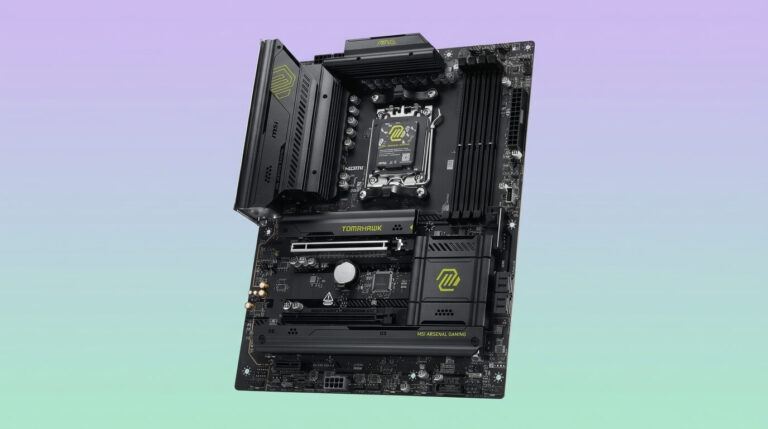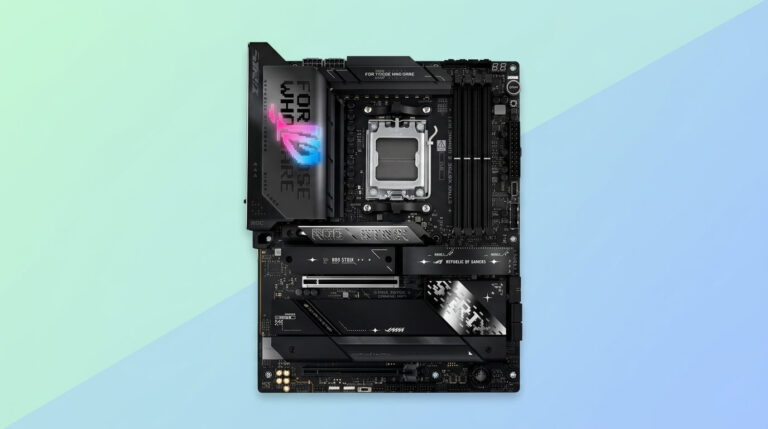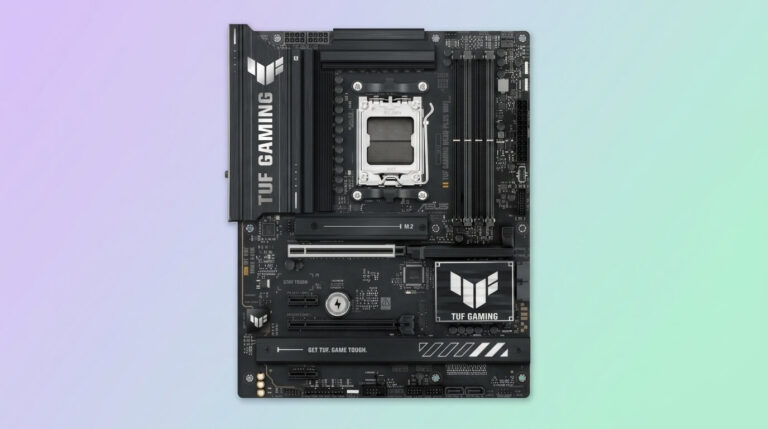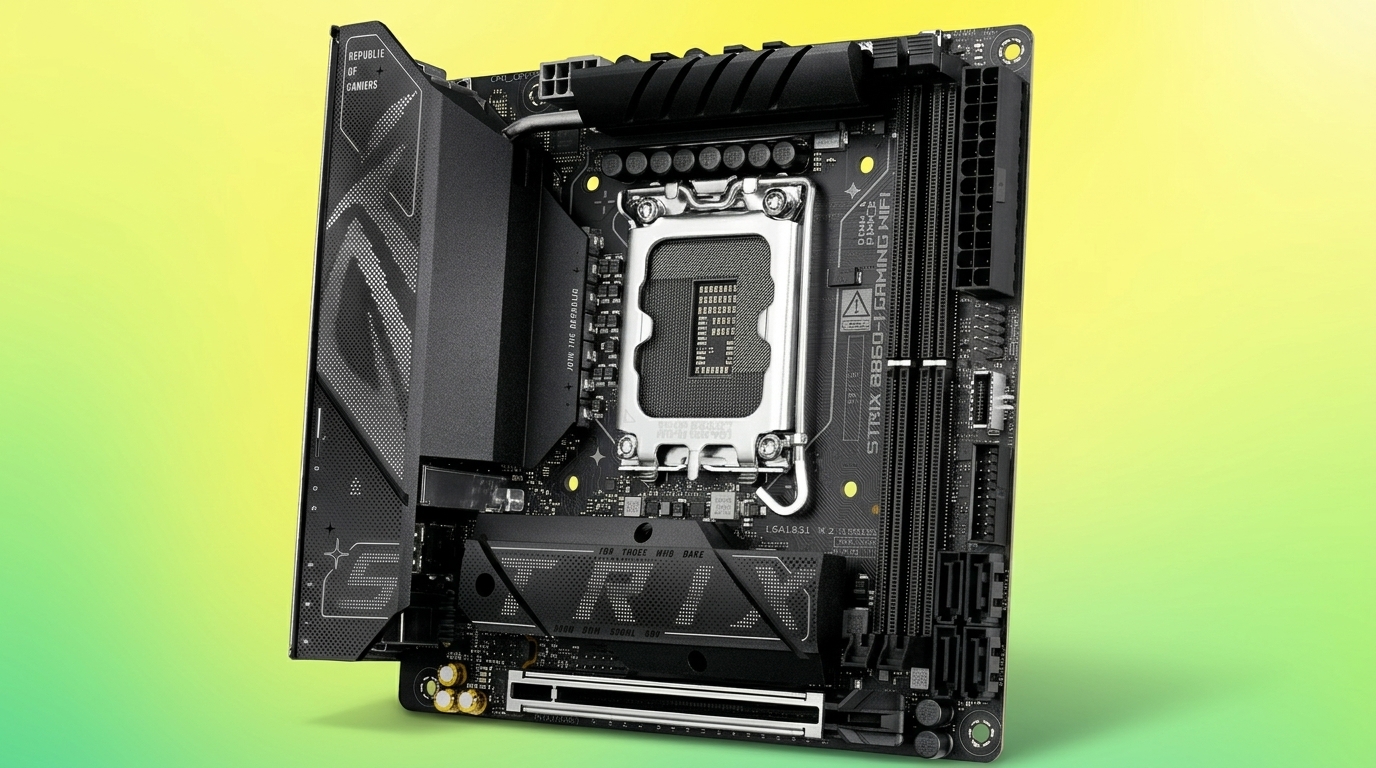
A motherboard form factor determines which case a motherboard fits, how many expansion cards and memory modules it supports, and how much room a build has for future upgrades. Manufacturers design motherboards, cases, and power supplies around a shared set of physical standards so that components from different brands remain interchangeable. Without these standards, a case built for one manufacturer’s board would not reliably accept a board from another manufacturer.
Several form factor standards exist today, each targeting a different balance of size, expansion capacity, and cost. Advanced Technology eXtended (ATX) and its variants dominate desktop computing, while Mini-ITX serves compact and embedded systems. Legacy standards such as BTX remain relevant only for maintaining older hardware.
This article defines the motherboard form factor concept, compares the five form factors most builders encounter, and explains how to match a form factor to a case, an upgrade plan, and a budget. It also covers how to identify the form factor and model of an existing motherboard.
Selecting a form factor is one of the first decisions in a PC build because it constrains every subsequent case, cooling, and expansion choice. A build intended for multiple graphics cards requires different board dimensions than a build intended for a compact desktop.
What Is a Motherboard Form Factor?
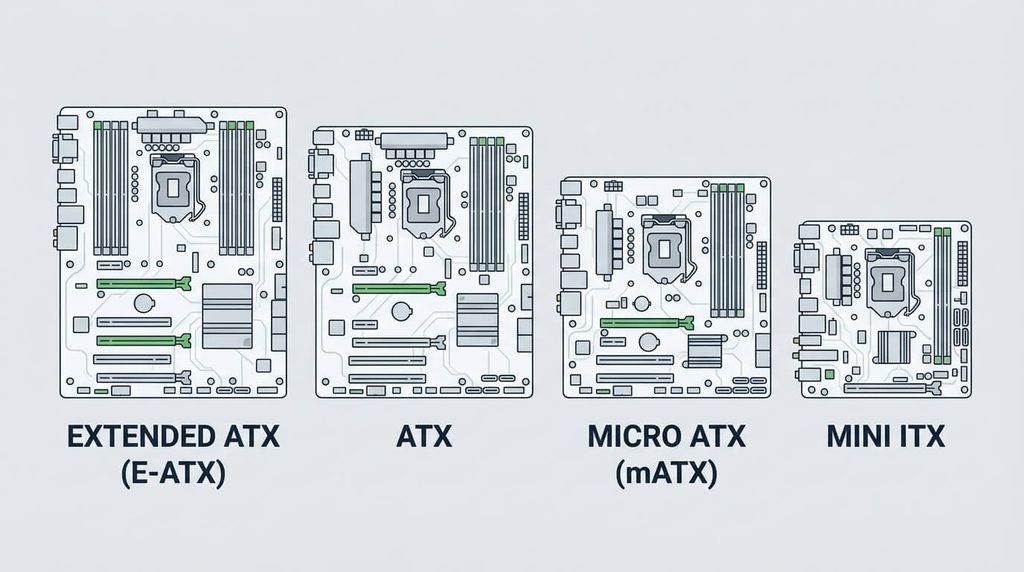
A motherboard form factor is a standardized specification that defines a motherboard’s physical dimensions, mounting hole positions, power connector layout, and expansion slot arrangement. The specification allows motherboards, cases, and power supplies produced by different manufacturers to fit and function together.
Each form factor standard sets a maximum board width and depth, a fixed pattern of mounting holes that align with standoffs in a compatible case, and a defined position for the rear input/output panel. Motherboard manufacturers must follow these measurements for a board to carry the form factor’s name. The specification also limits the number and spacing of expansion slots, which determines how many graphics cards, sound cards, or storage controllers a board can hold. Because case manufacturers build their chassis around the same mounting patterns, a case that lists support for a given form factor accepts any motherboard built to that same standard.
Form Factor vs. Motherboard Size vs. Motherboard Type
Motherboard form factor, motherboard size, and motherboard type describe three separate attributes of a motherboard. Form factor is the complete standardized specification, covering dimensions, mounting holes, and connector layout. Motherboard size refers only to the physical width and depth measurement, which is one component of the form factor rather than the full specification. Motherboard type commonly refers to the board’s chipset and CPU socket configuration, such as an Intel LGA1700 board or an AMD AM5 board, which governs processor compatibility rather than physical fit.
A builder can use these three terms to answer different questions. Form factor answers which case and power supply the board fits. Size answers how much physical space the board occupies. Type answers which processor family the board supports. Two boards can share an identical form factor while differing in type, and two boards can share a type while differing in form factor.
Motherboard Form Factor vs. Computer (Case) Form Factor
A motherboard form factor defines the board’s own dimensions and mounting pattern, while a computer case form factor defines the enclosure’s internal dimensions and which motherboard form factors it accepts. Case form factor categories such as mini tower, mid tower, and full tower describe the overall chassis size and cooling capacity rather than a single fixed motherboard measurement.
A single case form factor typically supports more than one motherboard form factor. A mid tower case commonly accepts ATX, Micro-ATX, and Mini-ITX motherboards through multiple sets of standoff holes, while a full tower case often extends this support to E-ATX boards. Case manufacturers publish a supported motherboard form factor list in the product specifications, and this list determines compatibility rather than the case’s marketing category alone.
Types of Motherboard Form Factors
Five motherboard form factors account for most desktop, workstation, and legacy systems: ATX, Micro-ATX, Mini-ITX, E-ATX, and BTX. These standards differ in board dimensions, expansion slot count, and the case categories that support them.
ATX serves as the mainstream standard for desktop builds that require a balance of expansion room and case availability. Micro-ATX reduces board size while retaining ATX-compatible mounting points. Mini-ITX targets the smallest builds through a single expansion slot. E-ATX extends the standard ATX footprint for workstation and server boards that require additional memory and expansion capacity. BTX represents a discontinued Intel standard found only in legacy systems.
ATX (Standard ATX)
A standard ATX motherboard measures 305 mm × 244 mm (12 in × 9.6 in). Intel introduced the ATX specification in 1995, and it remains the most widely produced motherboard form factor.
The standard ATX layout provides up to seven expansion slots spaced at 20 mm (0.8 in) intervals and typically includes four memory slots. This slot count allows an ATX board to hold a graphics card alongside additional expansion cards such as sound cards, capture cards, or extra storage controllers. ATX boards use a fixed mounting hole pattern and I/O panel position that most mid tower and full tower cases support directly. Manufacturers produce ATX boards across a wide range of price points and feature sets, from entry-level boards with basic connectivity to high-end boards with expanded power delivery and storage options.
Micro-ATX (mATX)
A Micro-ATX motherboard measures a maximum of 244 mm × 244 mm (9.6 in × 9.6 in). Intel released the Micro-ATX specification in December 1997 as a reduced-size derivative of ATX.
Micro-ATX boards support a maximum of four expansion slots, compared with the seven slots available on standard ATX. The mounting holes on a Micro-ATX board form a subset of the ATX mounting pattern, and the rear I/O panel position matches the ATX standard exactly. This shared mounting pattern allows a Micro-ATX board to install in most ATX-compatible cases as well as in dedicated Micro-ATX cases. The reduced expansion slot count limits Micro-ATX builds to fewer simultaneous add-in cards than ATX, which makes the form factor better suited to builds that need one graphics card and minimal additional expansion.
Mini-ITX (ITX)
A Mini-ITX motherboard measures 170 mm × 170 mm (6.7 in × 6.7 in). VIA Technologies developed the Mini-ITX specification in 2001 for compact, low-power computing applications.
Mini-ITX boards include a single expansion slot, typically a full-length PCI Express x16 slot for a graphics card, and commonly provide two memory slots. The form factor’s four mounting holes align with a matching subset of holes on ATX-compatible cases, which allows Mini-ITX boards to install in small form factor cases as well as larger cases through the shared standoff positions. The single expansion slot restricts Mini-ITX builds to one add-in card, so builders who need multiple simultaneous expansion cards require a larger form factor. Mini-ITX remains the standard choice for home theater PCs, compact gaming systems, and space-constrained desktop builds.
E-ATX (Extended ATX)
An E-ATX motherboard measures up to 305 mm × 330 mm (12 in × 13 in), extending the standard ATX depth by approximately 86 mm. Unlike ATX and Micro-ATX, E-ATX has no single body that enforces an exact dimension, so measurements vary between manufacturers within this general range.
The additional board area on an E-ATX design typically supports more memory slots, often eight instead of the four common on standard ATX, along with additional PCI Express slots for multi-GPU or multi-card configurations. Because E-ATX exceeds the standard ATX mounting footprint, it requires a case that explicitly lists E-ATX support, which is typically a full tower case. E-ATX boards are commonly used in high-performance workstations and rackmount servers that require expanded memory capacity and connectivity beyond what standard ATX provides.
BTX (Legacy Form Factor)
A standard BTX motherboard measures 325 mm × 266 mm (12.8 in × 10.5 in). Intel introduced the Balanced Technology eXtended (BTX) specification in 2004 to improve airflow around high-heat components such as the Pentium 4 processor.
The BTX layout positions the CPU, memory slots, and expansion slots along a single airflow path and places the input/output connectors below the board rather than along the top edge used by ATX. Standard BTX supports up to seven expansion slots, while the smaller microBTX and picoBTX variants measure 264 mm × 267 mm and 203 mm × 267 mm and support four and one expansion slots respectively. BTX motherboards require BTX-specific cases and power supplies and are not physically interchangeable with ATX components. Intel discontinued BTX development in 2006, and no BTX motherboards have entered production since. BTX systems now appear only in legacy OEM desktops that predate the standard’s discontinuation.
Motherboard Size Comparison Chart
The following table compares ATX, Micro-ATX, Mini-ITX, E-ATX, and BTX by maximum dimensions, expansion slot count, typical memory slot count, and the case category each form factor requires.
| Form Factor | Maximum Dimensions | Expansion Slots | RAM Slots | Compatible Case Category |
|---|---|---|---|---|
| ATX | 305 × 244 mm (12 × 9.6 in) | Up to 7 | 4 | Mid tower, full tower |
| Micro-ATX | 244 × 244 mm (9.6 × 9.6 in) | Up to 4 | 2–4 | Mini tower, mid tower, full tower |
| Mini-ITX | 170 × 170 mm (6.7 × 6.7 in) | 1 | 2 | Small form factor, mini tower and larger |
| E-ATX | Up to 305 × 330 mm (12 × 13 in) | Up to 7 or more | 8 | Full tower |
| BTX (standard) | 325 × 266 mm (12.8 × 10.5 in) | Up to 7 | 4 | BTX-specific case only |
Board depth and expansion slot count decrease from E-ATX down to Mini-ITX, which corresponds directly to the case size each form factor requires. ATX occupies the middle of this range and fits the widest selection of case models.
What Is the Most Common Motherboard Form Factor?
ATX is the most common motherboard form factor in current desktop computers. Its 305 mm × 244 mm footprint provides seven expansion slots and four memory slots, which covers the expansion needs of most desktop builds without requiring an oversized case.
ATX’s widespread adoption stems from its case compatibility. The majority of mid tower and full tower cases on the market list ATX support, and most motherboard manufacturers produce their primary product lines in the ATX size before adapting designs to Micro-ATX or Mini-ITX. This availability extends to power supplies, CPU coolers, and other components, which are commonly designed around ATX clearance dimensions. Micro-ATX ranks as the second most common form factor, chosen primarily for compact builds that still require more than one expansion slot.
How to Choose the Right Motherboard Form Factor
Choosing a motherboard form factor requires matching the board’s dimensions and expansion slot count to the case, the number of add-in cards a build requires, and the space available for the finished system. A build intended to run one graphics card in a compact desktop favors Micro-ATX or Mini-ITX, while a build intended to run multiple graphics cards, additional storage controllers, or high memory capacity favors ATX or E-ATX.
Case size, expansion needs, and budget interact directly with form factor selection. Smaller form factors generally cost less and consume less desk space, while larger form factors provide more expansion slots and memory capacity at the cost of a larger case and, in the case of E-ATX, a narrower selection of compatible cases.
Matching Form Factor to Your PC Case
A motherboard form factor matches a PC case when the case’s specification sheet lists that form factor among its supported motherboard sizes. Case manufacturers publish this list directly, and a board’s mounting holes must align with the standoff positions the case provides for that form factor.
Most mid tower and full tower cases support multiple form factors through overlapping standoff patterns, commonly ATX, Micro-ATX, and Mini-ITX in the same case. A case built around a smaller footprint, such as a Mini-ITX case, does not accept a larger board because the case lacks the additional standoff positions and clearance the larger board requires. E-ATX boards need explicit case support due to their extended depth, and installing an E-ATX board in a case that lists only standard ATX support can result in cable routing conflicts or drive bay interference even when some mounting holes align.
Expansion Slots and Upgrade Room by Form Factor
Expansion slot count differs directly by form factor and determines how many add-in cards a build can hold at once. Standard ATX provides up to seven slots, Micro-ATX provides up to four, Mini-ITX provides one, and E-ATX commonly matches or exceeds ATX’s seven-slot count alongside additional memory slots.
This slot count sets the practical upgrade ceiling for each form factor. A Mini-ITX build accommodates one graphics card and no additional expansion cards, which limits future upgrades to swapping that single card. A Micro-ATX build allows a graphics card plus up to three additional cards, such as a capture card or extra storage controller. An ATX or E-ATX build allows the most simultaneous expansion, which suits builds intended for multiple graphics cards, high-capacity storage arrays, or professional workstation configurations.
How to Find Out What Motherboard You Have
Windows identifies an installed motherboard through the System Information tool, accessible by typing “msinfo32” into the Run dialog or Start menu search, where the BaseBoard Manufacturer and BaseBoard Product fields list the motherboard’s brand and model. This method requires no additional software and works on any Windows installation.
The Command Prompt provides an alternative method: running the command wmic baseboard get product,manufacturer returns the same manufacturer and model information in text form. Third-party diagnostic utilities such as CPU-Z display the same details alongside the board’s chipset, BIOS version, and form factor within a single interface. When software identification is unavailable, physical inspection of the board itself provides a direct answer: the model number is printed directly on the printed circuit board, typically near the CPU socket or between the expansion slots, and this model number can be searched against the manufacturer’s published specifications to confirm the exact form factor.