
Table of Contents
The Intel Core i5-13600K is a 14-core, 20-thread processor built on the LGA 1700 socket, combining 6 Performance-cores and 8 Efficient-cores with a maximum boost clock of 5.1 GHz. Intel ships the chip unlocked, which means the multiplier can be raised through the BIOS on any Z-series chipset. Realizing that overclocking headroom, and sustaining the processor’s 181 W maximum turbo power (PL2) under load, depends directly on the motherboard installed underneath it.
A motherboard controls three outcomes that affect the i5-13600K directly: how much power the VRM (voltage regulator module) can deliver without throttling, how fast the DDR5 memory controller can run against the CPU’s dual-channel interface, and which PCIe generation is available for the GPU and storage. A board with a weak VRM caps sustained multi-core performance even when the CPU itself has more headroom. A board with limited memory support restricts the DDR5 speeds the platform can reach, which affects the E-cores’ cache and interconnect performance more than most workloads expect.
This article reviews six Z790 motherboards built around the LGA 1700 socket, all of which support the Core i5-13600K natively or with a BIOS update. Each review covers the board’s specifications, power delivery, memory support, storage and connectivity, pricing relative to its competitors, and the type of builder it suits. A buying guide follows the reviews, addressing compatibility, budget, and memory support in more direct detail.
All six boards use the ATX form factor and the Intel Z790 chipset, the only current-generation chipset that unlocks full overclocking on the i5-13600K. Pricing across the group spans a wide range, from budget-oriented boards priced under $200 to enthusiast-tier boards above $400, which reflects differences in VRM strength, storage capacity, and connectivity rather than raw CPU compatibility.
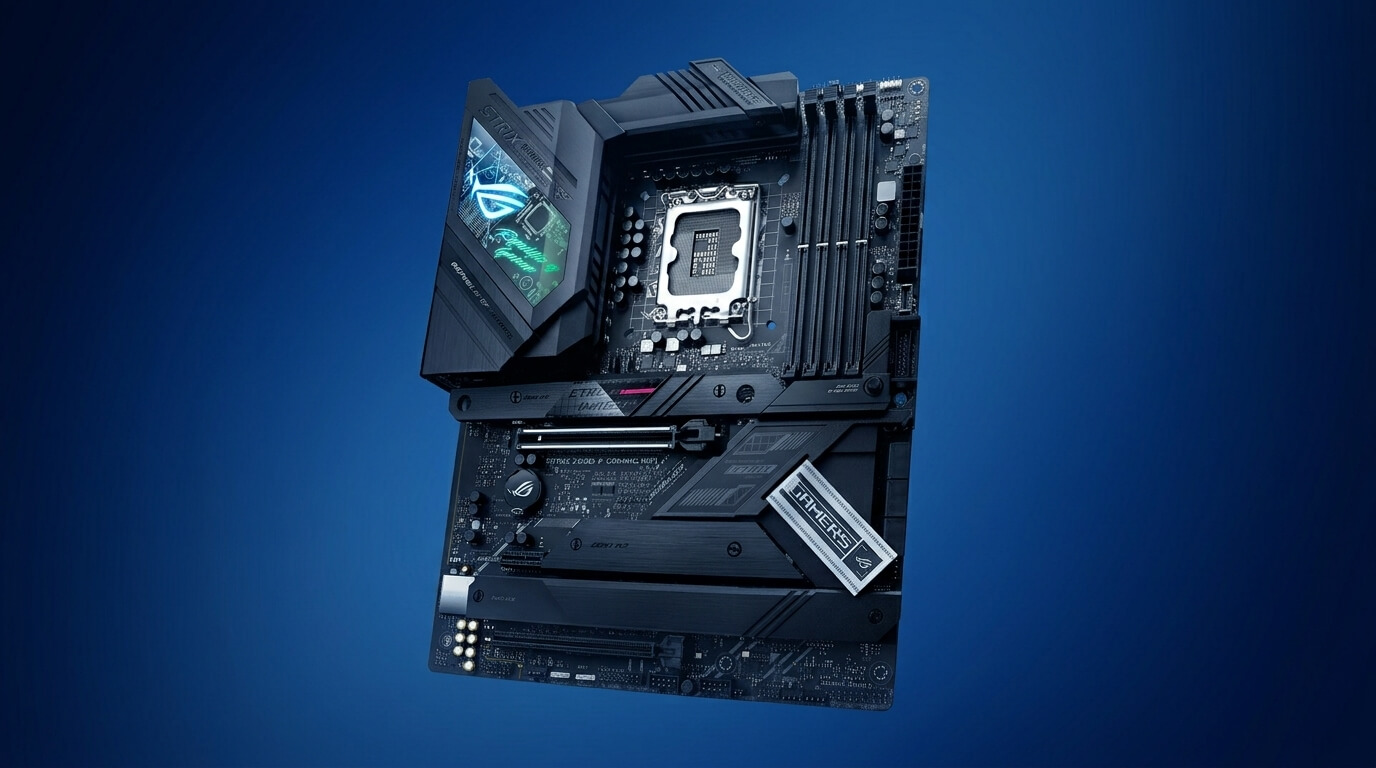
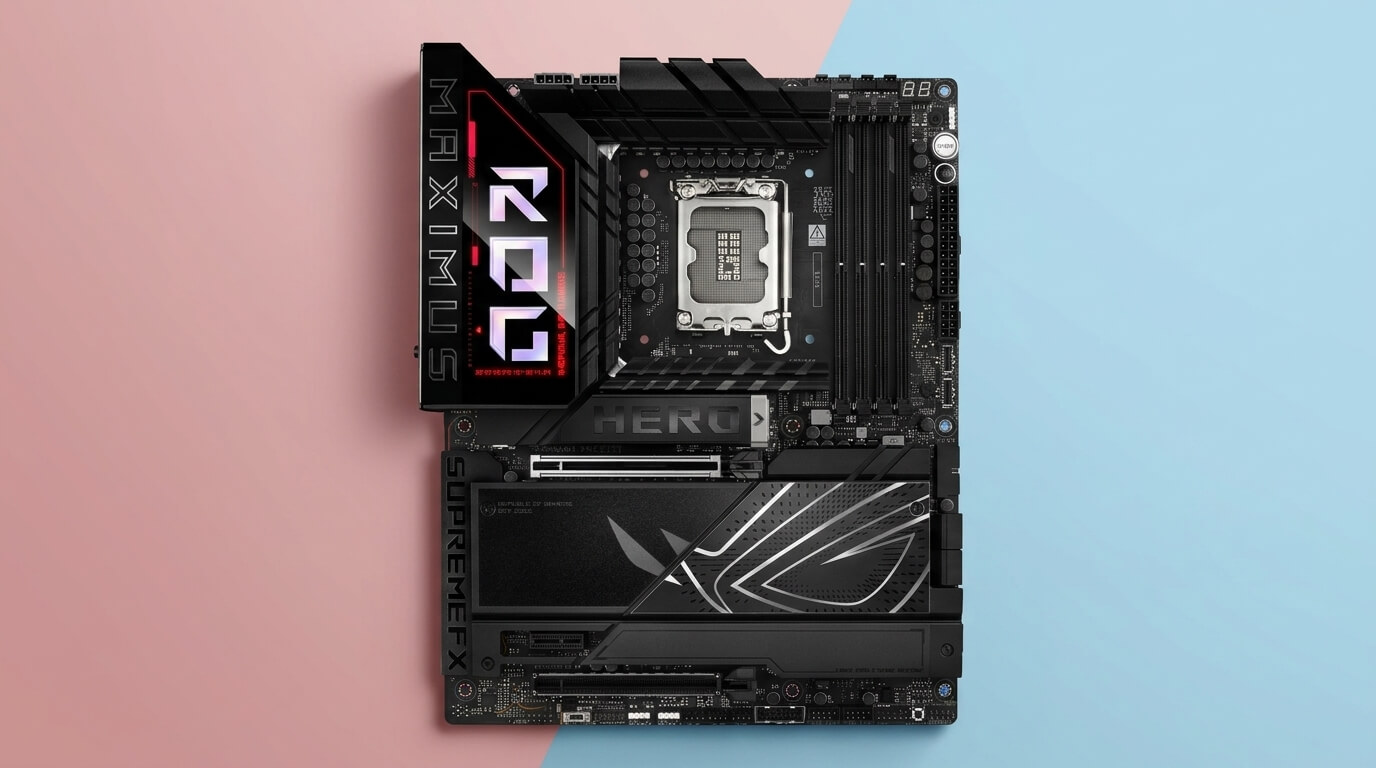
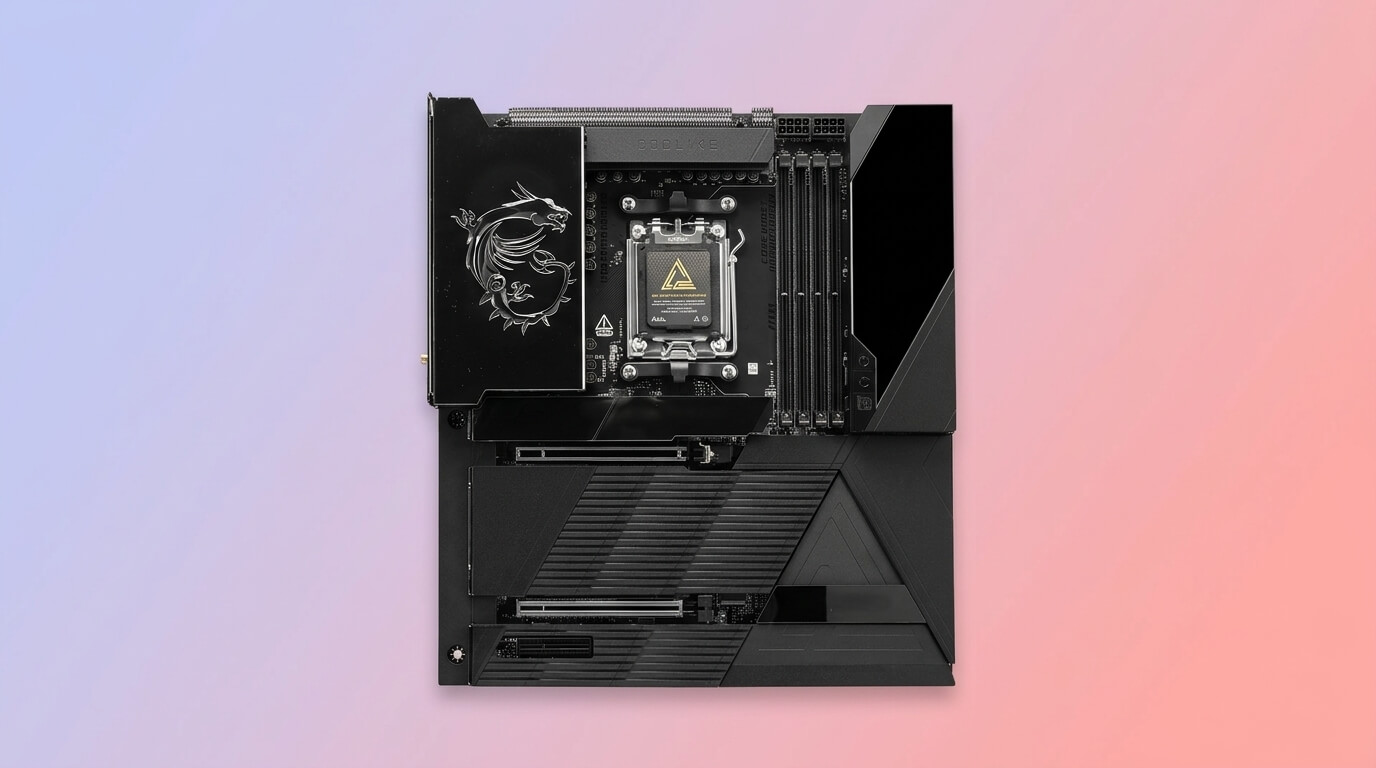
The Gigabyte Z790 AORUS Elite AX, MSI MAG Z790 Tomahawk WiFi, and ASUS TUF Gaming Z790-Plus WiFi occupy the mid-range and suit most i5-13600K builds. The MSI MPG Z790 Carbon WiFi and ASUS ROG Strix Z790-F Gaming WiFi sit at the enthusiast tier, with VRM capacity that exceeds what the i5-13600K typically demands. The MSI PRO Z790-P WiFi is the most affordable option and fits builders who do not plan to overclock aggressively.
THE SHORTLIST
This guide, at a glance
Compare the products covered below, then explore the strengths, limitations, and specifications that matter to you.
- Check current priceView on Amazon: Gigabyte Z790 AORUS Elite AX (opens in a new tab)
- Check current priceView on Amazon: MSI MAG Z790 Tomahawk WiFi (opens in a new tab)
- Check current priceView on Amazon: ASUS TUF Gaming Z790-Plus WiFi (opens in a new tab)
- Check current priceView on Amazon: MSI MPG Z790 Carbon WiFi (opens in a new tab)
- Check current priceView on Amazon: ASUS ROG Strix Z790-F Gaming WiFi (opens in a new tab)
- Check current priceView on Amazon: MSI PRO Z790-P WiFi (opens in a new tab)
Purchase links open Amazon. Confirm the exact model, price, availability, and seller terms before ordering.
Best Motherboards for Intel i5-13600K CPU
Gigabyte Z790 AORUS Elite AX
Pricing and availability on Amazon
Pros & cons
Strengths
- The 16+1+2 phase VRM design with 70A power stages provides sufficient headroom for the Intel Core i5-13600K at stock settings and moderate overclocking without thermal throttling.
- Support for memory speeds up to 7600 MT/s and beyond provides excellent flexibility for high-speed DDR5 memory kits.
- The fanless cooling design uses large VRM, chipset, and M.2 heatsinks to maintain temperatures without additional fans, helping reduce system noise.
Limitations
- The motherboard does not include a PCIe 5.0 M.2 slot, as all four M.2 slots operate at PCIe 4.0 x4, limiting maximum sequential storage speeds compared with boards that offer a Gen 5 M.2 slot.
- The lack of a dedicated debug LED display can make BIOS-level troubleshooting slower and more difficult compared with motherboards that include this feature.
Review notes
The Gigabyte Z790 AORUS Elite AX is an ATX motherboard built on the Intel Z790 chipset and LGA 1700 socket, supporting 12th, 13th, and 14th Generation Intel Core processors. Gigabyte also sells a Z790M AORUS Elite AX micro-ATX variant with a reduced 12+1+1 phase VRM and three M.2 slots, so builders comparing listings should confirm they are viewing the full-size ATX version reviewed here.
Storage includes four PCIe 4.0 x4 M.2 slots protected by Gigabyte’s M.2 Thermal Guard III, plus a PCIe 5.0 x16 slot with a tool-free EZ-Latch release. Networking covers 2.5GbE LAN and Wi-Fi 6E. Rear I/O includes a 20 Gbps USB-C port (USB 3.2 Gen 2×2) and a 10 Gbps front-panel USB-C header. The 6-layer PCB and passively cooled VRM heatsinks keep the board’s thermal profile stable under sustained load.
Retail pricing typically falls between $190 and $230, positioning the AORUS Elite AX against the MSI PRO Z790-P WiFi on price but with a meaningfully stronger VRM and two additional M.2 slots. Compared with the MSI MAG Z790 Tomahawk WiFi at a similar or slightly higher price, the AORUS Elite AX adds a fourth M.2 slot and a PCIe 5.0-ready EZ-Latch design, while the Tomahawk answers back with more SATA ports.
Who it suits
The board runs a twin 16+1+2 phase digital VRM rated at 70 A per power stage, cooled by fully covered MOSFET heatsinks. That power budget comfortably exceeds the i5-13600K’s 181 W maximum turbo power, leaving headroom for a moderate all-core overclock without the VRM becoming the limiting factor. Four DDR5 DIMM slots support memory speeds up to 7,600 MHz (OC) through Intel XMP 3.0, well above the CPU’s native DDR5-5600 support, so builders who add faster memory kits can reach those speeds once XMP is enabled.
The AORUS Elite AX suits builders who want VRM headroom for a mild i5-13600K overclock, four NVMe drives, and Wi-Fi 6E, without paying for the audio and RGB extras found on gaming-branded boards.
Specs & configuration
| Specification | Detail |
|---|---|
| Socket | LGA 1700 |
| Chipset | Intel Z790 |
| Form factor | ATX |
| VRM | 16+1+2 phases, 70A power stages, twin 8+8 parallel design |
| Memory | 4x DDR5 DIMM, dual-channel, XMP 3.0, up to 7600 MT/s (OC) |
| PCIe slots | 1x PCIe 5.0 x16, additional PCIe 4.0/3.0 slots |
| M.2 storage | 4x PCIe 4.0 x4 |
| SATA | 6x SATA 6 Gb/s |
| Networking | Wi-Fi 6E, 2.5GbE LAN |
| Rear USB | USB 3.2 Gen 2×2 (20 Gb/s), multiple USB 3.2 Gen 1/2 ports |
| Approximate price | $180–$230 |
MSI MAG Z790 Tomahawk WiFi
Pricing and availability on Amazon
Pros & cons
Strengths
- The 16+1+1 phase VRM design is rated to support the Intel Core i9-13900K, providing substantial thermal headroom for the Intel Core i5-13600K.
- The seven SATA 6 Gb/s ports provide more storage connectivity than most competing motherboards, making the board well suited for builds with multiple storage drives.
- The extended VRM heatsink design effectively controls temperatures when there is adequate case airflow around the CPU socket area.
Limitations
- The motherboard does not support PCIe 5.0 for its M.2 slots, as all four M.2 slots operate at PCIe 4.0 x4, limiting maximum storage throughput for Gen 5 SSDs.
- The VRM heatsink has limited surface area, so VRM temperatures can increase under sustained heavy loads if there is insufficient airflow around the CPU socket area.
Review notes
Power delivery runs a 16+1+1 phase Mirrored Power Arrangement using 90 A Smart Power Stages, fed by dual 8-pin CPU power connectors. Independent testing found this VRM design capable of sustaining an overclocked Core i9-13900K, which gives the i5-13600K substantial thermal and power margin. Four DDR5 DIMM slots support up to 7,200 MHz (OC) and a maximum capacity of 192 GB, with MSI’s Memory Boost circuitry isolating the DDR signal path for stability at higher speeds.
Storage includes four M.2 slots, all running at PCIe 4.0 x4; the board does not include a PCIe 5.0 M.2 slot. Seven SATA ports are available, more than any other board in this comparison, which benefits builders retaining spinning-disk or SATA SSD storage. The primary PCIe 5.0 x16 slot handles the graphics card. Networking includes 2.5GbE LAN and Wi-Fi 6E, and the rear I/O includes a 20 Gbps USB-C port.
Street pricing generally lands between $220 and $320 depending on region and promotions. Against the Gigabyte Z790 AORUS Elite AX at a comparable price point, the Tomahawk trades one M.2 slot for three additional SATA ports and a stronger 90 A VRM rating. Reviewers have flagged the VRM heatsink surface area as modest relative to the power stages underneath, which means cases with limited airflow may see elevated VRM temperatures under extended full-load overclocking.
Who it suits
The MSI MAG Z790 Tomahawk WiFi is an ATX motherboard for the Intel Z790 chipset and LGA 1700 socket, supporting 12th and 13th Generation Intel Core, Pentium Gold, and Celeron processors. A later refresh, the Tomahawk Max WiFi, adds native 14th Gen support, PCIe 5.0 M.2, and Wi-Fi 7; builders who need those additions should confirm which revision a listing describes.
The Tomahawk WiFi suits builders who want strong VRM performance and extensive SATA connectivity at a mid-range price, and who do not require a PCIe 5.0 M.2 slot for their first NVMe drive.
Specs & configuration
| Specification | Detail |
|---|---|
| Socket | LGA 1700 |
| Chipset | Intel Z790 |
| Form factor | ATX |
| VRM | 16+1+1 phases, 80–90A SPS, dual 8-pin CPU power |
| Memory | 4x DDR5 DIMM, dual-channel, up to 7200+ MT/s (OC) |
| PCIe slots | 1x PCIe 5.0 x16, 1x PCIe 4.0 x16 (x4), 1x PCIe 3.0 x1 |
| M.2 storage | 4x PCIe 4.0 x4 |
| SATA | 7x SATA 6 Gb/s |
| Networking | Wi-Fi 6E, 2.5GbE LAN |
| Rear USB | USB 3.2 Gen 2×2 (20 Gb/s), multiple USB 3.2 Gen 1/2 ports |
| Approximate price | $190–$230 |
ASUS TUF Gaming Z790-Plus WiFi
Pricing and availability on Amazon
Pros & cons
Strengths
- The Thunderbolt 4 header support provides an upgrade path for front-panel Thunderbolt connectivity, which is typically found on more expensive motherboards.
- ASUS TUF Protection components, including ESD guards and overvoltage protection, help improve the motherboard’s long-term durability and reliability.
- The four PCIe 4.0 M.2 slots support NVMe RAID configurations, making the motherboard suitable for users who need combined storage performance.
Limitations
- The four SATA 6 Gb/s ports provide less storage connectivity than the seven SATA ports offered by the MSI MAG Z790 Tomahawk WiFi.
- The 16+1 VRM configuration provides less thermal headroom than the twin- or dual-stage VRM designs found on some competing motherboards at a similar price.
Review notes
The ASUS TUF Gaming Z790-Plus WiFi is an ATX motherboard for the Intel Z790 chipset and LGA 1700 socket, supporting 12th, 13th, and 14th Generation Intel Core, Pentium Gold, and Celeron processors. It belongs to ASUS’s TUF (The Ultimate Force) line, which emphasizes component durability validated through military-standard testing rather than gaming aesthetics.
Power delivery uses a 16+1 DrMOS design paired with ProCool II power connectors and Digi+ VRM control, cooled by a dedicated VRM heatsink and heatpipe. This configuration provides ample headroom above the i5-13600K’s 181 W turbo power draw. Four DDR5 DIMM slots support speeds up to 7,200 MHz (OC) and a maximum capacity of 192 GB.
Storage covers four M.2 slots: two support drives up to 2280 length, and two extend to the longer 22110 length, all running at PCIe 4.0 x4. The primary PCIe 5.0 x16 slot uses ASUS’s SafeSlot reinforcement. Connectivity includes a Thunderbolt 4 (USB4) header, a front-panel USB 3.2 Gen 2 Type-C header, and a rear USB 3.2 Gen 2×2 Type-C port. Networking pairs an Intel I225-V 2.5Gb Ethernet controller with Wi-Fi 6E.
MSRP sits at $249.99, with street pricing observed between $220 and $283 depending on retailer and promotion. Against the MSI MAG Z790 Tomahawk WiFi at a similar price, the TUF Gaming Z790-Plus WiFi adds a Thunderbolt 4 header and 22110-length M.2 support but offers four fewer SATA ports and a slightly lower-rated VRM.
Who it suits
This board suits builders who prioritize component durability and Thunderbolt connectivity over maximum SATA count, and who want a Z790 platform without ASUS’s higher ROG pricing.
Specs & configuration
| Specification | Detail |
|---|---|
| Socket | LGA 1700 |
| Chipset | Intel Z790 |
| Form factor | ATX |
| VRM | 16+1 DrMOS, 60A power stages |
| Memory | 4x DDR5 DIMM, dual-channel, ASUS OptiMem II routing |
| PCIe slots | 1x PCIe 5.0 x16 SafeSlot, 1x PCIe 4.0 x16 (x4), 2x PCIe 3.0 x1 |
| M.2 storage | 4x PCIe 4.0 x4 |
| SATA | 4x SATA 6 Gb/s |
| Networking | Wi-Fi 6E, Intel 2.5Gb Ethernet |
| Rear USB | USB 3.2 Gen 2×2 Type-C, Thunderbolt 4 header |
| Approximate price | $190–$220 |
MSI MPG Z790 Carbon WiFi
Pricing and availability on Amazon
Pros & cons
Strengths
- The dedicated PCIe 5.0 x4 M.2 slot allows builders to install next-generation NVMe SSDs and take advantage of full Gen 5 bandwidth.
- The 19+1+1 phase VRM design with 105A power stages provides substantial overclocking headroom that far exceeds the requirements of the Intel Core i5-13600K at stock settings.
- The five total M.2 slots provide the highest M.2 storage capacity among the boards in this comparison, making the motherboard ideal for extensive multi-drive configurations.
Limitations
- The motherboard is relatively expensive at $280–$300 compared with more affordable boards such as the AORUS Elite AX and MAG Tomahawk WiFi, which already provide sufficient VRM performance for the Intel Core i5-13600K.
- Using the PCIe 5.0 M.2 slot reduces the primary PCIe x16 slot to x8 mode, which can affect GPU bandwidth in certain configurations.
Review notes
The MSI MPG Z790 Carbon WiFi is an ATX motherboard for the Intel Z790 chipset and LGA 1700 socket, supporting 12th, 13th, and 14th Generation Intel Core, Pentium Gold, and Celeron processors. It sits above the MAG Tomahawk and PRO series in MSI’s Z790 lineup, positioned as the brand’s enthusiast-tier board.
The VRM uses a 19+1+1 phase direct power design rated at 105 A per Smart Power Stage, controlled by a Renesas RAA229131 digital controller and cooled through an extended heatsink connected by a direct-touch heat pipe. This power delivery substantially exceeds what the i5-13600K requires, since the CPU’s 181 W turbo power draw uses a fraction of the board’s rated capacity; the headroom benefits higher core-count Raptor Lake processors more directly than the i5-13600K. Four DDR5 DIMM slots support speeds up to 7,600 MHz (OC).
Storage totals five M.2 slots: one PCIe 5.0 x4 slot rated at 128 Gb/s, plus four PCIe 4.0 x4 slots rated at 64 Gb/s each, all protected by double-sided M.2 Shield Frozr covers. The board includes a Thunderbolt 4 header, an 8-layer server-grade PCB, and 2.5GbE LAN paired with Wi-Fi 6E. Rear I/O includes a 20 Gbps USB-C port.
Pricing generally runs from $380 to $430 depending on region, making the Carbon WiFi the second-most expensive board in this comparison. Against the ASUS ROG Strix Z790-F Gaming WiFi at a similar price, the Carbon WiFi offers a stronger VRM (19+1+1 at 105 A versus 16+1 at 90 A) and a fifth, PCIe 5.0-capable M.2 slot, while the Strix answers with ASUS’s AI Overclocking and AI Cooling software suite.
Who it suits
For an i5-13600K build specifically, the Carbon WiFi’s VRM and storage capacity exceed practical requirements; it suits builders who plan a future CPU upgrade to a higher-core-count Raptor Lake or Arrow Lake-class processor, or who want a PCIe 5.0 M.2 slot and Thunderbolt 4 without waiting for a platform change.
Specs & configuration
| Specification | Detail |
|---|---|
| Socket | LGA 1700 |
| Chipset | Intel Z790 |
| Form factor | ATX |
| VRM | 19+1+1 phases, 105A SPS, dual 8-pin CPU power |
| Memory | 4x DDR5 DIMM, dual-channel, up to 7600+ MT/s (1DPC 1R) |
| PCIe slots | 1x PCIe 5.0 x16, 1x PCIe 4.0 x16 (x4) |
| M.2 storage | 1x PCIe 5.0 x4, 4x PCIe 4.0 x4 |
| Audio | Realtek ALC4080, 7.1-channel |
| Networking | Wi-Fi 6E, 2.5GbE LAN |
| Rear USB | USB 3.2 Gen 2×2 (20 Gb/s), multiple USB 3.2 Gen 1/2 ports |
| Approximate price | $280–$300 |
ASUS ROG Strix Z790-F Gaming WiFi
Pricing and availability on Amazon
Pros & cons
Strengths
- The 90A power stages across 16 CPU phases provide the Intel Core i5-13600K with substantial headroom for overclocking.
- The 30W USB-C Power Delivery 3.0 port on the rear I/O enables fast charging for compatible mobile devices, a feature not available on the other reviewed boards.
- ASUS AI Overclocking and AI Cooling II provide automated tuning of the CPU and cooling configuration based on the installed processor.
Limitations
- The motherboard does not include a PCIe 5.0 M.2 slot, as all four M.2 slots operate at PCIe 4.0 x4, unlike the MSI MPG Z790 Carbon WiFi.
- The four SATA 6 Gb/s ports provide less storage expansion than the seven SATA ports available on the MSI MAG Z790 Tomahawk WiFi.
Review notes
The ASUS ROG Strix Z790-F Gaming WiFi is an ATX motherboard for the Intel Z790 chipset and LGA 1700 socket, supporting 12th, 13th, and 14th Generation Intel Core, Pentium Gold, and Celeron processors. ASUS also sells a Strix Z790-F Gaming WiFi II revision with a 16+1+2 VRM, five M.2 slots, and Wi-Fi 7; the original version reviewed here remains widely available at a lower price.
Power delivery uses a 16+1 power-stage design rated at 90 A per stage, fed by dual ProCool II connectors and cooled by a heatsink connected through an L-shaped heatpipe. This rating comfortably covers the i5-13600K’s power demands with room for an all-core overclock. Four DDR5 DIMM slots support speeds up to 7,800 MHz according to ASUS’s published frequency list, well beyond the CPU’s native DDR5-5600 support.
Storage includes four PCIe 4.0 M.2 slots: the primary slot adds a heatsink and backplate, while the remaining three use single-sided heatsinks; none of the four run at PCIe 5.0. The primary graphics slot is a PCIe 5.0 x16 SafeSlot. Rear I/O includes a 20 Gbps USB-C port with 30 W USB Power Delivery on both the rear port and an additional front-panel connector. Audio uses a Realtek ALC4080 codec paired with a Savitech SV3H712 amplifier. Networking combines Wi-Fi 6E with 2.5Gb Ethernet through ASUS LANGuard.
ASUS lists the board at $329.99 through its own store, with third-party retail pricing observed as high as $370–$400 in some regions. Compared with the MSI MPG Z790 Carbon WiFi, the Strix Z790-F Gaming WiFi costs less but offers a lower-rated VRM (90 A versus 105 A) and no PCIe 5.0 M.2 slot; in exchange, it adds ASUS-exclusive AI Overclocking, AI Cooling II, and Aura Sync RGB software features not available on the MSI board.
Who it suits
The Strix Z790-F Gaming WiFi suits builders who want ROG-branded software tuning tools, RGB lighting integration, and 30 W USB-C charging, alongside VRM capacity that comfortably covers i5-13600K overclocking.
Specs & configuration
| Specification | Detail |
|---|---|
| Socket | LGA 1700 |
| Chipset | Intel Z790 |
| Form factor | ATX |
| VRM | 16+1 power stages, 90A per stage, dual ProCool II connectors |
| Memory | 4x DDR5 DIMM, dual-channel, tested beyond 7000 MT/s |
| PCIe slots | 1x PCIe 5.0 x16 SafeSlot, additional PCIe 4.0 slots |
| M.2 storage | 4x PCIe 4.0 x4 (1 with backplate) |
| SATA | 4x SATA 6 Gb/s |
| Networking | Wi-Fi 6E |
| Rear USB | USB 3.2 Gen 2×2 Type-C with PD 3.0 (30W), HDMI 2.1, DisplayPort 1.4 |
| Approximate price | $280–$300 |
MSI PRO Z790-P WiFi
Pricing and availability on Amazon
Pros & cons
Strengths
- The MSI PRO Z790-P WiFi offers the lowest price in this comparison at $170–$180, providing Z790 chipset features at the most accessible price among the six boards reviewed.
- The 14+1+1 VRM design provides adequate power delivery for the Intel Core i5-13600K at stock settings without thermal issues under normal case airflow.
- The PCIe 5.0 x16 primary graphics slot provides support for current and future graphics cards despite the motherboard’s budget-oriented positioning.
Limitations
- The 55A DrMOS power stages and lower VRM phase count provide the least overclocking headroom among the compared boards, making the motherboard less suitable for sustained all-core overclocking.
- The Realtek ALC897 audio codec provides lower audio fidelity than the ALC4080 codec used on the MSI MAG Z790 Tomahawk WiFi and MPG Z790 Carbon WiFi.
Review notes
The MSI PRO Z790-P WiFi is an ATX motherboard for the Intel Z790 chipset and LGA 1700 socket, supporting 12th, 13th, and 14th Generation Intel Core, Pentium Gold, and Celeron processors. It represents MSI’s business- and value-oriented PRO series, positioned below the MAG and MPG gaming lines in both price and feature set.
The VRM uses a 14+1+1 phase Duet Rail Power System with 55 A DrMOS stages, a lower rating than every other board in this comparison. That capacity still exceeds the i5-13600K’s 181 W turbo power draw at stock settings and supports a light to moderate overclock, though it offers less margin than the 16-phase-and-above designs on the other five boards. Four DDR5 DIMM slots support speeds up to 7,000 MHz (OC) through Memory Boost isolated circuitry.
Storage includes four PCIe 4.0 x4 M.2 slots protected by M.2 Shield Frozr, plus six SATA ports. The primary PCIe 5.0 x16 slot handles the graphics card; a secondary PCIe 4.0 x16 slot runs at x4. Audio uses a Realtek ALC897 codec, a step below the ALC4080 solutions on MSI’s own Carbon board and the ASUS TUF and Strix boards. Networking includes 2.5Gb LAN and Wi-Fi 6E with Bluetooth 5.3.
This board suits budget-focused builders and general productivity or light gaming systems where the i5-13600K runs largely at or near stock settings, rather than sustained all-core overclocks.
Who it suits
Retail pricing runs from roughly $150 to $205, the lowest of the six boards reviewed here. Against the Gigabyte Z790 AORUS Elite AX at a similar or slightly higher price, the PRO Z790-P WiFi offers a weaker VRM and a lower memory OC ceiling, but remains a functional Z790 platform for builders who do not intend to push the i5-13600K’s overclocking limits.
Specs & configuration
| Specification | Detail |
|---|---|
| Socket | LGA 1700 |
| Chipset | Intel Z790 |
| Form factor | ATX |
| VRM | 14+1+1 DRPS, 55A DrMOS, dual 8-pin CPU power |
| Memory | 4x DDR5 DIMM, dual-channel, up to 7000+ MT/s (1DPC 1R) |
| PCIe slots | 1x PCIe 5.0 x16, 1x PCIe 4.0 x16 (x4), 1x PCIe 3.0 x1 |
| M.2 storage | PCIe 4.0 x4 M.2 slots with M.2 Shield Frozr |
| Audio | Realtek ALC897, 7.1-channel |
| Networking | 2.5Gbps LAN, Wi-Fi 6E (WiFi variant) |
| Approximate price | $170–$180 |
How to Choose a Motherboard for Core i5-13600K?
Choosing a motherboard for the Core i5-13600K requires confirming socket and chipset compatibility first, then matching VRM capacity, memory support, and price to the intended workload. A board that satisfies all three areas at the lowest price for a given feature set is generally the correct choice, since the i5-13600K itself does not require the highest-tier VRM or memory support available on the LGA 1700 platform. Builders who plan to prioritize frame rates in demanding titles over multi-threaded workloads may also want to compare boards through the lens of gaming-specific requirements, which a dedicated best motherboard for gaming comparison addresses in more depth.
Compatiability
The Core i5-13600K is compatible with any LGA 1700 motherboard running a BIOS that supports 13th Generation Raptor Lake processors. That includes Intel’s Z790, Z690, H770, B760, and H610 chipsets, though only the Z790 and Z690 chipsets unlock CPU multiplier overclocking. All six motherboards reviewed above use the Z790 chipset and LGA 1700 socket, confirming full compatibility including overclocking support. Builders reusing an older Z690 board should update the BIOS to a 13th Gen-compatible version before installing the CPU, since early Z690 BIOS releases predate Raptor Lake’s launch.
Budget
Motherboard pricing for the Core i5-13600K spans roughly $150 to $430 across the boards compared in this article, with most builders finding a suitable option between $190 and $280. Boards priced under $200, such as the MSI PRO Z790-P WiFi, cover the CPU’s stock power requirements but offer limited overclocking headroom. Boards priced above $350, such as the MSI MPG Z790 Carbon WiFi and ASUS ROG Strix Z790-F Gaming WiFi, provide VRM and storage capacity that exceeds what the i5-13600K typically uses, which benefits builders planning a future CPU upgrade more than those keeping the i5-13600K long-term.
Memory Support
The Core i5-13600K natively supports DDR5 memory up to 5,600 MT/s at one DIMM per channel, with higher speeds available only through Intel XMP overclocking profiles. All six motherboards in this comparison exceed that baseline, supporting overclocked DDR5 speeds between 7,000 MHz and 7,800 MHz across four DIMM slots. Builders who want to run faster memory kits should confirm a board’s maximum supported speed against the specific memory kit’s XMP rating, since actual achievable speed also depends on the number and rank of DIMMs installed.
JOIN THE CONVERSATION
Leave a comment
Have a question or something to add? Share it with our editorial team. Comments are reviewed privately and are not published automatically.