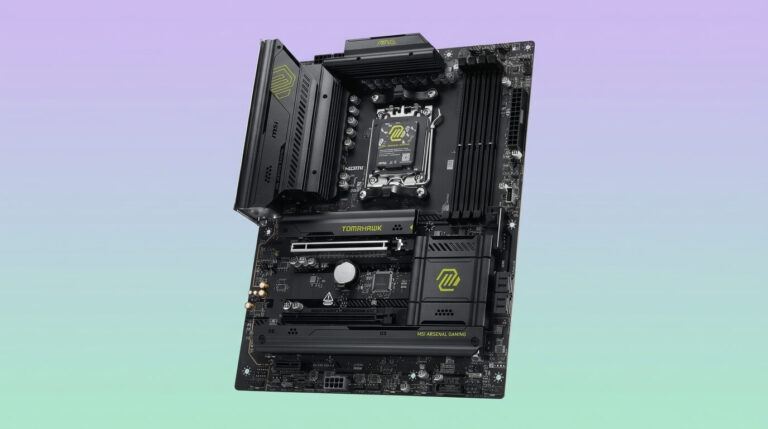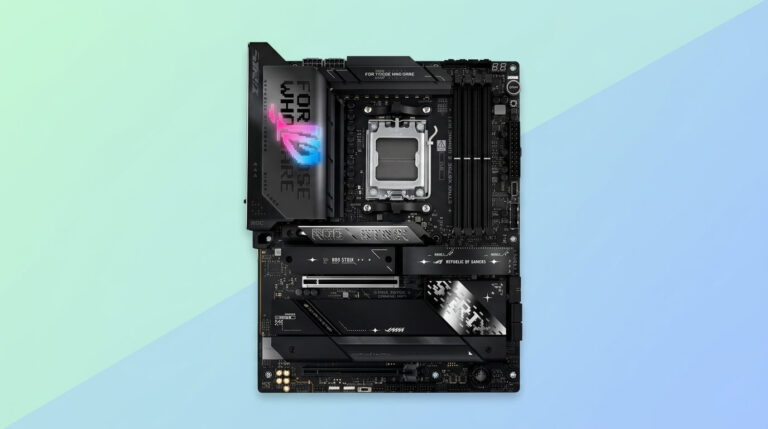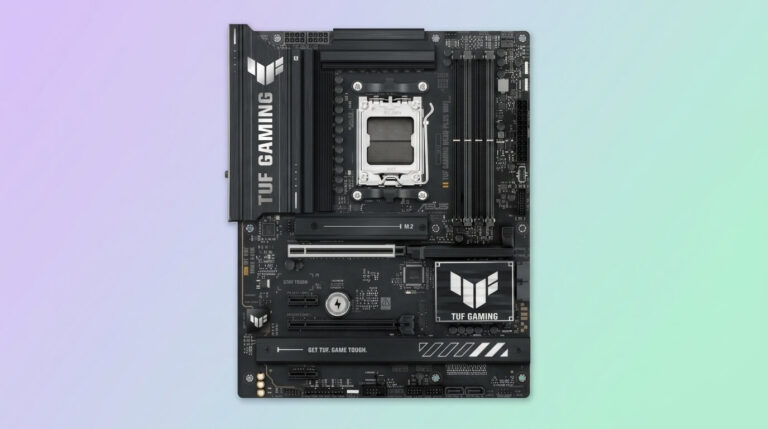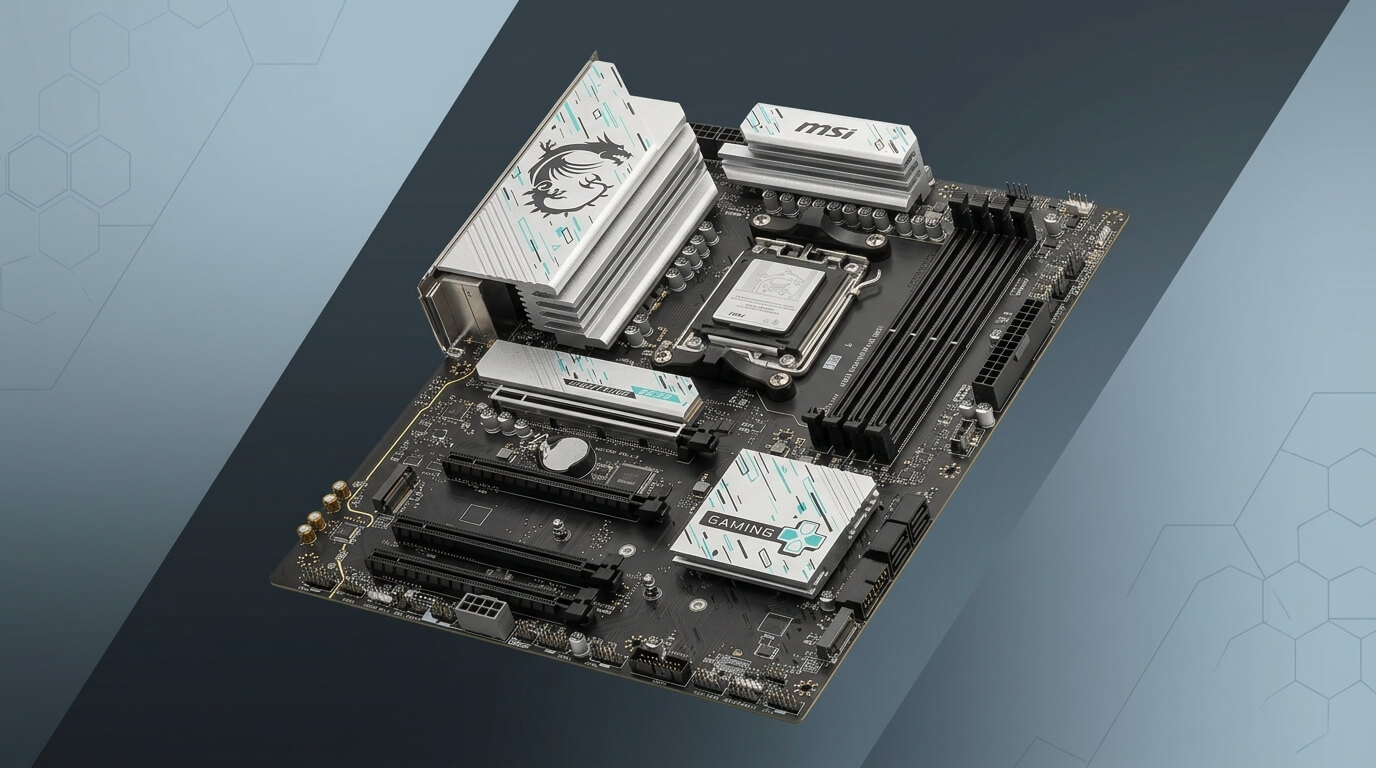
MSI (Micro-Star International) manufactures motherboards across four consumer tiers — MEG, MPG, MAG, and PRO — spanning Intel and AMD platforms. The company ships boards for budget office builds, mainstream gaming rigs, and extreme overclocking systems, with pricing that typically runs below equivalent Asus and slightly below equivalent Gigabyte models at the same chipset tier.
Motherboard reliability depends on VRM design, PCB layer count, component sourcing, and BIOS support, not on brand reputation alone. MSI’s power delivery quality varies by series: entry PRO and low-end MAG boards use simpler VRM stages suited to stock or lightly boosted CPUs, while MPG and MEG boards use higher phase counts and higher-current power stages built for sustained high-wattage loads.
This guide evaluates MSI motherboards against the criteria that determine long-term reliability and value: VRM and component quality, BIOS and firmware support, warranty terms, and documented failure patterns. It compares MSI’s series tiers against each other and against Asus, Gigabyte, and ASRock using matching criteria.
The sections below cover series selection, brand comparison, use-case fit, common complaints, warranty coverage, and a buying checklist for matching a board to a specific CPU and budget.
Are MSI Motherboards Good?
MSI motherboards are good for most builds when the model is matched to the CPU’s power draw and the intended use case. MSI’s MAG and MPG series boards deliver competitive VRM designs, PCIe 5.0 support, and modern connectivity at prices that generally undercut equivalent Asus and Gigabyte boards.
The quality gap between MSI and its main competitors sits mainly at the extremes. MSI’s entry-level PRO and base MAG boards use lighter VRM designs than comparable ASRock or Gigabyte entry boards in some chipset generations, which limits their headroom for high-core-count CPUs under sustained load. MSI’s MEG flagship boards compete directly with Asus ROG and Gigabyte AORUS Xtreme boards on power delivery, cooling, and feature density.
MSI’s practical strengths include Click BIOS 5 firmware that most reviewers rate as clear and easy to navigate, a Flash BIOS Button that allows a firmware update without an installed CPU or memory, and M.2 Shield Frozr heatsinks that cover M.2 slots on mid-range boards and above. MSI’s weaker points include bundled monitoring and overclocking software that some users report as less stable than the BIOS itself, and historical VRM issues on specific older AMD boards that later chipset generations addressed with revised designs.
How Reliable Are MSI Motherboards? What the Evidence Shows
MSI motherboards show reliability comparable to Asus, Gigabyte, and ASRock at equivalent price points, with failure patterns concentrated in specific older models and entry-tier boards rather than across the brand as a whole. Independent long-term failure-rate data comparing all four major motherboard brands is not published by any of the manufacturers, so reliability assessment relies on component-level engineering (VRM and PCB quality), warranty terms, and aggregated owner reports from repair shops and enthusiast forums.
VRM and Power Delivery Quality
MSI’s VRM quality scales directly with series tier, from basic 4+2+1 phase designs on entry PRO boards to 16-phase or higher configurations on MEG flagship boards. The voltage regulator module converts a motherboard’s 12V input into the lower, tightly regulated voltage a CPU requires, and its phase count and per-phase current rating determine how much sustained load the board can supply without thermal throttling.
Current-generation MAG boards, such as the MAG B850 Tomahawk and MAG X870 Tomahawk, use a 14-phase VRM built around 80A or higher power stages, sufficient for a Ryzen 9 9950X-class CPU under an all-core workload. MEG and high-end MPG boards add larger heatsinks, sometimes with heat pipes or fan-assisted cooling, which lowers VRM temperatures under extended stress-test loads compared with passive-only heatsinks on lower tiers. Entry-level PRO and base MAG boards use fewer phases and lower-current stages, which is adequate for mid-range CPUs at stock settings but leaves less headroom for overclocking or high-core-count parts under sustained full load.
PCB and Component Quality
MSI motherboards use multilayer PCBs, with layer count increasing from four or six layers on entry boards to eight or more layers on MEG and high-end MPG models. Additional PCB layers improve signal integrity for high-speed interfaces such as PCIe 5.0 and DDR5, and they distribute heat more evenly across the board.
MSI markets several component-level durability features across its lineup, including solid-state capacitors rated for extended operating life over consumer-grade electrolytic capacitors, and Core Boost circuit-layout technology intended to shorten power-delivery paths. MSI’s mid-range and higher boards also use pre-mounted I/O shields and reinforced PCIe slots (branded Steel Armor on some models) to reduce connector and slot damage from heavy graphics cards. These features appear consistently from the MAG tier upward; PRO-series and legacy budget boards omit some of them to hold down cost.
What Owners and Forums Say About Long-Term Reliability
Owner reports on enthusiast forums such as Reddit, Tom’s Hardware Forums, and Overclock.net describe MSI motherboards as generally reliable for standard use, with a recurring minority of reports involving BIOS-related boot failures, RMA experiences on specific AM4-era boards, and bundled software crashes. These reports are self-selected and not a statistically representative sample, since owners with no problems rarely post about a board that works as expected.
Long-running community threads on brand reliability commonly place MSI, Gigabyte, and ASRock in a similar tier, with individual owner experiences varying more by specific model and manufacturing batch than by brand as a whole. Reported failure themes for MSI concentrate on specific issues: intermittent SATA port recognition on some X470-generation boards, VRM-related failures on early Ryzen-generation budget boards, and BIOS flashing complications on newer AM5 boards after major CPU-support updates. Reviewers and forum members frequently note that a board’s specific VRM design and BIOS revision matter more for long-term reliability than the brand name alone.
MSI Motherboard Series Explained: MEG vs MPG vs MAG vs PRO
MSI organizes its consumer motherboards into four series — MEG, MPG, MAG, and PRO — each targeting a distinct combination of performance level, feature set, and price. The series name indicates the board’s tier and intended user before the specific chipset or model suffix (such as Tomahawk, Carbon, or Ace) narrows the feature set further.
MEG (MSI’s Flagship Enthusiast Tier)
MEG (MSI Enthusiast Gaming) is MSI’s flagship motherboard tier, built for extreme overclocking and maximum feature density on the latest chipset. MEG boards use the highest phase-count VRMs in MSI’s lineup, premium PCB layer counts, extensive M.2 storage with active cooling on some models, and top-tier audio codecs.
The MEG Godlike sits at the top of this tier and includes features rarely found lower in MSI’s range, such as debug displays, extra fan headers, and premium networking (10 Gigabit Ethernet on select models). MEG boards suit builders who prioritize maximum overclocking headroom and are willing to pay a premium over MPG and MAG equivalents for that headroom.
MPG (Performance Gaming Tier)
MPG (MSI Performance Gaming) is MSI’s upper-mid tier, built for high-performance gaming builds that do not require MEG-level extreme overclocking features. MPG boards, such as the MPG Z790 Carbon and MPG X870E Carbon, use strong VRM designs with 12- to 16-phase power delivery, WiFi 7 or WiFi 6E, and PCIe 5.0 storage support, at a lower price than equivalent MEG models.
MPG occupies the gap between MAG’s mainstream focus and MEG’s flagship positioning, offering most of the practical performance benefit of a flagship board — stable power delivery under sustained CPU and memory overclocks — without MEG’s extra cosmetic and connectivity extras.
MAG (Mainstream Gaming Tier)
MAG (MSI Arsenal Gaming) is MSI’s mainstream tier, designed around stability and durability for gaming builds at a moderate price. MAG boards, including the MAG B850 Tomahawk and MAG X870 Tomahawk, typically use 14-phase VRM designs capable of supporting high-core-count CPUs at stock and moderately boosted settings.
MAG is MSI’s highest-volume series and the tier most frequently recommended for mid-range and upper-mid-range gaming builds, since it delivers most of MPG’s practical stability at a lower price by trimming cosmetic extras and premium audio rather than core power delivery.
PRO (Budget and Business Tier)
PRO is MSI’s value and business-oriented tier, built for budget gaming builds, office systems, and workstations that prioritize cost and stability over overclocking headroom. PRO boards use simpler VRM designs, fewer M.2 slots, and more conservative feature sets than MAG and above, while retaining core chipset functionality.
Select PRO models add business-relevant features, including TPM 2.0 support and, on some boards, ECC memory compatibility, that MSI’s gaming-branded tiers omit. PRO is the appropriate choice for builders running a locked (non-overclocked) CPU where a lower price outweighs extra VRM headroom or premium connectivity.
MSI vs Asus vs Gigabyte vs ASRock: How Does MSI Compare?
MSI competes closely with Asus, Gigabyte, and ASRock across VRM quality, BIOS usability, pricing, and warranty terms, with no single brand leading on every criterion. The comparison below uses four consistent criteria — VRM and power delivery, BIOS and software experience, pricing at a matched chipset tier, and warranty coverage — across each competitor pair.
MSI vs Asus
MSI generally prices its MAG and MPG boards below Asus’s equivalent TUF Gaming and ROG Strix models at the same chipset tier, while Asus generally leads on BIOS interface polish and premium audio component selection. Asus’s ROG lineup extends further upmarket than MSI’s MEG range on some platforms, offering additional flagship SKUs for extreme overclockers.
Both brands offer comparable VRM quality at matched tiers: an MSI MAG board and an Asus TUF Gaming board of the same chipset generation typically use similar phase counts and power-stage ratings. MSI’s Click BIOS 5 and Asus’s UEFI BIOS both receive positive reviewer feedback for clarity, though individual reviewers differ on which layout they prefer. Warranty terms are comparable, with both brands offering a standard multi-year limited warranty on motherboards in the US market.
MSI vs Gigabyte
MSI and Gigabyte compete most directly in the mainstream MAG-versus-AORUS Elite segment, where board pricing, VRM phase counts, and connectivity are frequently within a similar range at a given chipset and price point. Gigabyte’s AORUS lineup tends to add more M.2 slots and PCIe lanes at a given price tier on some chipset generations, while MSI tends to hold a slight price advantage at the same feature level.
Component-level durability marketing overlaps substantially between the two brands: both use solid-state capacitors, reinforced PCIe slots, and multilayer PCBs from the mid-range tier upward. Reviewer and owner feedback on customer support responsiveness varies by region for both brands, and neither shows a consistent, well-documented advantage over the other in independently verified support-response data.
MSI vs ASRock
MSI’s boards generally include more premium cosmetic and audio features than ASRock’s equivalent-tier boards, while ASRock frequently wins on price at the same chipset and core specification. ASRock’s Steel Legend and Taichi lines are commonly cited by reviewers and forum users as strong value options with competitive VRM designs relative to their price.
Owner reports on long-term reliability place ASRock and MSI in a broadly similar range, with individual model and manufacturing-batch variation mattering more than brand-level differences. ASRock’s BIOS interface is functional but generally regarded by reviewers as less refined than MSI’s Click BIOS 5, though this gap has narrowed across recent chipset generations.
Is MSI Good for Gaming, Overclocking, or Everyday Use?
MSI motherboards suit gaming, overclocking, and everyday use when the specific series and model match the workload, since MSI’s tiers are built with different power-delivery and feature targets. A PRO-tier board fits an everyday office PC; a MAG or MPG board fits gaming; a MEG board fits extreme overclocking.
Gaming Builds
MSI’s MAG and MPG series boards are well suited to gaming builds, since they combine adequate VRM headroom for boosted gaming CPUs with PCIe 5.0 graphics slots, fast M.2 storage, and modern networking at a moderate price. A MAG-tier board such as the MAG B850 Tomahawk or MAG X870 Tomahawk supports current Ryzen gaming CPUs at stock and lightly boosted clocks without VRM throttling under typical gaming loads.
Gaming workloads place less sustained stress on the VRM than all-core productivity workloads, since games rarely load every CPU core simultaneously at maximum frequency. This makes MAG-tier power delivery generally sufficient for gaming, reserving MPG and MEG boards for builders who also run sustained multi-core workloads or want additional overclocking margin.
Overclocking and Enthusiast Builds
MSI’s MEG and high-end MPG boards are built for overclocking and enthusiast builds, with VRM phase counts and power-stage ratings sized for sustained high-wattage loads beyond stock CPU limits. Manual CPU overclocking and memory overclocking both increase current draw and heat generation at the VRM, so a higher phase count and better VRM cooling directly translate into more stable sustained boost clocks.
MEG boards add features specifically aimed at overclockers, including additional BIOS profile storage, onboard debug LEDs or displays for troubleshooting failed boots, and, on select models, dedicated overclocking buttons on the board itself. Builders who do not plan to manually overclock gain limited practical benefit from MEG-tier features and can generally meet their performance needs with an MPG or upper-tier MAG board instead.
Budget and Everyday PCs
MSI’s PRO series and base-tier MAG boards fit budget and everyday PCs, including office systems, general browsing machines, and light productivity builds that run a CPU at stock settings. These boards use simpler VRM designs adequate for a non-overclocked CPU’s power draw, along with fewer M.2 slots and more conservative connectivity than MAG and above.
PRO-series boards keep essential features — chipset-level USB and SATA connectivity, standard audio, and Gigabit or 2.5 Gigabit Ethernet on most models — while omitting premium extras such as WiFi 7, extensive RGB lighting, and high phase-count VRMs that an everyday PC does not require. This makes the PRO tier the appropriate default for cost-sensitive builds where the CPU will not be overclocked.
Common MSI Motherboard Problems and Complaints
The most frequently reported MSI motherboard issues involve BIOS update and CPU-compatibility complications, VRM-related failures on specific older boards, and instability in bundled monitoring and overclocking utilities. These issues cluster around specific models, chipset generations, and software versions rather than affecting the current lineup uniformly.
BIOS Update and Flashing Issues
Some MSI motherboard owners report boot failures or a “no display” state after a BIOS update, particularly following major CPU-support updates that change the underlying firmware significantly. MSI’s Flash BIOS Button feature allows a firmware update without an installed CPU or memory, which helps recover from some flashing failures without requiring a compatible CPU already installed.
MSI recommends updating BIOS firmware only when a specific feature or CPU-compatibility issue requires it, since an unnecessary update introduces update-related risk without a corresponding benefit. Builders installing a newly released CPU on an existing MSI board should verify BIOS compatibility with MSI’s official CPU support list before first boot, since some AM5 boards require a BIOS update before recognizing the newest Ryzen CPUs.
Historical VRM and Component Failures on Older Boards
Specific older MSI motherboards, particularly some early AM4-generation budget and mid-range boards, have documented histories of VRM component failures reported by owners and repair technicians. These reports concentrate on entry-level boards from earlier chipset generations that used lighter VRM designs relative to the CPUs later installed on them, such as budget boards paired with higher-power CPU upgrades beyond their original power-delivery target.
MSI’s current-generation MAG and above boards use higher phase counts and higher-current power stages than the affected older models, which reduces the risk of the same failure pattern on current hardware when the board is matched to an appropriate CPU. Builders reusing an older MSI board with a significantly more power-hungry CPU than it was designed for face a higher risk of VRM-related instability or failure than builders using a current-generation board matched to their CPU.
Bundled Software Quirks (Monitoring/Overclocking Utilities)
MSI’s bundled monitoring and overclocking software, including MSI Center and its predecessor Dragon Center, has drawn owner complaints about background crashes, resource usage, and occasional conflicts with third-party monitoring tools. These issues affect the Windows-based utility software rather than the motherboard’s BIOS or hardware-level stability.
Builders experiencing instability traceable to MSI Center can typically resolve it by updating to the latest software version, disabling unused modules within the utility, or performing fan-curve and RGB configuration directly in the BIOS instead of through the Windows application. The BIOS-level settings persist independently of the bundled software, so uninstalling MSI Center does not affect a board’s core hardware functionality.
MSI Customer Support and Warranty: What to Expect
MSI provides a standard three-year limited warranty on motherboards sold in the US, covering manufacturing defects in materials and workmanship, with registration recommended within 30 days of purchase to ensure full coverage. Warranty length varies by region; some international markets receive a shorter standard term, so buyers outside the US should confirm the applicable period through MSI’s local support site before purchase.
MSI’s warranty covers defects arising from normal use and does not cover accidental damage, unauthorized modifications, or damage caused by improper installation, such as bent CPU socket pins from incorrect CPU seating. RMA (return merchandise authorization) service in the US is typically handled directly through MSI’s support portal, requiring the board’s serial number and proof of purchase.
Owner reports on MSI support responsiveness are mixed and vary by region and support channel, a pattern also reported for Asus, Gigabyte, and ASRock rather than being unique to MSI. Builders can improve their RMA experience by registering the product promptly, retaining the original packaging during the warranty period, and keeping BIOS and driver documentation for any support ticket.
How to Choose a Good MSI Motherboard
Choosing a good MSI motherboard requires matching three factors to the build: chipset compatibility with the target CPU, VRM headroom for the CPU’s power draw, and series tier for the intended budget and use case. Getting any one of these three wrong results in either wasted money on unused headroom or a board that limits the CPU’s performance.
Match the Chipset to Your CPU
A CPU only works in a motherboard whose socket and chipset support that CPU generation, so chipset selection is the first and non-negotiable step in choosing an MSI board. Current AMD builds require an AM5 socket board — B650, B850, X670, or X870(E) chipset — for Ryzen 7000, 8000, and 9000 series CPUs, while current Intel builds require an LGA 1700 board (B760, Z790) for 14th-generation and earlier Core CPUs or an LGA 1851 board (B860, Z890) for Core Ultra 200-series CPUs.
Builders should verify exact CPU support on MSI’s official compatibility list for the specific board model before purchase, since even within a supported socket, some CPUs require a minimum BIOS version not present on a board’s out-of-box firmware. A board purchased secondhand or from older retail stock may need a BIOS update, via MSI’s Flash BIOS Button, before it will boot with a newly released CPU.
Check VRM Headroom for Your CPU’s Power Draw
VRM headroom should exceed the target CPU’s sustained power draw, since a VRM operating near its thermal or current limit throttles CPU performance under sustained load rather than failing outright. A CPU’s PPT or PL2 power limit, listed in its specification sheet, indicates its peak sustained draw and is the relevant figure for VRM sizing, not the CPU’s base TDP rating.
A locked, non-overclocked mid-range CPU runs reliably on a PRO or base MAG board’s VRM, while a high-core-count CPU under sustained all-core load or a manually overclocked CPU benefits from the higher phase count and higher-current power stages found on MPG and MEG boards. Pairing a flagship CPU with an entry-tier board’s VRM increases the risk of thermal throttling or, on older/lighter designs, long-term VRM stress under repeated sustained loads.
Pick the Tier That Fits Your Budget and Use Case
The MSI tier should match the build’s actual use case rather than the highest tier the budget allows, since MEG-tier features provide no measurable benefit to a non-overclocked office or budget gaming PC. PRO fits budget and business builds, MAG fits mainstream gaming, MPG fits high-performance gaming and moderate overclocking, and MEG fits extreme overclocking and flagship feature requirements.
Builders should also account for the specific model suffix within a tier, since features vary meaningfully between models in the same series — a base MAG board and a MAG Tomahawk model, for example, differ in VRM phase count, M.2 slot count, and networking despite sharing the MAG name. Reviewing the specification sheet for the exact model, not just the series name, confirms the board delivers the VRM headroom and connectivity the build requires.
Best MSI Motherboards Worth Buying Right Now
The MSI MAG X870 Tomahawk WiFi is the strongest all-around pick for a current AMD gaming build, combining a 14-phase VRM suited to Ryzen 9-class CPUs, WiFi 7, and dual PCIe 5.0 M.2 slots at a mainstream price. For AM5 builds on a tighter budget, the MSI MAG B850 Tomahawk WiFi delivers a similar VRM design and most of the same connectivity on the lower-cost B850 chipset.
On the Intel side, the MSI MPG Z790 Carbon WiFi suits high-performance LGA 1700 builds that pair a Core i7 or i9 CPU with strong VRM headroom and PCIe 5.0 storage, while the MSI PRO Z890-P WiFi is the practical entry point for new Core Ultra 200-series builds on the LGA 1851 socket. Builders who need maximum overclocking headroom on either platform should look to MSI’s MEG-tier boards, such as the MEG X870E Godlike or MEG Z890 Godlike, though the price premium over MPG-tier boards is justified mainly for sustained extreme overclocking rather than standard gaming or productivity use.
For budget and everyday builds, the MSI PRO B650M-A WiFi (AM5) and MSI PRO B760M-P DDR4 (LGA 1700) provide the core chipset functionality, standard connectivity, and adequate VRM headroom for a stock-clocked CPU without paying for gaming-tier extras the build does not use. Current retail pricing changes frequently, so confirming the latest price and in-stock model revision through a major retailer before purchase is advisable.