The AMD Ryzen 7 9700X is an 8-core, 16-thread desktop processor built on the Zen 5 architecture, with a 3.8 GHz base clock, a boost clock of up to 5.5 GHz, and a default TDP of 65 W. It uses the AM5 socket and pairs with DDR5 memory across every current AM5 chipset, from the entry-level B840 to the flagship X870E. Choosing the right motherboard for this CPU means matching chipset features, VRM strength, and connectivity to how the system will be used, since the 9700X’s low stock power draw gives most boards more headroom than higher-TDP Ryzen chips demand.
AMD’s AM5 chipset lineup splits into three generations that all support the Ryzen 7 9700X: the original 600-series (B650, B650E, X670, X670E), the 800-series (B840, B850, X870, X870E). Higher-tier chipsets add PCIe 5.0 lanes, more M.2 slots, and USB4, while B-series boards trade some of that expansion for a lower price. The 9700X’s 65 W default draw means even mid-range VRM designs run comfortably within their thermal limits, so the choice of board depends more on storage, connectivity, and memory speed goals than on raw power delivery.
This guide reviews motherboards across every AM5 chipset that supports the Ryzen 7 9700X, organized by chipset tier from B650 through X870E, plus the budget-oriented B840. Each section names a top pick for that chipset, followed by individual board reviews covering specifications, compatibility with the 9700X, and how each model compares with its peers.
Best B650 Motherboard for Ryzen 7 9700X
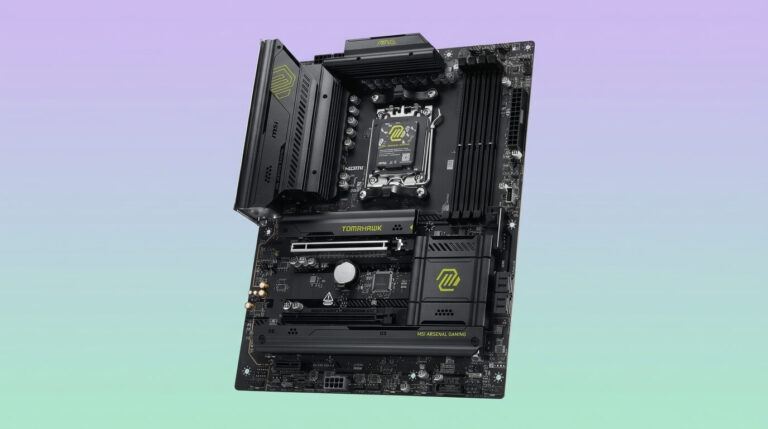
The MSI MAG B650 Tomahawk WiFi is the best B650 motherboard for the Ryzen 7 9700X. It combines a 14+2+1 phase VRM rated at 80 A per phase with three M.2 slots, 2.5 Gigabit Ethernet, and Wi-Fi 6E, giving the 9700X more sustained power delivery than most boards in its price class. The B650 chipset supports PCIe 4.0 throughout, DDR5 memory up to 256 GB across four slots, and every AMD Ryzen 7000, 8000, and 9000 series desktop processor, making it a stable, cost-effective base for a mid-range AM5 build.
MSI MAG B650 Tomahawk WiFi
The MSI MAG B650 Tomahawk WiFi is an ATX motherboard built around AMD’s B650 chipset and the AM5 socket. It supports the Ryzen 7 9700X natively through AMD’s AGESA firmware for Ryzen 9000 series processors, alongside Ryzen 7000 and 8000 series chips. The board’s 14+2+1 phase VRM delivers 80 A per phase, for a combined capacity well above what the 9700X’s 65 W default TDP requires, which leaves headroom for the CPU’s 105 W configurable TDP mode without pushing the power stages near their limits.
Four DDR5 DIMM slots support up to 256 GB of memory and overclocked speeds up to 7600 MT/s through AMD EXPO profiles. Storage includes three M.2 slots and six SATA ports, while two PCIe 4.0 x16 slots and Steel Armor reinforcement handle graphics card installation. Networking runs on a Realtek 2.5 Gigabit Ethernet controller and Wi-Fi 6E, and the extended VRM heatsink combined with the M.2 Shield Frozr thermal covers keeps both the power stages and storage drives cool under sustained loads.
Compared with the Asus TUF Gaming B650-Plus WiFi, the MAG B650 Tomahawk WiFi offers a stronger 80 A VRM against Asus’s 60 A power stages, though both use a 4+2+2-style phase count in the mid-teens. Against the Gigabyte B650 AORUS Elite AX, the MSI board matches the four-DIMM DDR5 layout and WiFi 6E connectivity but adds a third M.2 slot in most retail configurations. For a Ryzen 7 9700X build that prioritizes power delivery headroom and thermal performance over the absolute lowest price, the Tomahawk WiFi is the stronger B650 choice.
Pros:
- 80 A per phase VRM provides ample headroom for the 9700X’s 65–105 W operating range
- Three M.2 slots and six SATA ports support extensive storage expansion
- Wi-Fi 6E and 2.5 Gigabit Ethernet cover both wireless and wired networking
- M.2 Shield Frozr and extended VRM heatsink improve sustained thermal performance
Cons:
- Limited to PCIe 4.0, with no PCIe 5.0 graphics or storage lanes
- No USB4 or Thunderbolt support
- Two-tone black design lacks distinctive styling for build showcases
| Specification | MSI MAG B650 Tomahawk WiFi |
|---|---|
| Chipset | AMD B650 |
| Form Factor | ATX |
| VRM | 14+2+1 phases, 80 A per phase |
| Memory | 4x DDR5, up to 256 GB, up to 7600 MT/s (OC) |
| Storage | 3x M.2, 6x SATA 6 Gb/s |
| PCIe Slots | 2x PCIe 4.0 x16, 1x PCIe 3.0 x1 |
| Networking | Wi-Fi 6E, 2.5 GbE (Realtek RTL8125BG) |
| Rear USB | USB 3.2 Gen 2, Gen 1, USB-C 3.2 Gen 2×2 |
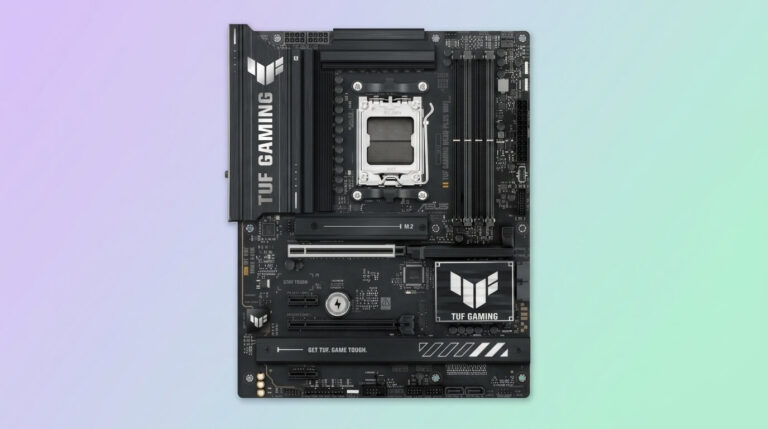
Asus TUF Gaming B650-Plus WiFi
The Asus TUF Gaming B650-Plus WiFi is a budget-oriented ATX motherboard for the AM5 platform that runs the Ryzen 7 9700X reliably within its 65 W default power envelope. Its 12+2+2 phase VRM uses 60 A power stages, for a total power delivery lower than the MSI MAG B650 Tomahawk WiFi’s 80 A stages, though still sufficient for the 9700X since the chip’s stock and 105 W configurable TDP modes stay well under the board’s rated capacity.
The board includes three M.2 slots, with the primary slot supporting PCIe 5.0 SSDs despite the B650 chipset’s PCIe 4.0 graphics limitation, plus four SATA ports for additional storage. Rear connectivity includes six USB-A ports, two USB-C ports (one 20 Gbps, one 10 Gbps), 2.5 Gigabit Ethernet, and Wi-Fi 6. TUF-branded military-grade capacitors and enlarged VRM heatsinks support the board’s durability claims, and BIOS Flashback allows firmware updates without an installed CPU.
Compared with the MSI MAG B650 Tomahawk WiFi, the TUF Gaming B650-Plus WiFi trades some VRM current capacity for a lower street price, typically $150 to $170. Against the Gigabyte B650 AORUS Elite AX, the two boards run similar 12+2+2 VRM configurations, but the Asus board adds a PCIe 5.0 M.2 slot that the Gigabyte model lacks. For budget builds pairing the Ryzen 7 9700X with mainstream storage and networking needs, the TUF Gaming B650-Plus WiFi is a dependable, lower-cost alternative to the Tomahawk WiFi.
Pros:
- Lower price than most competing B650 boards with WiFi
- PCIe 5.0 M.2 slot supports next-generation NVMe SSDs
- Military-grade TUF components rated for extended temperature tolerance
- BIOS Flashback enables firmware updates without a CPU installed
Cons:
- 60 A VRM stages provide less headroom than the MSI MAG B650 Tomahawk WiFi
- No PCIe 5.0 x16 graphics slot, a limitation of the B650 chipset itself
- Fewer SATA ports than some B650 competitors
| Specification | Asus TUF Gaming B650-Plus WiFi |
|---|---|
| Chipset | AMD B650 |
| Form Factor | ATX |
| VRM | 12+2+2 phases, 60 A per phase |
| Memory | 4x DDR5, up to 256 GB |
| Storage | 3x M.2 (incl. 1x PCIe 5.0), 4x SATA 6 Gb/s |
| PCIe Slots | PCIe 4.0 x16 (primary) |
| Networking | Wi-Fi 6, 2.5 GbE |
| Rear USB | 6x USB-A, 2x USB-C (10/20 Gbps) |
Gigabyte B650 AORUS Elite AX
The Gigabyte B650 AORUS Elite AX is an ATX B650 motherboard that supports the Ryzen 7 9700X through Gigabyte’s Ryzen 9000 series BIOS updates. Its 12+2+2 phase digital VRM design (in the current V2 revision) handles the 9700X’s 65 W default and 105 W configurable TDP without difficulty, since the chip’s power draw stays well inside the board’s rated delivery even under sustained multi-core workloads.
Storage on the AORUS Elite AX includes three M.2 connectors, with the primary slot supporting PCIe 4.0 x4 SSDs and the remaining two running at PCIe 3.0 x4 in the original revision, or PCIe 4.0 in the V2 revision depending on the specific board version purchased. Four DDR5 DIMM slots support AMD EXPO overclocking profiles up to 8000 MT/s and beyond on qualified kits. Networking includes Wi-Fi 6E and 2.5 Gigabit Ethernet, and the EZ-Latch mechanism on the PCIe x16 slot and M.2 connectors simplifies component installation without tools.
Against the MSI MAG B650 Tomahawk WiFi, the Gigabyte board typically sells for less, with street prices around $140, making it one of the least expensive ways into a WiFi-equipped B650 build. Compared with the Asus TUF Gaming B650-Plus WiFi, the two boards share a similar VRM phase count, though the Asus model includes a PCIe 5.0 M.2 slot the standard Gigabyte AORUS Elite AX does not offer. For a Ryzen 7 9700X build focused on minimizing cost while retaining a name-brand B650 board, the AORUS Elite AX is a practical option.
Pros:
- Among the lowest-priced WiFi-equipped B650 boards from a major manufacturer
- EZ-Latch tool-free design for the PCIe slot and M.2 connectors
- DDR5 memory overclocking validated up to 8000 MT/s and beyond
- Full metal thermal design across VRM and M.2 heatsinks
Cons:
- Secondary and tertiary M.2 slots run at PCIe 3.0 in the original revision
- No PCIe 5.0 graphics slot
- Fewer premium connectivity features than the MSI or Asus alternatives
| Specification | Gigabyte B650 AORUS Elite AX |
|---|---|
| Chipset | AMD B650 |
| Form Factor | ATX |
| VRM | 12+2+2 phases (V2 revision) |
| Memory | 4x DDR5, up to 256 GB, up to 8000 MT/s (OC) |
| Storage | 3x M.2, 4x SATA 6 Gb/s |
| PCIe Slots | 1x PCIe 4.0 x16 |
| Networking | Wi-Fi 6E, 2.5 GbE |
| Rear USB | USB-C 3.2 Gen 2 |
Best B650E Motherboard for Ryzen 7 9700X
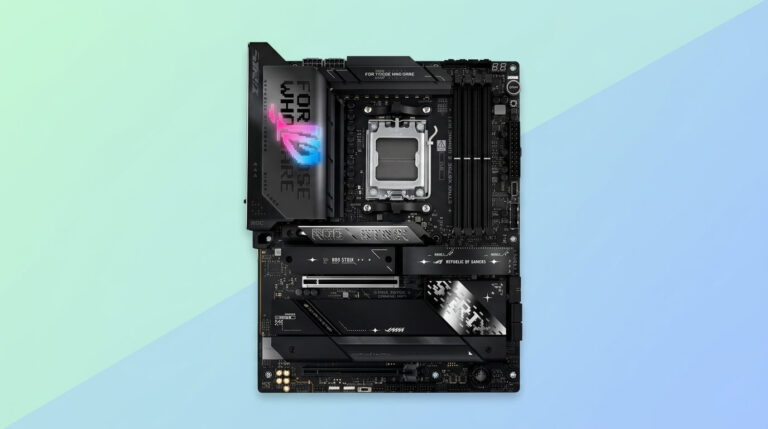
The Asus ROG Strix B650E-F Gaming WiFi is the best B650E motherboard for the Ryzen 7 9700X. Its 12+2 phase VRM delivers 80 A per phase, and the B650E chipset adds full PCIe 5.0 support on both the primary graphics slot and the main M.2 slot, a step up from standard B650 boards. This combination gives the 9700X access to next-generation GPU and SSD bandwidth while keeping the board within a mid-range price bracket.
Asus ROG Strix B650E-F Gaming WiFi
The Asus ROG Strix B650E-F Gaming WiFi is an ATX motherboard on the B650E chipset, which extends PCIe 5.0 support to the primary graphics slot and the first M.2 slot, unlike the standard B650 chipset that limits PCIe 5.0 to storage in most implementations. The Ryzen 7 9700X runs on this board through AMD EXPO-compatible DDR5 memory and a 12+2 phase VRM rated at 80 A per phase, delivering more sustained current than the Asus TUF Gaming B650-Plus WiFi’s 60 A stages despite a lower total phase count.
Storage includes three M.2 slots, one running PCIe 5.0 and two at PCIe 4.0, all fitted with heatsinks to manage thermal throttling under sustained transfers. The board supports up to DDR5-6400 natively with further overclocking headroom through EXPO, and connectivity includes Wi-Fi 6E, 2.5 Gigabit Ethernet, and a USB 3.2 Gen 2×2 Type-C port alongside eleven additional rear USB ports. The ALC4080 audio codec with a Savitech amplifier provides higher-fidelity output than the codecs found on many B650 boards.
Compared with the ASRock B650E Steel Legend WiFi, the ROG Strix B650E-F Gaming WiFi offers a lower total VRM phase count (12+2 versus 16+2+1) but compensates with 80 A-rated stages and a more established ROG feature set, including Q-Release for the graphics card slot. Against standard B650 boards like the MSI MAG B650 Tomahawk WiFi, the B650E-F’s PCIe 5.0 graphics slot is the key differentiator for buyers planning a future GPU upgrade. For a Ryzen 7 9700X build that wants PCIe 5.0 readiness without moving up to X670E pricing, the ROG Strix B650E-F Gaming WiFi is the stronger choice.
Pros:
- Full PCIe 5.0 support on both the graphics slot and primary M.2 slot
- 80 A power stages provide strong sustained current delivery
- ALC4080 audio codec with Savitech amplifier improves audio fidelity
- Q-Release button simplifies graphics card removal
Cons:
- Higher price than standard B650 boards, often $270 to $290
- Only 12+2 phases, fewer than some competing B650E boards
- Two of three M.2 slots remain limited to PCIe 4.0
| Specification | Asus ROG Strix B650E-F Gaming WiFi |
|---|---|
| Chipset | AMD B650E |
| Form Factor | ATX |
| VRM | 12+2 phases, 80 A per phase |
| Memory | 4x DDR5, native DDR5-6400 |
| Storage | 3x M.2 (1x PCIe 5.0, 2x PCIe 4.0) |
| PCIe Slots | 1x PCIe 5.0 x16, additional PCIe 4.0 slots |
| Networking | Wi-Fi 6E, 2.5 GbE |
| Rear USB | 1x USB 3.2 Gen 2×2 Type-C, 11 additional ports |
ASRock B650E Steel Legend WiFi
The ASRock B650E Steel Legend WiFi is an ATX motherboard on the B650E chipset that pairs a 16+2+1 phase VRM with full PCIe 5.0 support across both the graphics slot and the primary M.2 slot. The VRM uses 60 A Renesas ISL99360 power stages across 16 Vcore phases, driven by a Renesas RAA229628 controller, for a combined current capacity that comfortably exceeds the Ryzen 7 9700X’s power requirements even under sustained all-core loads.
Storage includes three M.2 slots, with the Blazing M.2 slot supporting PCIe 5.0 drives and two Hyper M.2 slots running PCIe 4.0, though the board offers only two SATA ports, fewer than most B650E competitors. DDR5 memory support extends to 7600+ MT/s overclocked. Networking includes Wi-Fi 6E and 2.5 Gigabit Ethernet, and the board provides 17 total USB ports, including a USB 3.2 Gen2x2 Type-C connector.
Compared with the Asus ROG Strix B650E-F Gaming WiFi, the Steel Legend WiFi offers a higher-phase-count VRM (16+2+1 versus 12+2) and performed better in independent VRM temperature testing, though the Asus board includes more SATA ports for buyers with legacy storage needs. Retail pricing for the Steel Legend WiFi has ranged from roughly $200 to $270 depending on the retailer and revision. For a Ryzen 7 9700X build prioritizing VRM cooling performance and PCIe 5.0 readiness over SATA expansion, the Steel Legend WiFi is a strong alternative to the Asus ROG Strix option.
Pros:
- 16+2+1 phase VRM with strong independently tested cooling performance
- Full PCIe 5.0 support on both the graphics slot and primary M.2 slot
- 17 total USB ports across front and rear headers
- Nichicon 12K Black polymer capacitors rated for extended durability
Cons:
- Only two SATA ports, limiting expansion for traditional hard drives
- ALC897 audio codec is a dated component relative to the board’s price
- Price varies significantly by retailer and region
| Specification | ASRock B650E Steel Legend WiFi |
|---|---|
| Chipset | AMD B650E |
| Form Factor | ATX |
| VRM | 16+2+1 phases, 60 A per phase (Vcore) |
| Memory | 4x DDR5, up to 7600+ MT/s (OC) |
| Storage | 3x M.2 (1x PCIe 5.0, 2x PCIe 4.0), 2x SATA 6 Gb/s |
| PCIe Slots | 1x PCIe 5.0 x16, 1x PCIe 3.0 x16 |
| Networking | Wi-Fi 6E, 2.5 GbE |
| Rear USB | 17 total ports incl. USB 3.2 Gen2x2 Type-C |
Best X670 Motherboard for Ryzen 7 9700X
The MSI PRO X670-P WiFi is the best X670 motherboard for the Ryzen 7 9700X. Its 14+2+1 phase VRM with 80 A Smart Power Stages gives the chip a strong power delivery margin, and the X670 chipset’s dual-die design provides more total I/O than single-die B650 boards, including three PCIe 4.0 x16 slots for buyers who need multiple expansion cards alongside a graphics card.
MSI PRO X670-P WiFi
The MSI PRO X670-P WiFi is an ATX motherboard built on AMD’s X670 chipset, which uses two linked chipset dies to expand total PCIe lanes and USB connectivity beyond what a single-die B650 board offers. The Ryzen 7 9700X runs on this platform with a 14+2+1 phase VRM rated at 80 A per phase, delivering more sustained current than most B650 boards at a similar price point, since the dual-die X670 design typically commands a premium that manufacturers offset with a stronger power section on PRO-series models.
The board includes three PCIe 4.0 x16 slots, useful for multi-card configurations, along with an 8-layer server-grade PCB with 2 oz. thickened copper for improved heat dissipation. Storage uses MSI’s M.2 Shield Frozr thermal solution across multiple M.2 slots, and DDR5 memory support extends to high-frequency EXPO profiles. Networking includes Wi-Fi 6E and 2.5 Gigabit Ethernet, targeting professionals and creators who need reliable connectivity alongside gaming performance.
Compared with the Gigabyte X670 AORUS Elite AX, the MSI PRO X670-P WiFi offers a similar 14-phase VRM tier, though the Gigabyte board’s 16+2+2 configuration provides a marginally higher total phase count. Against B650E boards like the Asus ROG Strix B650E-F Gaming WiFi, the X670-P WiFi’s three PCIe 4.0 x16 slots offer more expansion flexibility but without the B650E board’s PCIe 5.0 graphics support. For a Ryzen 7 9700X build that values multiple full-length expansion slots and professional-oriented reliability features over PCIe 5.0 graphics bandwidth, the PRO X670-P WiFi is a solid X670 pick.
Pros:
- Three PCIe 4.0 x16 slots support multi-card expansion
- 80 A Smart Power Stages provide strong VRM headroom for the 9700X
- 8-layer server-grade PCB with thickened copper improves heat dissipation
- Double-sided M.2 Shield Frozr protects primary storage from throttling
Cons:
- No PCIe 5.0 graphics slot despite the X670 chipset’s dual-die design
- Higher baseline price than comparable B650 boards
- Styling favors function over the RGB-forward aesthetics of gaming-branded boards
| Specification | MSI PRO X670-P WiFi |
|---|---|
| Chipset | AMD X670 |
| Form Factor | ATX |
| VRM | 14+2+1 phases, 80 A per phase |
| Memory | 4x DDR5, EXPO-compatible |
| Storage | M.2 Shield Frozr-covered M.2 slots, SATA 6 Gb/s |
| PCIe Slots | 3x PCIe 4.0 x16 |
| Networking | Wi-Fi 6E, 2.5 GbE |
| Rear USB | USB 3.2 Gen 2 Type-C, multiple USB 3.2 Gen 1 |
Gigabyte X670 AORUS Elite AX
The Gigabyte X670 AORUS Elite AX is an ATX motherboard on the X670 chipset featuring a 16+2+2 phase VRM built from Infineon TDA21472 70 A power stages for the 16 Vcore phases, driven by an Infineon XDPE192C3B controller. This configuration gives the Ryzen 7 9700X a maximum theoretical Vcore output of roughly 1,120 A, far beyond what the CPU’s 65 to 105 W operating range requires, providing substantial thermal and voltage stability margin.
The board supports four M.2 slots, including one PCIe 5.0 x4 slot using the 25110 form factor for extended-length SSDs, plus additional PCIe 4.0 M.2 connectors, all covered by Gigabyte’s M.2 Thermal Guard. Four DDR5 DIMM slots handle up to 256 GB of memory with EXPO overclocking support. Networking includes Wi-Fi 6E, and the EZ-Latch mechanism covers both the PCIe x16 slot and M.2 connectors for tool-free installation.
Compared with the MSI PRO X670-P WiFi, the AORUS Elite AX offers a higher nominal phase count (16+2+2 versus 14+2+1), though MSI’s 80 A stages exceed Gigabyte’s 70 A rating per phase. Against B650 boards, the AORUS Elite AX’s PCIe 5.0 M.2 slot with 25110 form factor support gives it an edge for buyers planning extended-length next-generation SSDs. For a Ryzen 7 9700X build that wants X670’s expanded I/O with a PCIe 5.0 storage option, the AORUS Elite AX is a well-rounded pick.
Pros:
- 16+2+2 VRM with 70 A power stages exceeds the 9700X’s power requirements by a wide margin
- PCIe 5.0 M.2 slot supports extended 25110 form-factor SSDs
- EZ-Latch design simplifies GPU and M.2 installation without tools
- Fully covered MOSFET heatsinks with an 8mm mega-heatpipe
Cons:
- No PCIe 5.0 graphics slot on the primary x16 connector
- 2.5 GbE only, without a higher-speed LAN option some competitors offer
- Some user reports note pricing has crept above comparable B650E boards at times
| Specification | Gigabyte X670 AORUS Elite AX |
|---|---|
| Chipset | AMD X670 |
| Form Factor | ATX |
| VRM | 16+2+2 phases, 70 A per phase |
| Memory | 4x DDR5, up to 256 GB |
| Storage | 1x PCIe 5.0 x4 M.2 (25110), 3x PCIe 4.0 x4 M.2 |
| PCIe Slots | 1x PCIe 4.0 x16, 1x PCIe 4.0 x4, 1x PCIe 3.0 x2 |
| Networking | Wi-Fi 6E |
| Rear USB | USB 3.2 Gen 2×2 Type-C |
Best X670E Motherboard for Ryzen 7 9700X
The MSI MPG X670E Carbon WiFi is the best X670E motherboard for the Ryzen 7 9700X. Its 18+2+1 phase Duet Rail Power System with 90 A Smart Power Stages delivers enthusiast-level power headroom, and the X670E chipset’s full PCIe 5.0 implementation extends to both the graphics slot and multiple M.2 slots, giving the 9700X access to the fastest storage and GPU bandwidth currently available on AM5.
MSI MPG X670E Carbon WiFi
The MSI MPG X670E Carbon WiFi is an ATX motherboard on the X670E chipset, AMD’s highest tier for the original AM5 chipset generation, delivering full PCIe 5.0 support on the graphics slot and dual Gen5 M.2 slots. The Ryzen 7 9700X pairs with an 18+2+1 phase Duet Rail Power System VRM rated at 90 A per stage, a substantially higher-current design than mainstream B650 or X670 boards, intended for buyers who want maximum headroom regardless of the 9700X’s comparatively modest 65 W default TDP.
The board supports up to 192 GB of DDR5 memory across four slots, with overclocking speeds reaching 6600+ MT/s in single-DIMM-per-channel configurations. Storage includes multiple M.2 slots protected by MSI’s double-sided M.2 Shield Frozr, and the extended MOSFET, VRM, and PCH heatsinks connected by direct-touch heat pipes manage thermal load across the board. Networking includes Wi-Fi 6E and 2.5 Gigabit Ethernet, and dual PCIe 5.0 x16-capable graphics slots support advanced multi-card configurations.
Compared with the Asus ROG Strix X670E-E Gaming WiFi, the MPG X670E Carbon WiFi offers a lower current rating per phase (90 A versus 110 A) but a higher total phase count relative to VCore stages. Against the Gigabyte X670E AORUS Master, MSI’s Carbon WiFi typically sells in a similar $400 to $480 range, with both boards trading blows on M.2 count versus USB port density. For a Ryzen 7 9700X build where future CPU upgrades or heavy overclocking are a priority, the MPG X670E Carbon WiFi provides the power delivery margin to support that path.
Pros:
- 18+2+1 phase VRM with 90 A stages provides substantial overclocking headroom
- Dual PCIe 5.0 M.2 slots for high-speed next-generation storage
- Direct-touch heat pipe VRM cooling manages thermal load under sustained loads
- Screwless M.2 bay and EZ M.2 Clip simplify storage installation
Cons:
- $499 MSRP places it well above what the 9700X’s stock power draw requires
- Complex BIOS layout can be less approachable for first-time builders
- Some rear I/O connectors are shared with front-panel headers, requiring configuration choices
| Specification | MSI MPG X670E Carbon WiFi |
|---|---|
| Chipset | AMD X670E |
| Form Factor | ATX |
| VRM | 18+2+1 phases, 90 A per phase |
| Memory | 4x DDR5, up to 192 GB, up to 6600+ MT/s (OC) |
| Storage | Multiple M.2 (incl. PCIe 5.0), 6x SATA 6 Gb/s |
| PCIe Slots | Dual PCIe 5.0 x16-capable slots |
| Networking | Wi-Fi 6E, 2.5 GbE |
| Rear USB | Multiple USB 3.2 Gen 2 and Gen 1 ports |
Asus ROG Strix X670E-E Gaming WiFi
The Asus ROG Strix X670E-E Gaming WiFi is an ATX motherboard on the X670E chipset with an 18+2 stage VRM built from 110 A-rated Vishay SiC power stages, among the highest current ratings available on an AM5 board at its release. This gives the Ryzen 7 9700X far more sustained power delivery than its stock 65 W or 105 W configurable TDP modes require, positioning the board for buyers planning future high-TDP CPU upgrades on the same platform.
The board supports four M.2 slots with heatsinks, DDR5 memory officially validated to DDR5-6400, and PCIe 5.0 across both the primary graphics slot and the main M.2 connector. Rear connectivity includes 10 USB-A 3.2 Gen 2 ports, two USB-C 3.2 Gen 2 ports, and one USB-C 3.2 Gen 2×2 port, alongside Wi-Fi 6E. Five chassis fan headers, each supporting a 3-way splitter, allow for extensive case cooling configurations, and dedicated headers support both air and liquid CPU cooling setups.
Compared with the MSI MPG X670E Carbon WiFi, the ROG Strix X670E-E Gaming WiFi’s 110 A power stages exceed MSI’s 90 A rating, though MSI’s board runs more total phases. Against the Gigabyte X670E AORUS Master, the Asus board’s launch price of $499 matched Gigabyte’s flagship pricing, with both boards competing primarily on M.2 slot count and USB port layout rather than price. For a Ryzen 7 9700X build where VRM current capacity is the top priority among X670E options, the ROG Strix X670E-E Gaming WiFi delivers among the strongest specifications in this chipset tier.
Pros:
- 110 A Vishay SiC power stages rank among the strongest VRM designs available for AM5
- Four M.2 slots with heatsinks support extensive high-speed storage
- Five 3-way-splitter fan headers support elaborate case cooling
- Full PCIe 5.0 support on both graphics slot and primary M.2
Cons:
- $499 MSRP is high relative to what the 9700X’s stock power draw needs
- DDR5-6400 official validation is lower than some competing X670E boards
- Weight and size may require case clearance verification before purchase
| Specification | Asus ROG Strix X670E-E Gaming WiFi |
|---|---|
| Chipset | AMD X670E |
| Form Factor | ATX |
| VRM | 18+2 phases, 110 A per phase |
| Memory | 4x DDR5, official DDR5-6400 |
| Storage | 4x M.2 with heatsinks |
| PCIe Slots | PCIe 5.0 x16 (primary) |
| Networking | Wi-Fi 6E |
| Rear USB | 10x USB-A 3.2 Gen 2, 2x USB-C Gen 2, 1x USB-C Gen 2×2 |
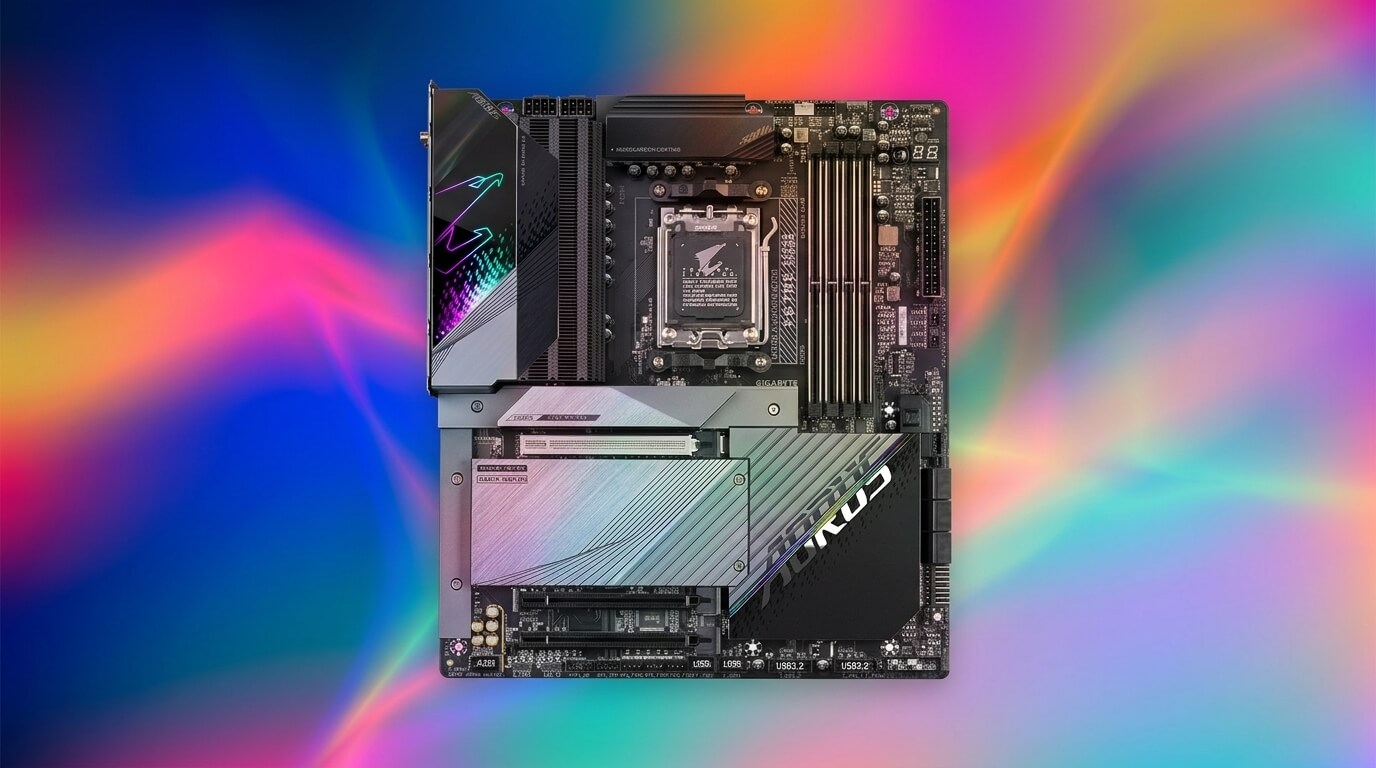
Gigabyte X670E AORUS Master
The Gigabyte X670E AORUS Master is an E-ATX motherboard on the X670E chipset with a 16+2+2 phase digital VRM rated at 105 A per Vcore phase, built around an 8-layer PCB with 2x copper for improved signal integrity and heat dissipation. The Ryzen 7 9700X runs comfortably within this VRM’s capacity, with thermal imaging in independent testing showing VRM temperatures staying under 65°C during sustained full CPU load, well within safe operating margins.
The board includes four M.2 slots, two of them PCIe 5.0, plus dual USB4 ports for high-speed external connectivity, a feature not standard on many X670E competitors. DDR5 memory support reaches 6600 MT/s overclocked across four DIMM slots, and Fins-Array III VRM heatsinks paired with a NanoCarbon-coated aluminum backplate manage thermal load across the E-ATX PCB. Networking includes Intel 2.5GbE LAN and Intel WiFi 6E, and the ALC1220 audio codec with DTS:X Ultra support targets buyers who want stronger onboard audio than typical gaming boards provide.
Compared with the Asus ROG Strix X670E-E Gaming WiFi, the AORUS Master’s 105 A phases sit just below Asus’s 110 A stages, though Gigabyte adds dual USB4 ports that the Strix X670E-E lacks. Against the MSI MPG X670E Carbon WiFi, both boards launched near the $499 to $500 price point, with the AORUS Master distinguishing itself through its E-ATX form factor and integrated backplate. For a Ryzen 7 9700X build in a case that supports E-ATX and where dual USB4 connectivity matters, the AORUS Master is a well-equipped X670E option.
Pros:
- Dual USB4 ports provide 40 Gbps external connectivity, uncommon at this chipset tier
- 105 A VRM stages kept temperatures under 65°C in independent stress testing
- Two PCIe 5.0 M.2 slots for high-speed storage
- Integrated NanoCarbon backplate reinforces the 8-layer PCB and aids heat dissipation
Cons:
- E-ATX form factor requires a compatible case, unlike the ATX competitors in this tier
- $499.99 launch pricing places it at the top of the X670E bracket
- Debug LED display has been reported to flicker between error codes during boot troubleshooting
| Specification | Gigabyte X670E AORUS Master |
|---|---|
| Chipset | AMD X670E |
| Form Factor | E-ATX |
| VRM | 16+2+2 phases, 105 A per phase |
| Memory | 4x DDR5, up to 6600 MT/s (OC) |
| Storage | 4x M.2 (2x PCIe 5.0) |
| PCIe Slots | PCIe 5.0 x16 (primary) |
| Networking | Intel Wi-Fi 6E, Intel 2.5GbE |
| Rear USB | 2x USB4, multiple USB 3.2 Type-A |
Best B850 Motherboard for Ryzen 7 9700X
The ASRock B850 Steel Legend WiFi is the best B850 motherboard for the Ryzen 7 9700X. Its 14+2+1 phase VRM, four M.2 slots with one running PCIe 5.0, and flagship-tier ALC4082 audio codec give it a stronger overall feature set than most boards near its roughly $200 to $210 price point, while the B850 chipset itself supports both CPU and memory overclocking, unlike the entry-level B840.
ASRock B850 Steel Legend WiFi
The ASRock B850 Steel Legend WiFi is an ATX motherboard on the B850 chipset, which supports CPU overclocking and PCIe 5.0 for storage, distinguishing it from the entry-level B840 chipset that lacks both features. The Ryzen 7 9700X runs on a 14+2+1 phase VRM rated at 80 A per phase, comfortably covering the CPU’s 65 W default and 105 W configurable TDP modes with room for sustained multi-core boost behavior.
Storage includes four M.2 slots, one supporting PCIe 5.0, alongside SATA connectivity for additional drives. The board features one of the few flagship-tier audio codec pairings available on a B850 board, combining an ALC4082 codec with a SABRE9219 DAC for higher-fidelity output than typical mid-range boards. Networking includes Wi-Fi 7 and 2.5 Gigabit Ethernet, and independent thermal testing measured VRM temperatures peaking around 46°C under sustained load, indicating solid cooling despite the board’s mid-range price point.
Compared with the MSI MAG B850 Tomahawk MAX WiFi, the Steel Legend WiFi matches MSI’s 14+2+1 phase count and 80 A rating closely, with the ASRock board distinguishing itself primarily through its stronger audio codec, while MSI counters with a slightly faster 5G LAN controller. Retail pricing for the Steel Legend WiFi has ranged from roughly $148 to $210 depending on the retailer. For a Ryzen 7 9700X build where audio quality is a priority alongside solid VRM performance, the B850 Steel Legend WiFi stands out among B850 options.
Pros:
- Flagship-tier ALC4082 and SABRE9219 DAC audio pairing, rare at this price point
- Four M.2 slots including one PCIe 5.0 for high-speed storage
- Wi-Fi 7 and 2.5GbE cover both wireless and wired networking
- VRM temperatures measured around 46°C under sustained load in independent testing
Cons:
- 80 A per-phase rating is adequate but not class-leading for heavy overclocking
- B850 (not X870E) limits total PCIe expansion lanes compared with flagship chipsets
- Pricing has fluctuated meaningfully across retailers and time periods
| Specification | ASRock B850 Steel Legend WiFi |
|---|---|
| Chipset | AMD B850 |
| Form Factor | ATX |
| VRM | 14+2+1 phases, 80 A per phase |
| Memory | 4x DDR5, up to 8000+ MT/s (OC) |
| Storage | 4x M.2 (1x PCIe 5.0), SATA 6 Gb/s |
| PCIe Slots | PCIe 5.0-capable primary slot |
| Networking | Wi-Fi 7, 2.5 GbE |
| Rear USB | Multiple USB 3.2 Type-A and Type-C |
MSI MAG B850 Tomahawk MAX WiFi
The MSI MAG B850 Tomahawk MAX WiFi is an ATX motherboard on the B850 chipset built around a 14-phase Duet Rail Power System VRM rated at 80 A SPS per stage. With the CPU-dedicated phases delivering roughly 1,120 A of theoretical capacity, the Ryzen 7 9700X’s 65 W default and 105 W configurable TDP modes stay far inside this board’s design limits, and independent testing showed VRM temperatures remaining cool even under 30 minutes of sustained full load with a higher-TDP Ryzen 9 processor.
The board includes four M.2 slots supporting PCIe 5.0 x4 NVMe SSDs, along with three PCIe expansion slots in a PCIe 5.0 x16 / PCIe 4.0 x4 / PCIe 3.0 x1 configuration. DDR5 memory overclocking reaches 8400+ MT/s, and networking includes Wi-Fi 7, Bluetooth 5.4, and Realtek 5 Gigabit LAN, a faster wired connection than the 2.5GbE found on most competing B850 boards. The board omits built-in RGB lighting, a design choice MSI made to focus the budget on power delivery and connectivity instead.
Compared with the ASRock B850 Steel Legend WiFi, the Tomahawk MAX WiFi matches ASRock’s 14+2+1 phase count and 80 A rating, and adds a faster 5G LAN controller, while ASRock counters with a stronger flagship-tier audio codec. At a launch price around $229.99, positioned as MSI’s mid-range B850 offering, the Tomahawk MAX WiFi undercuts the company’s own X870 Tomahawk WiFi by roughly $50 while sharing many of the same connectivity features. For a Ryzen 7 9700X build that wants Gen5 storage and fast wired networking without paying X870 pricing, the Tomahawk MAX WiFi is a strong value pick.
Pros:
- 5 Gigabit Ethernet outpaces the 2.5GbE standard on most competing B850 boards
- Four M.2 slots support PCIe 5.0 x4 NVMe SSDs
- VRM stayed cool under sustained full-load testing with a flagship Ryzen 9 CPU
- EZ release mechanisms for both PCIe and M.2 slots simplify component swaps
Cons:
- No built-in RGB lighting, a drawback for buyers who want factory illumination
- Fourth M.2 slot has limited practical use in some board layouts
- No USB4 support, unlike some X870-tier boards at a similar price
| Specification | MSI MAG B850 Tomahawk MAX WiFi |
|---|---|
| Chipset | AMD B850 |
| Form Factor | ATX |
| VRM | 14+2+1 phases, 80 A SPS per phase |
| Memory | 4x DDR5, up to 8400+ MT/s (OC) |
| Storage | 4x M.2 (PCIe 5.0 x4 capable) |
| PCIe Slots | 1x PCIe 5.0 x16, 1x PCIe 4.0 x4, 1x PCIe 3.0 x1 |
| Networking | Wi-Fi 7, 5G LAN |
| Rear USB | 3x USB 10Gbps Type-C, front USB 20Gbps Type-C |
Best X870 Motherboard for Ryzen 7 9700X
The MSI MAG X870 Tomahawk WiFi is the best X870 motherboard for the Ryzen 7 9700X. Its 14+2+1 phase VRM with 80 A Smart Power Stages, dual USB4 ports, PCIe 5.0 graphics support, and Wi-Fi 7 give the 9700X access to X870’s full connectivity feature set at a price around $230, notably lower than most X870E boards with comparable I/O.
MSI MAG X870 Tomahawk WiFi
The MSI MAG X870 Tomahawk WiFi is an ATX motherboard on the X870 chipset, which mandates USB4 support and PCIe 5.0 graphics as baseline features across the entire 800-series X870 and X870E tiers. The Ryzen 7 9700X pairs with a 14+2+1 phase VRM rated at 80 A Smart Power Stages, capable of reliably powering CPUs up to roughly 300 W according to independent VRM capacity analysis, far beyond the 9700X’s 65 to 105 W operating range.
The board includes dual USB4 ports delivering 40 Gbps transfer speeds, PCIe 5.0 x16 graphics support, and four M.2 slots for NVMe storage, though the fourth slot is intended primarily for lower-bandwidth secondary drives. Networking includes Wi-Fi 7, Bluetooth 5.4, and 5 Gigabit Ethernet. An EZ PCIe Release button allows single-tap removal of the graphics card, and the board omits onboard RGB lighting in favor of a clean, understated design.
Compared with the Asus TUF Gaming X870-Plus WiFi, the MAG X870 Tomahawk WiFi’s 80 A VRM stages fall below the TUF board’s 16+2+1 phase, 80 A configuration in total phase count, though both share the same per-phase current rating. Against B850 boards like the MSI MAG B850 Tomahawk MAX WiFi, the X870 Tomahawk WiFi’s key advantage is guaranteed dual USB4 support, a feature the B850 chipset does not mandate. For a Ryzen 7 9700X build that wants USB4 connectivity without paying X870E prices, the MAG X870 Tomahawk WiFi is a well-balanced pick.
Pros:
- Dual USB4 ports provide 40 Gbps external connectivity as a chipset-guaranteed feature
- 80 A VRM stages can reliably power CPUs drawing up to roughly 300 W
- Four M.2 slots with PCIe 5.0 x16 graphics support
- EZ PCIe Release button simplifies graphics card removal
Cons:
- Fourth M.2 slot offers limited practical bandwidth for some drive types
- No onboard RGB lighting
- 14+2+1 phase count is lower than some competing X870 boards in the same price range
| Specification | MSI MAG X870 Tomahawk WiFi |
|---|---|
| Chipset | AMD X870 |
| Form Factor | ATX |
| VRM | 14+2+1 phases, 80 A SPS per phase |
| Memory | 4x DDR5, up to 192 GB |
| Storage | 4x M.2 |
| PCIe Slots | PCIe 5.0 x16, PCIe 4.0 x16 |
| Networking | Wi-Fi 7, 5G LAN |
| Rear USB | 2x USB4 (40 Gbps), USB 3.2 Gen 2 |
Asus TUF Gaming X870-Plus WiFi
The Asus TUF Gaming X870-Plus WiFi is an ATX motherboard on the X870 chipset with a 16+2+1 phase VRM rated at 80 A per phase across VCore, SOC, and miscellaneous power rails, using a combination of SmartPowerStage and DrMOS components. The Ryzen 7 9700X operates well within this VRM’s capacity, with independent testing on a Ryzen 9 9900X measuring peak VRM temperatures around 67°C under heavy workloads and roughly 51°C during typical gaming loads, indicating solid thermal headroom for the lower-TDP 9700X.
Four DDR5 DIMM slots support up to 192 GB of memory with speeds up to DDR5-8000+ achievable with compatible memory ICs, though AMD’s recommended sweet spot of DDR5-6000 to DDR5-6400 remains the more broadly compatible target. The board includes USB4 support, Wi-Fi 7, and a front-panel USB 20Gbps Type-C port with up to 30 W of PD fast charging. TUF-branded 5K black metallic capacitors and an 8-layer PCB back the board’s durability claims.
Compared with the MSI MAG X870 Tomahawk WiFi, the TUF Gaming X870-Plus WiFi runs a higher nominal phase count (16+2+1 versus 14+2+1) at the same 80 A per-phase rating, giving it a modest edge in total current capacity. Against X870E boards, the TUF Gaming X870-Plus WiFi delivers most of the same USB4 and PCIe 5.0 features at a lower price, typically $207 to $230. For a Ryzen 7 9700X build that wants X870’s full feature set with a slightly stronger VRM than the MSI Tomahawk WiFi, the TUF Gaming X870-Plus WiFi is a solid alternative.
Pros:
- 16+2+1 phase VRM provides slightly more total current capacity than the MSI MAG X870 Tomahawk WiFi
- Front-panel USB 20Gbps Type-C with 30 W PD fast charging
- Military-grade 5K capacitors rated for extended temperature tolerance
- USB4 and Wi-Fi 7 included as standard X870 chipset features
Cons:
- VRM heatsinks are not heatpipe-connected, relying on thermal mass alone
- No onboard power button or digital troubleshooting readout
- DDR5-8000+ speeds depend heavily on specific memory IC compatibility
| Specification | Asus TUF Gaming X870-Plus WiFi |
|---|---|
| Chipset | AMD X870 |
| Form Factor | ATX |
| VRM | 16+2+1 phases, 80 A per phase |
| Memory | 4x DDR5, up to 192 GB, up to 8000+ MT/s (OC) |
| Storage | Multiple M.2 slots |
| PCIe Slots | PCIe 5.0 x16 |
| Networking | Wi-Fi 7 |
| Rear USB | USB4, USB 20Gbps front-panel Type-C |
Best X870E Motherboard for Ryzen 7 9700X
The Asus ROG Strix X870E-E Gaming WiFi is the best X870E motherboard for the Ryzen 7 9700X. Its 18+2+2 phase VRM with 110 A power stages, five M.2 slots including three PCIe 5.0, and 13 rear USB ports place it among the most complete X870E boards available, and its Gen5 storage capacity exceeds most competitors in the same price bracket.
Asus ROG Strix X870E-E Gaming WiFi
The Asus ROG Strix X870E-E Gaming WiFi is an ATX motherboard on the X870E chipset, AMD’s highest current tier for the AM5 platform, built around an 18+2+2 phase VRM using 110 A-rated power stages. The Ryzen 7 9700X’s 65 W default and 105 W configurable TDP modes represent a small fraction of this board’s rated capacity, which independent reviewers have scored at 8.5 out of 10 for VRM quality, recommending it primarily for Ryzen 9-class CPUs, meaning the 9700X runs with substantial thermal and voltage headroom to spare.
The board includes five M.2 slots, three of them PCIe 5.0, along with dual USB4 ports and 13 rear USB ports in total. DDR5 memory support reaches up to 256 GB across four DIMM slots with a rated maximum of 8000 MT/s on qualified single-DIMM configurations. Networking includes Wi-Fi 7 with Multi-Link Operation for improved connection stability, and a 5 Gigabit Ethernet port. Two heatpipe-connected VRM heatsinks share cooling load across the power delivery section.
Compared with the MSI MPG X870E Carbon WiFi, the ROG Strix X870E-E Gaming WiFi’s three PCIe 5.0 M.2 slots exceed MSI’s two, giving Asus’s board an edge in high-speed storage capacity. Against the Gigabyte X870E AORUS Master, the Strix X870E-E offers more rear USB ports (13 versus Gigabyte’s roughly 12), though the Gigabyte board counters with a more compact ATX footprint rather than E-ATX. For a Ryzen 7 9700X build that wants the most Gen5 storage capacity available on X870E, the ROG Strix X870E-E Gaming WiFi is the strongest current option.
Pros:
- Three PCIe 5.0 M.2 slots, more than most competing X870E boards
- 110 A power stages provide extensive headroom beyond the 9700X’s requirements
- 13 rear USB ports including dual USB4
- Wi-Fi 7 with Multi-Link Operation improves connection reliability
Cons:
- $499.99 launch price makes it one of the most expensive boards in this guide
- VRM capacity is built for CPUs well beyond the 9700X’s power needs
- DDR5 memory training periods have been noted to extend boot times in some reviews
| Specification | Asus ROG Strix X870E-E Gaming WiFi |
|---|---|
| Chipset | AMD X870E |
| Form Factor | ATX |
| VRM | 18+2+2 phases, 110 A per phase |
| Memory | 4x DDR5, up to 256 GB, up to 8000 MT/s (OC) |
| Storage | 5x M.2 (3x PCIe 5.0) |
| PCIe Slots | PCIe 5.0 x16 |
| Networking | Wi-Fi 7, 5GbE |
| Rear USB | 13 ports total, incl. dual USB4 |
MSI MPG X870E Carbon WiFi
The MSI MPG X870E Carbon WiFi is an ATX motherboard on the X870E chipset with an 18+2+1 phase Duet Rail Power System VRM rated at 110 A Smart Power Stages, giving the Ryzen 7 9700X a wide power delivery margin regardless of whether it runs at the stock 65 W TDP or the 105 W configurable mode. Independent testing recorded VRM temperatures around 65°C after 15 minutes of sustained Cinebench R23 load, indicating solid thermal control for a board rated to handle far higher-draw CPUs.
The board includes four M.2 slots, two of them PCIe 5.0, plus dual USB4 ports and both 5 Gigabit and 2.5 Gigabit Ethernet controllers for dual-LAN configurations. DDR5 memory support extends to 192 GB across four DIMM slots. Wi-Fi 7 and Bluetooth 5.4 round out wireless connectivity, and the extended MOSFET, VRM, and PCH heatsinks with direct-touch heat pipes manage thermal load across the 8-layer server-grade PCB.
Compared with the Asus ROG Strix X870E-E Gaming WiFi, the MPG X870E Carbon WiFi matches Asus’s 110 A per-phase rating but offers two PCIe 5.0 M.2 slots versus three on the Strix board. Against the Gigabyte X870E AORUS Master, both boards launched at the same $499 MSRP, with MSI’s dual-LAN configuration (5G plus 2.5G) standing out against Gigabyte’s single 5GbE port. For a Ryzen 7 9700X build where dual wired networking matters alongside strong VRM performance, the MPG X870E Carbon WiFi is a well-equipped X870E choice.
Pros:
- Dual LAN controllers (5G and 2.5G) support simultaneous wired network configurations
- 110 A Smart Power Stages provide strong sustained power delivery
- Dual USB4 ports for high-speed external connectivity
- Direct-touch heat pipe VRM cooling measured around 65°C under sustained Cinebench load
Cons:
- $499 MSRP is high relative to the 9700X’s modest power requirements
- VRM heatsinks offer less surface area than some finned competitor designs
- Two PCIe 5.0 M.2 slots, fewer than the Asus ROG Strix X870E-E’s three
| Specification | MSI MPG X870E Carbon WiFi |
|---|---|
| Chipset | AMD X870E |
| Form Factor | ATX |
| VRM | 18+2+1 phases, 110 A per phase |
| Memory | 4x DDR5, up to 192 GB |
| Storage | 4x M.2 (2x PCIe 5.0) |
| PCIe Slots | Dual PCIe 5.0 x16-capable slots |
| Networking | Wi-Fi 7, 5G LAN, 2.5G LAN |
| Rear USB | 2x USB4, multiple USB 3.2 |
Gigabyte X870E AORUS Master
The Gigabyte X870E AORUS Master is an ATX motherboard on the X870E chipset with a 16+2+2 phase digital VRM using 110 A power stages, split across 16 Infineon PMC41430 phases for VCore and additional stages for SOC and miscellaneous power rails. Independent VRM testing measured a software-reported temperature of 53°C and an IR-probe reading of 51°C after an extended stress test, showing the Ryzen 7 9700X operates with substantial thermal margin on this board.
The board includes four M.2 slots, three of them PCIe 5.0, along with dual USB4 ports and Sensor Panel Link for onboard video connectivity to compatible case panels. DDR5 memory overclocking reaches 8600 MT/s on qualified kits. Fins-Array III heatsinks and a NanoCarbon-coated aluminum backplate manage thermal load, and networking includes Wi-Fi 7 with a directional high-gain antenna alongside 5 Gigabit Ethernet.
Compared with the MSI MPG X870E Carbon WiFi, the AORUS Master matches MSI’s 110 A per-phase rating and adds a third PCIe 5.0 M.2 slot that MSI’s board lacks. Against the Asus ROG Strix X870E-E Gaming WiFi, the AORUS Master offers a more compact ATX footprint rather than the Strix board’s larger design, while both share similar M.2 and USB4 counts. At a launch price of $499.99, later street pricing has dropped to around $350, making the AORUS Master a strong value once discounted. For a Ryzen 7 9700X build that wants three PCIe 5.0 M.2 slots in a standard ATX form factor, the X870E AORUS Master is a well-rounded pick.
Pros:
- Three PCIe 5.0 M.2 slots in a standard ATX (not E-ATX) form factor
- 110 A VRM stages measured around 51 to 53°C under extended stress testing
- Dual USB4 ports and Sensor Panel Link for modern case connectivity
- DDR5 overclocking validated up to 8600 MT/s
Cons:
- $499.99 launch MSRP, though street pricing has since dropped meaningfully
- Debug LED display has been reported to flicker between CPU and DRAM error codes during troubleshooting
- 5-year warranty requires registration within 30 days of purchase to activate
| Specification | Gigabyte X870E AORUS Master |
|---|---|
| Chipset | AMD X870E |
| Form Factor | ATX |
| VRM | 16+2+2 phases, 110 A per phase |
| Memory | 4x DDR5, up to 8600 MT/s (OC) |
| Storage | 4x M.2 (3x PCIe 5.0) |
| PCIe Slots | PCIe 5.0 x16 |
| Networking | Wi-Fi 7, 5GbE |
| Rear USB | Dual USB4, multiple USB 3.2 Type-A |
Best B840 Motherboard for Ryzen 7 9700X
The Asus Prime B840M-A WiFi is the best B840 motherboard for the Ryzen 7 9700X. Its 8+2+1 phase VRM, three M.2 slots, and Wi-Fi 6E connectivity cover the essentials for a budget-focused build, though buyers should note the B840 chipset does not support CPU overclocking, unlike every other AM5 chipset covered in this guide.
Asus Prime B840M-A WiFi
The Asus Prime B840M-A WiFi is a micro-ATX motherboard on AMD’s entry-level B840 chipset, which supports the Ryzen 7 9700X’s core functionality but does not allow manual CPU multiplier or Precision Boost Overdrive overclocking, a limitation unique to the B840 tier among current AM5 chipsets. The board’s 8+2+1 phase VRM uses discrete MOSFETs rated at roughly 60 A per phase, sufficient for the 9700X’s 65 W default TDP but offering less headroom than B650 or higher-tier boards if the CPU’s 105 W configurable TDP mode is enabled.
Storage includes three M.2 slots, two running PCIe 4.0 x4 and one at PCIe 3.0 x4 through the B840 chipset, plus four SATA 6 Gb/s ports. DDR5 memory support reaches up to 256 GB across four DIMM slots, with AMD EXPO memory overclocking still supported despite the chipset’s lack of CPU overclocking. Networking includes Wi-Fi 6E and 2.5 Gigabit Ethernet, and the board supports ASUS AI Cache Boost, a BIOS feature intended to improve local large language model performance on Ryzen 9000 series CPUs.
Compared with the Gigabyte B840M DS3H, the Prime B840M-A WiFi includes an additional M.2 slot (three versus two) and built-in Wi-Fi, which the base Gigabyte model lacks. Against B650 boards like the Gigabyte B650 AORUS Elite AX, the Prime B840M-A WiFi trades CPU overclocking support and PCIe 5.0 storage for a lower price point, typically $180 to $230. For a Ryzen 7 9700X build running at stock settings with no overclocking plans, the Prime B840M-A WiFi is a reasonable budget option.
Pros:
- Three M.2 slots with built-in Wi-Fi 6E, more complete than most B840 competitors
- AMD EXPO memory overclocking remains supported despite no CPU overclocking
- Micro-ATX form factor suits compact builds
- ASUS AI Cache Boost targets improved local LLM performance on Ryzen 9000 CPUs
Cons:
- B840 chipset does not support CPU overclocking or Precision Boost Overdrive tuning
- No PCIe 5.0 support on any slot
- 8-phase VRM offers less headroom than B650 and higher-tier boards
| Specification | Asus Prime B840M-A WiFi |
|---|---|
| Chipset | AMD B840 |
| Form Factor | Micro-ATX |
| VRM | 8+2+1 phases, discrete MOSFETs |
| Memory | 4x DDR5, up to 256 GB, up to 7600+ MT/s (OC) |
| Storage | 3x M.2 (2x PCIe 4.0, 1x PCIe 3.0), 4x SATA 6 Gb/s |
| PCIe Slots | PCIe 4.0 x16 |
| Networking | Wi-Fi 6E, 2.5 GbE |
| Rear USB | USB 5Gbps Type-C, USB 10Gbps Type-A |
Gigabyte B840M DS3H
The Gigabyte B840M DS3H is a micro-ATX motherboard on the B840 chipset with an 8+2+2 phase digital VRM design supporting the Ryzen 7 9700X’s core operation, though like all B840 boards it does not support CPU overclocking. The board targets budget builds where stock CPU performance and reliable everyday operation take priority over tuning headroom or premium connectivity.
Storage includes two M.2 slots, one running PCIe 4.0 x4, along with SATA connectivity for additional drives, fewer M.2 options than the three slots found on the Asus Prime B840M-A WiFi. DDR5 memory support reaches up to 8200 MHz overclocked across four DIMM slots, with AMD EXPO profiles supported for memory tuning despite the chipset’s CPU overclocking restriction. The board includes Gigabyte’s X3D Turbo Mode, a BIOS feature designed to help non-X3D Ryzen 9000 processors approach X3D-level gaming performance in supported titles, and 2.5 Gigabit Ethernet handles wired networking, though the board ships without built-in Wi-Fi.
Compared with the Asus Prime B840M-A WiFi, the B840M DS3H offers a lower typical price, often under $215, but drops one M.2 slot and integrated wireless networking. Against B650 boards, the B840M DS3H’s fundamental limitation remains the B840 chipset’s lack of CPU overclocking support, a trade-off buyers accept in exchange for the lowest entry price into an AM5 system. For a Ryzen 7 9700X build where minimizing motherboard cost matters more than expansion or wireless connectivity, the B840M DS3H is a functional, no-frills option.
Pros:
- Lower typical price than most other boards in this guide
- X3D Turbo Mode BIOS feature aims to improve gaming performance on non-X3D Ryzen 9000 CPUs
- DDR5 memory overclocking supported up to 8200 MHz despite no CPU overclocking
- 2.5 Gigabit Ethernet included as standard
Cons:
- No built-in Wi-Fi, unlike the Asus Prime B840M-A WiFi
- Only two M.2 slots, fewer than most other boards covered in this guide
- B840 chipset does not support CPU overclocking of any kind
| Specification | Gigabyte B840M DS3H |
|---|---|
| Chipset | AMD B840 |
| Form Factor | Micro-ATX |
| VRM | 8+2+2 phases |
| Memory | 4x DDR5, up to 256 GB, up to 8200 MHz (OC) |
| Storage | 2x M.2 (1x PCIe 4.0 x4), 4x SATA 6 Gb/s |
| PCIe Slots | 1x PCIe 4.0 x16, 1x PCIe 3.0 x4 |
| Networking | 2.5 GbE (no built-in Wi-Fi) |
| Rear USB | USB 3.2 Gen 1 |
How to Choose the Right Motherboard for Ryzen 7 9700X
The right motherboard for the Ryzen 7 9700X depends on four factors: chipset tier, VRM strength, storage and PCIe generation needs, and budget. Since the 9700X draws only 65 W by default and up to 105 W in its configurable TDP mode, nearly every AM5 board in this guide, including entry-level B840 boards, can power the chip without thermal or voltage stability concerns, which shifts the decision toward features rather than raw power delivery.
Chipset tier determines PCIe generation and connectivity ceiling. B650 and B850 boards cover mainstream needs with PCIe 4.0 graphics and at least one PCIe 5.0 M.2 slot on most models. B650E, X670E, X870, and X870E boards add PCIe 5.0 graphics support, and X870 and X870E specifically guarantee USB4 connectivity as a chipset-level requirement. The B840 chipset sits apart from the rest of the lineup: it supports the 9700X and AMD EXPO memory overclocking, but it does not support CPU overclocking, which rules it out for buyers who want to enable the 9700X’s 105 W configurable TDP mode or manually tune Precision Boost Overdrive settings.
Storage and future upgrade plans should guide the choice between PCIe 4.0 and PCIe 5.0 boards. Buyers planning to install PCIe 5.0 NVMe SSDs or a PCIe 5.0 graphics card in the near term benefit from B650E, X670E, X870, or X870E boards, while those using existing PCIe 4.0 storage and a current-generation GPU can save money on a B650, B850, or X670 board without a practical performance loss. Budget ultimately narrows the field: the boards in this guide range from roughly $180 for entry-level B840 and B650 options to nearly $500 for flagship X670E and X870E boards, and matching that budget to the Ryzen 7 9700X’s actual power and connectivity requirements avoids overspending on VRM capacity the CPU will not use.