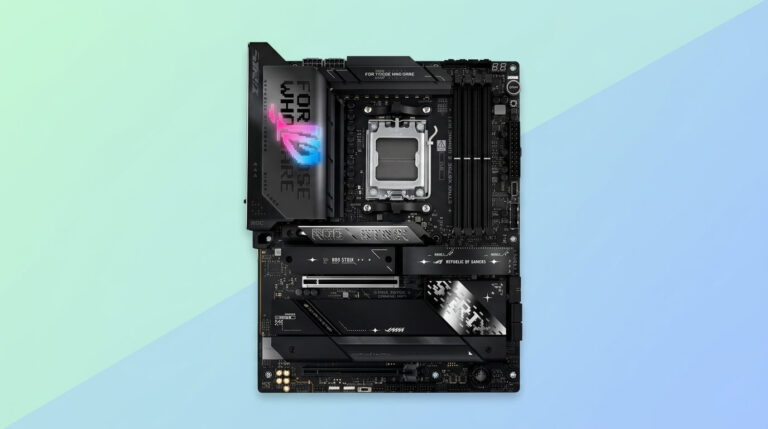
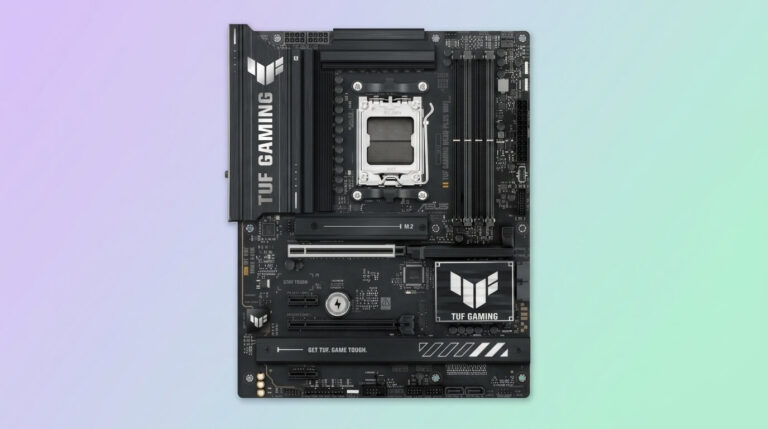
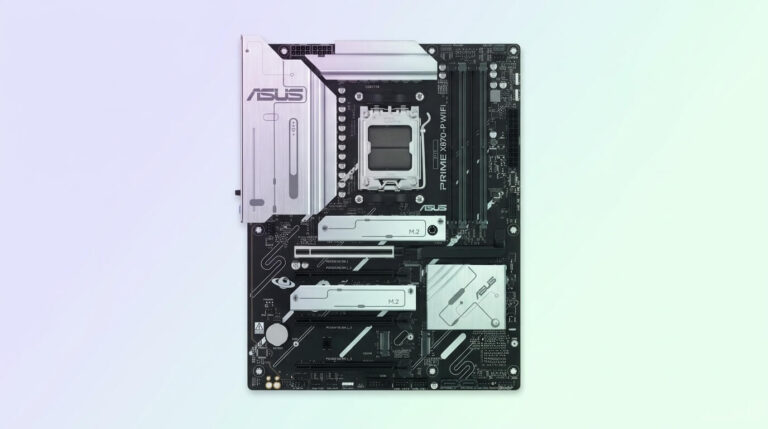
The AMD Radeon RX 9070 and RX 9070 GRE are RDNA 4 desktop graphics cards built on a 256-bit GDDR6 memory bus and connected through a PCIe 5.0 x16 interface. The RX 9070 has a typical board power of 220 W, and the RX 9070 GRE launched worldwide at a $550 price point, positioning both cards as mainstream-to-upper-mainstream options for 1440p and 4K gaming. Because both GPUs use the PCIe 5.0 standard and draw their power through 8-pin PCIe connectors rather than the motherboard slot alone, the motherboard’s chipset generation, PCIe lane allocation, and VRM design directly affect how consistently the card can be fed data and power inside a modern AM5 build.
A motherboard paired with the RX 9070 or RX 9070 GRE needs three things to avoid becoming a bottleneck: a primary PCIe x16 slot wired for at least PCIe 4.0 (ideally PCIe 5.0) bandwidth, a CPU power delivery system strong enough to run a Ryzen 9000, 8000, or 7000 series processor without throttling under sustained gaming loads, and enough M.2 storage bandwidth to keep pace with the card’s frame-streaming and texture-loading demands. AMD’s current AM5 chipset lineup for this purpose includes B850, X870, and X870E, each offering a different balance of PCIe lanes, USB connectivity, and networking hardware.
This guide reviews six AM5 motherboards spanning the B850, X870, and X870E chipsets: the MSI MAG B850 Tomahawk MAX WiFi, MSI MAG X870 Tomahawk WiFi, ASRock X870 Steel Legend WiFi, ASUS TUF Gaming B850-Plus WiFi, ASRock X870E Taichi, and Gigabyte B850 Aorus Elite WiFi7. Each section examines the board’s chipset, VRM, memory support, PCIe and M.2 layout, and connectivity, then explains how those specifications translate into practical performance with the RX 9070 and RX 9070 GRE.
The comparison also covers where each board sits on price and feature tier, since B850 boards trade some PCIe lanes and USB4 support for a lower cost, while X870 and X870E boards add PCIe 5.0 graphics slots, USB4, and stronger VRMs for users planning to pair the RX 9070 GRE with higher-wattage Ryzen processors or future GPU upgrades. A final section explains how to choose between these chipset tiers based on budget, CPU choice, and storage needs.
Best Motherboards for AMD RX 9070 & 9070 GRE Graphics Cards
MSI MAG B850 Tomahawk MAX WiFi
CHECK PRICE
PROS
CONS
| Specification | Detail |
|---|---|
| Chipset | AMD B850 |
| Socket | AM5 |
| Form Factor | ATX |
| VRM | 14+2+1 phases, 80 A SPS, dual 8-pin CPU power |
| Memory | 4x DDR5 DIMM, up to 256 GB, 8400+ MT/s (OC) |
| Primary PCIe Slot | PCIe 5.0 x16 |
| M.2 Slots | 4 total, 2x PCIe 5.0 x4 |
| Networking | 5 GbE LAN, Wi-Fi 7 |
| Rear USB | Up to 20 Gbps (USB 3.2 Gen 2×2) |
| Approximate Price | $199–$210 |
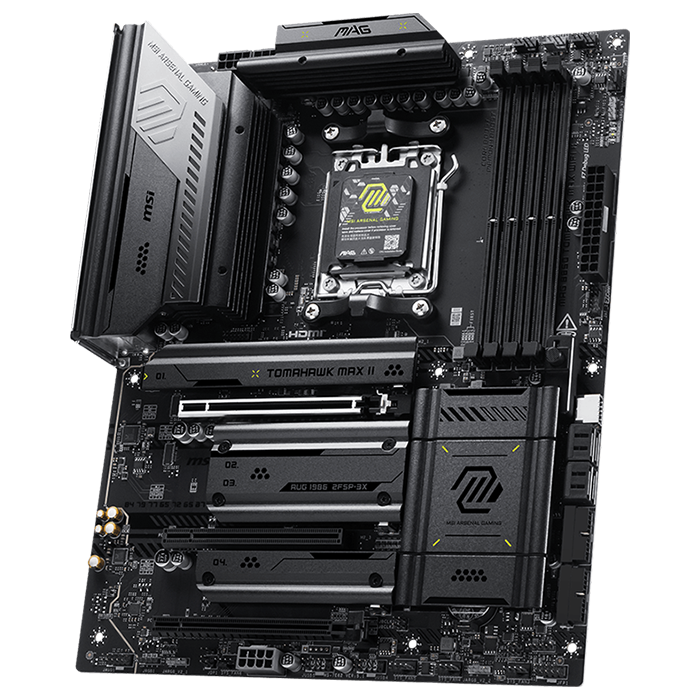
The MSI MAG B850 Tomahawk MAX WiFi is an ATX motherboard built on the AMD B850 chipset for the AM5 socket. It supports AMD Ryzen 9000, 8000, and 7000 series desktop processors and pairs a 14+2+1 Duet Rail Power System, rated at 80 A per Smart Power Stage, with dual 8-pin CPU power connectors. Four DDR5 DIMM slots support dual-channel memory up to 256 GB, with MSI’s Memory Boost technology enabling overclocked speeds beyond 8400 MT/s. The board sits on an 8-layer, 2 oz copper server-grade PCB, and MSI’s Frozr Guard cooling system covers the VRM and chipset with an extended heatsink using 7 W/mK thermal pads.
For expansion, the Tomahawk MAX WiFi provides a primary PCIe 5.0 x16 slot alongside additional PCIe slots, and it includes four M.2 sockets, two of which run at PCIe 5.0 x4. Networking runs through 5 Gigabit Ethernet and Wi-Fi 7, and the rear I/O includes three USB Type-C ports rated at 20 Gbps.
With the RX 9070 or RX 9070 GRE installed, the board’s PCIe 5.0 x16 slot delivers more bandwidth than either GPU’s PCIe 5.0 x16 interface requires at this performance tier, so the connection is not a limiting factor. The dual 8-pin VRM and 80 A power stages comfortably supply Ryzen 9000-series CPUs such as the Ryzen 7 9800X3D under sustained gaming loads, which keeps CPU-side frame pacing stable while the GPU handles rendering. Because the RX 9070 draws additional power directly from the PSU rather than the PCIe slot, the motherboard’s main contribution to GPU performance here is signal integrity and slot bandwidth, both of which the B850 platform provides at PCIe 5.0 speeds.
Compared with the X870 and X870E boards in this list, the Tomahawk MAX WiFi costs less and drops USB4 support, running USB 20 Gbps instead. It matches the ASUS TUF Gaming B850-Plus WiFi and Gigabyte B850 Aorus Elite WiFi7 on chipset tier but includes a stronger 80 A VRM than the Gigabyte board’s 12+2+2 or 14+2+2 phase designs. Against the ASRock X870 Steel Legend WiFi and ASRock X870E Taichi, it offers fewer M.2 Gen5 slots and no USB4, reflecting its position as the value option among the six.

MSI MAG X870 Tomahawk WiFi
CHECK PRICE
PROS
CONS
| Specification | Detail |
|---|---|
| Chipset | AMD X870 |
| Socket | AM5 |
| Form Factor | ATX |
| VRM | 14+2+1 phases, 80 A SPS, dual 8-pin CPU power |
| Memory | 4x DDR5 DIMM, up to 256 GB, 8400+ MT/s (OC) |
| Primary PCIe Slot | PCIe 5.0/4.0/3.0 x16, up to 128 GB/s |
| M.2 Slots | 4 total (quadruple M.2), primary PCIe 5.0 x4 |
| Networking | 5 GbE LAN, Wi-Fi 7 |
| Rear USB | USB4 (40 Gbps) |
| Approximate Price | $229–$360 (list $359.99, frequently discounted) |
The MSI MAG X870 Tomahawk WiFi moves up to the AMD X870 chipset while keeping the same ATX form factor and 14+2+1 Duet Rail Power System VRM as the B850 Tomahawk MAX, again rated at 80 A per Smart Power Stage with dual 8-pin CPU power connectors. It supports AMD Ryzen 9000, 8000, and 7000 series processors and four DDR5 DIMM slots with Memory Boost speeds above 8400 MT/s (OC), up to 256 GB total. The board’s Frozr Guard thermal design carries over from the B850 model, and the 8-layer server-grade PCB is unchanged.
The X870 chipset upgrade brings a primary PCIe 5.0/4.0/3.0 x16 slot rated at up to 128 GB/s alongside two additional PCIe slots, plus quadruple M.2 connectors led by a PCIe 5.0 x4 socket. The most significant connectivity gain over the B850 Tomahawk MAX is USB4, which delivers 40 Gbps Type-C ports on the rear I/O instead of the B850 board’s 20 Gbps ceiling. Networking again pairs 5 GbE LAN with Wi-Fi 7, and the board omits integrated RGB lighting in favor of headers for external strips.
Running an RX 9070 or RX 9070 GRE in the primary PCIe 5.0 x16 slot gives the GPU full bandwidth headroom, and the same 80 A VRM that supports high-end Ryzen CPUs on the B850 model carries over here, so CPU-bound frame pacing remains stable under sustained load. The added USB4 ports are most relevant for external storage and capture devices rather than the GPU link itself, but the X870 chipset’s PCIe 5.0 M.2 slot benefits texture streaming in titles that lean on fast NVMe storage alongside the RX 9070 GRE’s 16 GB frame buffer.
Against the B850 Tomahawk MAX WiFi, this board adds USB4 and a marginally higher-bandwidth chipset PCIe link for the same VRM strength, at a higher list price. Compared with the ASRock X870 Steel Legend WiFi, it offers a similar 14+2+1, 80 A VRM but without the Steel Legend’s second full-length PCIe 4.0 x16 slot. It sits below the ASRock X870E Taichi and stays a step below the Gigabyte B850 Aorus Elite WiFi7 in RGB-focused styling, since MSI omits onboard lighting entirely.
ASRock X870 Steel Legend WiFi
CHECK PRICE
PROS
CONS
| Specification | Detail |
|---|---|
| Chipset | AMD X870 |
| Socket | AM5 |
| Form Factor | ATX |
| VRM | 14+2+1 phases, 80 A Dr.MOS, dual 8-pin EPS |
| Memory | 4x DDR5 DIMM, up to 256 GB, 8000+ MT/s (OC) |
| Primary PCIe Slot | PCIe 5.0 x16 |
| M.2 Slots | 1x PCIe 5.0 x4, 2x PCIe 4.0 x4 |
| Networking | 2.5 GbE LAN, Wi-Fi 7 |
| Rear USB | 2x USB4 (40 Gbps) |
| Approximate Price | $170–$205 |
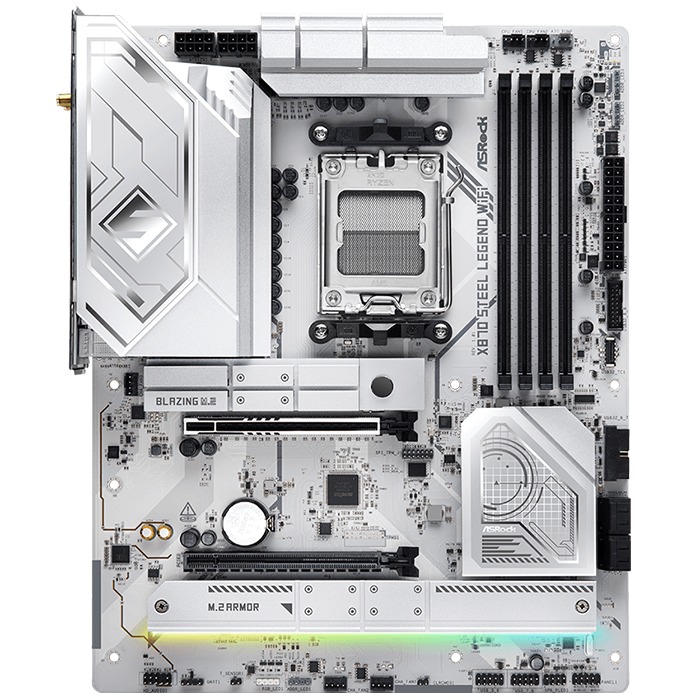
The ASRock X870 Steel Legend WiFi is an ATX, AM5-socket motherboard built on the X870 chipset with a white-and-silver aesthetic. It supports AMD Ryzen 9000, 8000, and 7000 series processors through a 14+2+1 power phase design rated at 80 A Dr.MOS for VCore and SoC, fed by dual 8-pin EPS connectors and controlled by a Richtek RT3678BE PWM controller. Independent testing found the board’s VRM stayed between 38 °C and 42 °C under full CPU load, indicating headroom for high-TDP Ryzen chips. Four DDR5 DIMM slots support dual-channel memory up to 256 GB at speeds up to 8000+ MT/s (OC).
Expansion includes a PCIe 5.0 x16 slot for the graphics card and a secondary PCIe 4.0 x16 slot running at x4 mode. Storage is handled by one PCIe 5.0 x4 “Blazing M.2” slot, two PCIe 4.0 x4 “Hyper M.2” slots, and four SATA3 ports. The rear I/O includes two USB4 Type-C ports at 40 Gbps, Realtek 2.5 GbE LAN, and Wi-Fi 7 with Bluetooth.
Installed with an RX 9070 or RX 9070 GRE, the Steel Legend WiFi’s PCIe 5.0 x16 primary slot again exceeds what either GPU needs for full bandwidth, and the measured 38–42 °C VRM temperatures under load suggest the board maintains stable CPU power delivery during long gaming sessions paired with Ryzen 9000-series processors. The secondary PCIe 4.0 x16 slot gives builders room for a capture card or additional expansion without competing with the GPU’s lane allocation, which is useful for streaming setups running alongside an RX 9070 GRE.
Compared with the MSI MAG X870 Tomahawk WiFi, the Steel Legend WiFi offers a second full-length PCIe slot but a 2.5 GbE port instead of 5 GbE. Against the ASUS TUF Gaming B850-Plus WiFi and Gigabyte B850 Aorus Elite WiFi7, it moves up a chipset tier to X870, adding USB4 and PCIe 5.0 M.2 storage that the B850 boards handle less completely. It undercuts the ASRock X870E Taichi in price while offering a single-controller X870 chipset rather than the Taichi’s dual-controller X870E, which limits total I/O expansion.
ASUS TUF Gaming B850-Plus WiFi
CHECK PRICE
PROS
CONS
| Specification | Detail |
|---|---|
| Chipset | AMD B850 |
| Socket | AM5 |
| Form Factor | ATX |
| VRM | 14+2+1 phases, 80 A DrMOS |
| Memory | 4x DDR5 DIMM, up to 192 GB, 8000 MT/s (OC) |
| Primary PCIe Slot | PCIe 5.0 x16 |
| M.2 Slots | 1x PCIe 5.0 x4, 2x PCIe 4.0 x4 |
| Networking | 2.5 GbE LAN, Wi-Fi 7 |
| Rear USB | Up to 20 Gbps USB-C |
| Approximate Price | ~$227 |
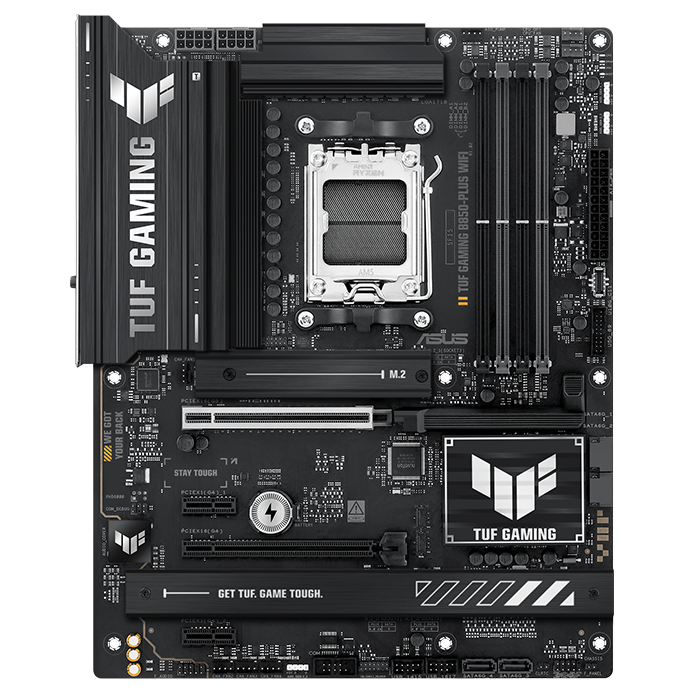
The ASUS TUF Gaming B850-Plus WiFi is an ATX motherboard on the AM5 socket built around the AMD B850 chipset, supporting Ryzen 9000, 8000, and 7000 series processors. Its DIGI+ VRM uses 14+2+1 power stages rated at 80 A DrMOS, and the board is built with ASUS’s TUF military-grade component durability testing. Four DDR5 DIMM slots support up to 192 GB of memory at overclocked speeds up to 8000 MT/s, and VRM and M.2 heatsinks provide cooling; a 10-minute Cinebench R24 loop test recorded a peak VRM temperature of 57 °C, described as mid-pack among tested B850 boards.
The board provides a PCIe 5.0 x16 slot for the primary graphics card, plus a PCIe 4.0 x16 slot running at x4 mode and two PCIe 4.0 x1 slots, giving it four total expansion slots, more than most other B850 boards in this comparison. Three M.2 slots cover one PCIe 5.0 x4 socket and two PCIe 4.0 x4 sockets, alongside four SATA3 ports. Wi-Fi 7 with Multi-Link Operation and 2.5 GbE Ethernet handle networking, and the rear I/O includes a 20 Gbps USB-C port plus 10 Gbps USB-A ports.
With an RX 9070 or RX 9070 GRE in the primary slot, the PCIe 5.0 x16 connection again provides more bandwidth than the GPUs require, and the 80 A DrMOS VRM keeps CPU delivery stable for Ryzen 9000-series chips under the 57 °C peak load measured in third-party testing. The board’s four expansion slots make it a practical choice for builders who want to add capture cards, sound cards, or additional storage controllers around the RX 9070 GRE without running out of slots.
Compared with the MSI MAG B850 Tomahawk MAX WiFi, the TUF Gaming B850-Plus WiFi offers more total PCIe slots but a lower rated maximum memory capacity (192 GB versus 256 GB). Against the Gigabyte B850 Aorus Elite WiFi7, it matches the B850 chipset tier while running a stronger 80 A VRM than Gigabyte’s 12+2+2 phase design. It remains a chipset tier below the ASRock X870 Steel Legend WiFi and ASRock X870E Taichi, lacking USB4 and PCIe 5.0 bandwidth on its secondary slots.

ASRock X870E Taichi
CHECK PRICE
PROS
CONS
| Specification | Detail |
|---|---|
| Chipset | AMD X870E |
| Socket | AM5 |
| Form Factor | Extended ATX (E-ATX) |
| VRM | 24+2+1 phases, 110 A SPS Dr.MOS |
| Memory | 4x DDR5 DIMM, up to 256 GB, 8200+ MT/s (OC) |
| Primary PCIe Slots | 2x PCIe 5.0 x16 (x16 or x8/x8) |
| M.2 Slots | 4 total, 1x PCIe 5.0 x4 |
| Networking | 5 Gbps LAN, Wi-Fi 7 |
| Rear USB | 2x USB4 (40 Gbps) |
| Approximate Price | $450 |
The ASRock X870E Taichi is an Extended ATX (E-ATX) motherboard for the AM5 socket, built on the flagship AMD X870E chipset and supporting Ryzen 9000, 8000, and 7000 series processors. It uses a 24+2+1 power phase configuration rated at 110 A per SPS Dr.MOS stage, described by ASRock as delivering 24 VCore phases, 2 SoC phases, and 1 VDD_MISC phase, fed by ASRock’s Hi-Density power connectors designed to handle higher current during overclocking. Four DDR5 DIMM slots support dual-channel memory up to 256 GB at speeds up to 8200+ MT/s (OC), and the 8-layer, 2 oz copper server-grade PCB includes a full backplate and rigidity bars.
The X870E chipset’s dual-controller design gives the Taichi two PCIe 5.0 x16 slots, running at x16 or split x8/x8, alongside four M.2 slots, one of which supports PCIe 5.0, and six SATA3 ports. Rear connectivity includes two USB4 Type-C ports, 5 Gbps LAN, and Wi-Fi 7, and the board’s flagship-class audio uses a Realtek ALC4082 codec paired with an ESS SABRE9219 DAC.
Paired with an RX 9070 or RX 9070 GRE, the Taichi’s dual PCIe 5.0 x16 slots give the GPU full-bandwidth PCIe 5.0 x16 connectivity while leaving a second Gen5-capable slot free for a future GPU upgrade or high-bandwidth expansion card. The 110 A VRM provides substantial headroom for high-TDP Ryzen 9000 X3D processors under sustained gaming and rendering loads, which keeps the platform from becoming a limiting factor even when running demanding titles at the higher clocks these processors reach with the RX 9070 GRE. The board’s six SATA ports and four M.2 slots also suit builders assembling large game libraries around a 16 GB-VRAM GPU.
Against every other board in this list, the X870E Taichi is the highest-tier option, with the dual-controller X870E chipset giving it more PCIe lanes and SATA ports than the single-controller X870 boards from MSI and ASRock or the B850 boards from MSI, ASUS, and Gigabyte. It also carries the highest price point among the six, reflecting its flagship positioning and E-ATX form factor, which requires case clearance verification before installation.

Gigabyte B850 Aorus Elite WiFi7
CHECK PRICE
PROS
CONS
| Specification | Detail |
|---|---|
| Chipset | AMD B850 |
| Socket | AM5 |
| Form Factor | ATX |
| VRM | 14+2+2 phases, digital power design |
| Memory | 4x DDR5 DIMM, DDR5 OC up to 8200 MT/s |
| Primary PCIe Slot | PCIe 5.0 x16 (PCIe UD Slot) |
| M.2 Slots | 3 total, 1x PCIe 5.0 x4 |
| Networking | 2.5 GbE LAN, Wi-Fi 7 |
| Rear USB | Up to 10 Gbps (no USB4) |
| Approximate Price | $180–$210 |
The Gigabyte B850 Aorus Elite WiFi7 is an ATX motherboard on the AM5 socket built around the AMD B850 chipset, supporting Ryzen 9000, 8000, and 7000 series desktop processors. Its VRM uses a 14+2+2 phase digital power design built on a 6-layer mid-loss PCB with 2x copper construction, cooled by a superior heatpipe and 5 W/mK thermal pads across the VRM Thermal Armor Advanced heatsink. Four DDR5 DIMM slots support dual-channel memory with AMD EXPO profiles, and the platform advertises DDR5 overclocking up to 8200 MT/s.
The primary PCIe 5.0 x16 slot runs at full x16 mode with CPUs that support it and uses Gigabyte’s reinforced PCIe UD Slot design, alongside two PCIe 3.0 x1 slots. Storage totals three M.2 slots, including one PCIe 5.0 x4 socket integrated with the CPU and two additional PCIe 4.0 sockets, plus four SATA 6Gb/s ports supporting RAID 0, 1, 5, and 10. Networking pairs 2.5 GbE LAN with Wi-Fi 7 through a directional, ultra-high-gain antenna, and the board includes EZ-Latch Plus quick-release mechanisms for both the PCIe and M.2 slots.
Running an RX 9070 or RX 9070 GRE in the reinforced PCIe UD Slot benefits from the mechanical strength Gigabyte adds around the connector, which supports heavier triple-fan graphics card coolers without slot sag, while the PCIe 5.0 x16 electrical connection again exceeds what either GPU needs for full bandwidth. The 14+2+2 phase VRM is adequate for mainstream Ryzen 9000 processors paired with the RX 9070 GRE, though it uses fewer dedicated VCore phases than the MSI and ASRock B850 boards in this list.
Compared with the MSI MAG B850 Tomahawk MAX WiFi and ASUS TUF Gaming B850-Plus WiFi, the Aorus Elite WiFi7 offers Gigabyte’s EZ-Latch tool-free M.2 and PCIe mechanisms as a standout feature but runs a comparatively lighter VRM. Against the ASRock X870 Steel Legend WiFi and ASRock X870E Taichi, it stays on the B850 chipset without USB4 support, which keeps its price closer to the entry-level end of this comparison.
How to Choose a Motherboard For RX 9070 & 9070 GRE
The right motherboard for the RX 9070 or RX 9070 GRE depends on three factors: the PCIe generation of the primary graphics slot, the VRM’s ability to power the paired Ryzen CPU, and the amount of PCIe 5.0 M.2 storage needed. Because both GPUs run on a PCIe 5.0 x16 interface but only require PCIe 4.0 x16-level bandwidth to reach their full gaming performance, any B850, X870, or X870E board with a PCIe 5.0 or PCIe 4.0 x16 primary slot avoids a graphics bottleneck; the chipset tier mainly changes CPU power delivery, USB connectivity, and secondary expansion rather than GPU frame rates.
Builders on a budget who plan to pair the RX 9070 or RX 9070 GRE with a mainstream Ryzen CPU, such as the Ryzen 5 9600X or Ryzen 7 7700X, are well served by a B850 board like the MSI MAG B850 Tomahawk MAX WiFi, ASUS TUF Gaming B850-Plus WiFi, or Gigabyte B850 Aorus Elite WiFi7. These boards keep costs lower by trading USB4 for USB 20 Gbps and running fewer PCIe 5.0 M.2 slots, without limiting the RX 9070 GRE’s own PCIe 5.0 x16 connection.
Builders pairing the RX 9070 GRE with a higher-TDP processor, such as the Ryzen 9 9950X3D, or who plan to add a second GPU, capture card, or additional PCIe 5.0 storage device, benefit from moving to X870 or X870E. The ASRock X870 Steel Legend WiFi and MSI MAG X870 Tomahawk WiFi add USB4 and, in the Steel Legend’s case, a second full-length PCIe slot, while the ASRock X870E Taichi’s dual PCIe 5.0 x16 slots and 110 A VRM suit builders who want the most expansion headroom and the strongest CPU power delivery in this comparison.
Storage needs also affect the decision: builders running large game libraries or planning RAID configurations should prioritize boards with more M.2 slots and SATA ports, such as the ASRock X870E Taichi’s four M.2 slots and six SATA ports or the Gigabyte B850 Aorus Elite WiFi7’s RAID-capable four-port SATA array, while builders focused purely on a single RX 9070 GRE and one fast NVMe drive can rely on any of the six boards reviewed here without a meaningful performance difference from the GPU’s perspective.