The AMD Radeon RX 9070 XT is a 16GB GDDR6 graphics card built on the RDNA 4 architecture, with a 256-bit memory bus, PCIe 5.0 x16 connectivity, and a 304W typical board power rating. Pairing it with the right AM5 motherboard affects PCIe lane allocation, VRM headroom for the CPU, M.2 storage speed, and the networking and USB features available to the rest of the system.
This article reviews six AM5 motherboards suited to an RX 9070 XT build: the ASUS ROG Strix X870E-E Gaming WiFi, MSI MAG B850 Tomahawk WiFi II, ASRock X870 Steel Legend WiFi, MSI MAG X870 Tomahawk WiFi, ASRock X870E Taichi, and ASUS TUF Gaming B850-Plus WiFi. Each board uses the AM5 socket and supports AMD Ryzen 7000, 8000, and 9000 series desktop processors.
The RX 9070 XT draws its power directly from the PSU through two 8-pin (or, on some factory-overclocked cards, three 8-pin) connectors, so the motherboard’s VRM affects CPU stability rather than GPU power delivery. The motherboard’s role in a RX 9070 XT build centers on three areas: a PCIe 5.0 x16 slot that runs the GPU at full bandwidth, a CPU VRM sized for the paired processor, and M.2/USB/networking features that match the rest of the build’s budget.
The six boards span three AMD chipsets. X870E boards carry dual PCIe 5.0 x16 slots and mandatory USB4; X870 boards guarantee one PCIe 5.0 x16 slot and USB 20Gbps as a baseline; B850 boards relax some of these requirements to reach a lower price. The following sections detail the specifications, RX 9070 XT compatibility, and trade-offs of each board.
Best Motherboard for RX 9070 XT Graphics Card
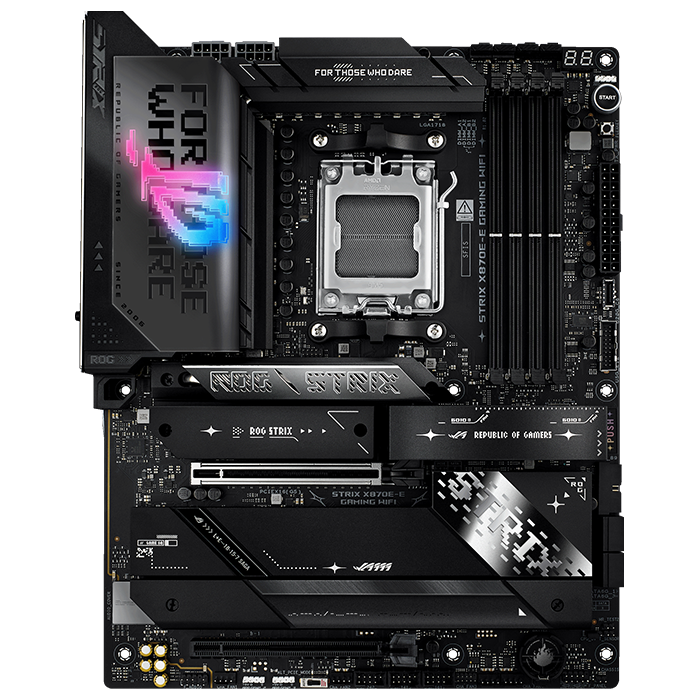
ASUS ROG Strix X870E-E Gaming WiFi
CHECK PRICE
PROS
CONS
| Specification | Detail |
|---|---|
| Chipset | AMD X870E |
| Socket | AM5 |
| Form Factor | ATX |
| VRM | 18+2+2 phases, 110A power stages |
| Memory | 4x DDR5 DIMM, up to 256GB, EXPO-rated to 8400 MT/s (OC) |
| PCIe Slots | PCIe 5.0 x16 (primary) |
| M.2 Slots | 5 total, 3x PCIe 5.0 |
| Rear USB | 13 ports: 2x USB4 (40Gbps), 1x USB 20Gbps, 10x USB 10Gbps |
| Networking | Wi-Fi 7, Realtek RTL8126 5GbE LAN |
| Audio | Realtek ALC4080 codec |
| Launch Price | $499.99 |
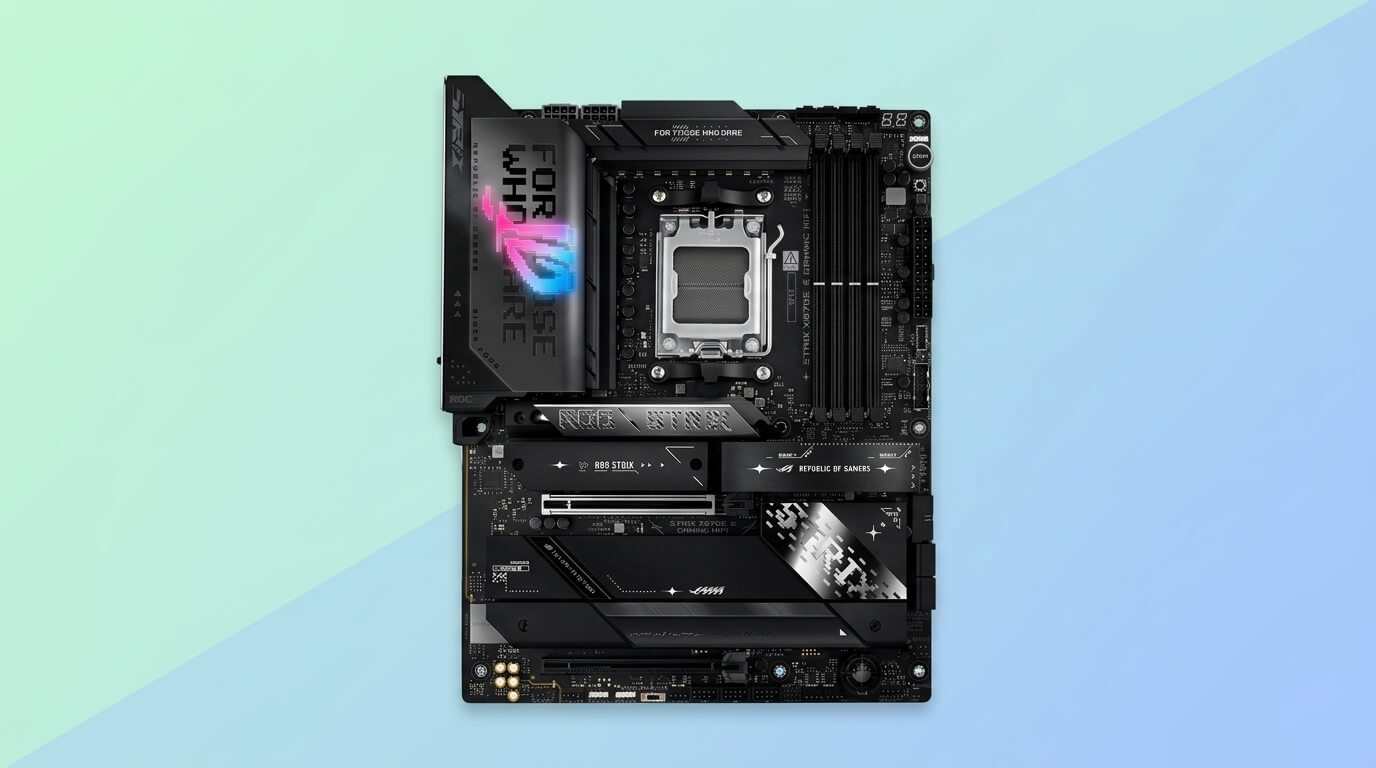
The ASUS ROG Strix X870E-E Gaming WiFi is an ATX motherboard built on the AMD X870E chipset for AM5 Ryzen 7000, 8000, and 9000 series processors. The board uses 18 power stages with DDR5 slots and extensive PCIe 5.0 connectivity, and it includes five M.2 SSD slots with heatsinks, USB4 support, and Wi-Fi 7. The VRM is configured as an 18+2+2 phase design with 110A power stages.
The board’s PCIe 5.0 x16 slot runs the RX 9070 XT at full x16 bandwidth, and the X870E chipset’s dual-chipset design keeps the primary graphics slot electrically isolated from the M.2 storage lanes under normal use. The rear I/O provides 13 USB ports, including two USB4 ports at 40Gbps, one USB 20Gbps port, and ten USB 10Gbps ports. Networking runs on a Realtek RTL8126 5GbE controller alongside a Wi-Fi 7 module.
Power delivery uses two 8-pin ProCool II connectors feeding the 18+2+2 stage design, which the manufacturer states supports high-core-count CPUs, graphics cards, and other power-intensive components reliably. This VRM capacity exceeds what a Ryzen 9000 CPU needs at stock settings, leaving headroom for sustained PBO tuning alongside the RX 9070 XT’s own 304W draw from the PSU.
Compared with the other five boards, the ROG Strix X870E-E Gaming WiFi has the most M.2 slots (five, versus three or four on the other boards) and the highest per-port USB4 count tied only by the ASRock X870E Taichi. It sits above the MSI and ASRock X870/X870-class boards in price, positioning it as the highest-connectivity option in this list rather than the best-value one.
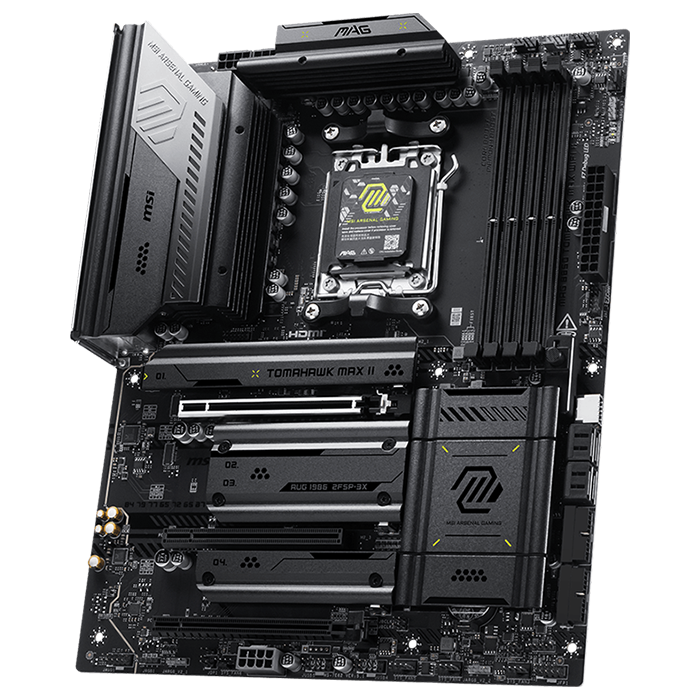
MSI MAG B850 Tomahawk WiFi II
CHECK PRICE
PROS
CONS
| Specification | Detail |
|---|---|
| Chipset | AMD B850 |
| Socket | AM5 |
| Form Factor | ATX |
| VRM | 14+2+1 phases, 80A Smart Power Stage |
| Memory | 4x DDR5 DIMM, up to 256GB, rated to 8400+ MT/s (OC) |
| PCIe Slots | PCIe 5.0 x16 (primary) |
| M.2 Slots | 4 total: 2x PCIe 5.0 x4, 2x PCIe 4.0 |
| Rear USB | USB 20Gbps Type-C, USB 10Gbps Type-A/C, USB 2.0 ports |
| Networking | Wi-Fi 7, Realtek 5GbE LAN, Bluetooth 5.4 |
| Audio | Realtek ALC4080 codec, 7.1-channel |
| Street Price | $269.99 |
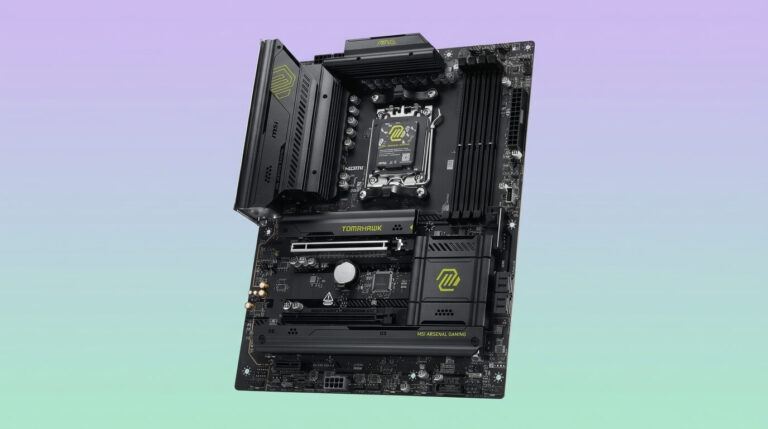
The MSI MAG B850 Tomahawk WiFi II is an ATX motherboard built on the AMD B850 chipset for AM5 Ryzen 7000, 8000, and 9000 series processors. It supports up to 256GB of memory and features a 14+2+1-phase VRM with heatsinks, 5G LAN, 320MHz Wi-Fi 7, a 64MB BIOS ROM, and EZ-DIY features. The VRM uses a Duet Rail power delivery layout controlled by an MP2837 PWM controller with 80A power stages, fed by an 8+8-pin power connector configuration capable of supplying up to 300W to the CPU.
The board’s single PCIe 5.0 x16 slot gives the RX 9070 XT full-bandwidth connectivity, and the board pairs this with 5G LAN, 320MHz Wi-Fi 7, four M.2 slots, and three PCIe slots, all of which can run simultaneously with manageable compromises. The 14+2+1 phase VRM comfortably handles Ryzen 9000 series CPUs including higher-TDP models.
In sustained Cinebench testing, the VRM peaked at 57°C, a lower reading than some higher-priced boards, which indicates adequate cooling margin for a Ryzen 9 9950X-class CPU running alongside a 304W RX 9070 XT. Storage runs through four M.2 slots, two of which support PCIe 5.0 x4 drives and two of which support PCIe 4.0, with the M2_3 slot sharing bandwidth with the bottom PCIe 4.0 slot.
Against the ASRock X870 Steel Legend WiFi and the MSI MAG X870 Tomahawk WiFi, the B850 Tomahawk WiFi II drops to a single PCIe 5.0 x16 slot without a second PCIe 5.0-capable expansion slot, and its chipset lacks the guaranteed USB4 support that the X870 and X870E boards carry. It compensates with a four M.2-slot layout that matches or beats several higher-priced X870 boards in this list.
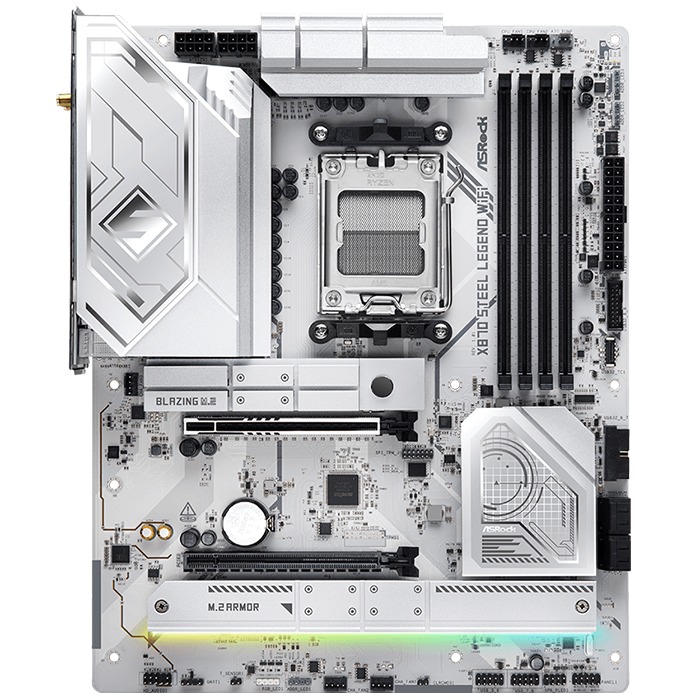
ASRock X870 Steel Legend WiFi
CHECK PRICE
PROS
CONS
| Specification | Detail |
|---|---|
| Chipset | AMD X870 |
| Socket | AM5 |
| Form Factor | ATX |
| VRM | 14+2+1 phases, 80A Dr.MOS |
| Memory | 4x DDR5 DIMM, up to 256GB, rated to 8000+ MT/s (OC) |
| PCIe Slots | PCIe 5.0 x16, PCIe 4.0 x16 |
| M.2 Slots | Dedicated PCIe 5.0 x4 slot plus additional PCIe 4.0 slots |
| Rear USB | Dual USB4 (40Gbps) Type-C, USB 3.2 Gen2x2 (20Gbps) |
| Networking | Wi-Fi 7, 2.5GbE LAN |
| Audio | Realtek ALC4082 codec, 7.1-channel |
| Launch Price | $259.99 |
The ASRock X870 Steel Legend WiFi is an ATX motherboard built on the AMD X870 chipset for AM5 Ryzen 7000, 8000, and 9000 series processors. The board supports 4 DDR5 DIMMs up to 8000+ MHz overclocked and provides PCIe 5.0 x16 and PCIe 4.0 x16 slots. The VRM is a 14+2+1 power phase design rated at 80A total, using Dr.MOS SPS protection for VCore and SOC, with black Nichicon capacitors rated for a 20,000-hour lifespan.
The board ushers in a dedicated Gen5 M.2 SSD slot, a Gen5 x16 PCIe slot, and USB4 functionality, features that are new additions at this price point for AM5 motherboards. The PCIe 5.0 x16 slot gives the RX 9070 XT full x16 bandwidth, and the secondary PCIe 4.0 x16 slot provides room for a capture card or additional expansion hardware without displacing the GPU.
Power reaches the CPU through an 8+8-pin connector configuration capable of feeding up to 300W, which covers the demands of AMD’s Ryzen 9000 CPUs, including the flagship Ryzen 9 9950X, whose maximum target power exceeds 220W. Tech4Gamers rated the 14+2+1, 80A VRM setup as fairly capable, suitable for running most Ryzen CPUs comfortably but not recommended for heavy sustained overclocking.
Compared with the MSI MAG X870 Tomahawk WiFi at a similar price and chipset tier, the Steel Legend WiFi matches the 14+2+1 VRM phase count and adds USB4 as a standard feature, while the Tomahawk WiFi counters with a fourth M.2 slot. Against the pricier ASRock X870E Taichi, the Steel Legend WiFi drops to a single Gen5 M.2 slot and a single full-bandwidth PCIe 5.0 slot.

MSI MAG X870 Tomahawk WiFi
CHECK PRICE
PROS
CONS
| Specification | Detail |
|---|---|
| Chipset | AMD X870 |
| Socket | AM5 |
| Form Factor | ATX |
| VRM | 14 Duet Rail phases, 80A SPS |
| Memory | 4x DDR5 DIMM, up to 256GB |
| PCIe Slots | PCIe 5.0 x16, PCIe 4.0 x16 |
| M.2 Slots | 4 total, PCIe 5.0 and PCIe 4.0 mix |
| Rear USB | USB 40Gbps (USB4), additional USB 10Gbps ports |
| Networking | Wi-Fi 7, 5G LAN, Bluetooth 5.4 |
| Audio | Realtek HD audio codec |
| Street Price | $188.99 |
The MSI MAG X870 Tomahawk WiFi is an ATX motherboard built on the AMD X870 chipset for AM5 Ryzen 7000, 8000, and 9000 series processors. The board uses a 14 Duet Rail Power System and the AMD X870 chipset, combining PCIe 5.0, 5G LAN, Wi-Fi 7, and DDR5 support. Dual 8-pin power connectors and exclusive Core Boost technology allow the board to sustain heavy CPU power loads under demanding settings.
The PCIe 5.0 x16 slot runs the RX 9070 XT at full bandwidth, and the board pairs it with a second PCIe 4.0 x16 slot for additional expansion. Storage includes quad M.2 slots, and the board supports Ryzen 9000, 8000, and 7000 series processors. The board shares its PCB layout, VRM, and specifications with MSI’s B850 Tomahawk MAX WiFi, differing mainly in chipset-driven features and price.
MSI built the board’s sibling X870E variant around Wi-Fi 7, 5G LAN, and lightning-fast M.2 sockets, and during extended stress testing with a Ryzen 9 9950X, the 14+2+1 power delivery never exceeded 50°C. The non-E X870 Tomahawk WiFi uses the same VRM and cooling design, giving it comparable thermal headroom for a Ryzen 9000 CPU paired with an RX 9070 XT.
Against the ASRock X870 Steel Legend WiFi, the two boards share the same chipset tier and a similar VRM phase count, but the MSI board adds a fourth M.2 slot while the ASRock board adds dual USB4 ports. Against the pricier X870E-class boards in this list, the X870 Tomahawk WiFi drops to a single full-bandwidth PCIe 5.0 x16 slot and single USB4-equivalent connectivity tier.

ASRock X870E Taichi
CHECK PRICE
PROS
CONS
| Specification | Detail |
|---|---|
| Chipset | AMD X870E |
| Socket | AM5 |
| Form Factor | E-ATX |
| VRM | 24+2+1 phases, 110A SPS Dr.MOS |
| Memory | 4x DDR5 DIMM, up to 256GB, rated to 8200+ MT/s (OC) |
| PCIe Slots | Dual PCIe 5.0 x16 (full length) |
| M.2 Slots | 4 total, 1x PCIe 5.0 |
| Rear USB | 12 ports total, including dual USB4 (40Gbps) |
| Networking | Wi-Fi 7, dual 2.5GbE and 5GbE LAN |
| Audio | Realtek ALC4082 codec with dedicated DAC |
| Launch Price | $449.99 |
The ASRock X870E Taichi is an E-ATX motherboard built on the AMD X870E chipset for AM5 Ryzen 7000, 8000, and 9000 series processors. The board receives an updated design, more powerful VRMs, USB 4.0 (40Gbps) Type-C ports, updated networking to 5GbE and Wi-Fi 7, and other refinements over the previous-generation X670E Taichi. The hardware includes dual USB 4.0 Type-C ports, ten Type-A ports of varying speeds on the rear I/O, two full-length PCIe 5.0 slots, a flagship-class audio solution with a dedicated DAC, dual 2.5GbE and 5GbE ports, four M.2 sockets with two using EZ-release latches, and six SATA ports.
The board’s dual PCIe 5.0 x16 slots let the RX 9070 XT run at full bandwidth in the primary slot while leaving a second full-speed PCIe 5.0 slot free for high-bandwidth expansion cards, a configuration none of the other five boards in this list match. The VRM delivers 110A across 24 phases, a configuration suited to demanding high-TDP CPUs, including overclocked flagship models, with voltage stability and thermal headroom for extreme overclockers, high-refresh gamers, and heavy compute workloads.
The single PCIe 5.0 M.2 slot sits far enough above the primary PCIe x16 slot to maintain clearance from backplate-equipped graphics cards, though its position means a PCIe 5.0 SSD may throttle when run at full speed. At its current street price, the X870E Taichi is a good value in the premium AMD board market, offering 12 rear USB ports and dual PCIe 5.0 x16 slots at a lower price than direct competitors with comparable equipment.
Against the ASUS ROG Strix X870E-E Gaming WiFi, the Taichi’s 24-phase, 110A VRM exceeds the Strix’s 18-phase design, and its dual PCIe 5.0 x16 slots outdo the Strix’s single full-bandwidth slot, but the Strix carries a fifth M.2 slot that the Taichi’s four-slot layout does not match. TPU’s review noted it was difficult to distinguish the Taichi from alternatives roughly $100 cheaper, including ASRock’s own X870E Nova WiFi, and observed that USB4 port power output regressed from 27W to 15W compared with the previous-generation X670E Taichi.
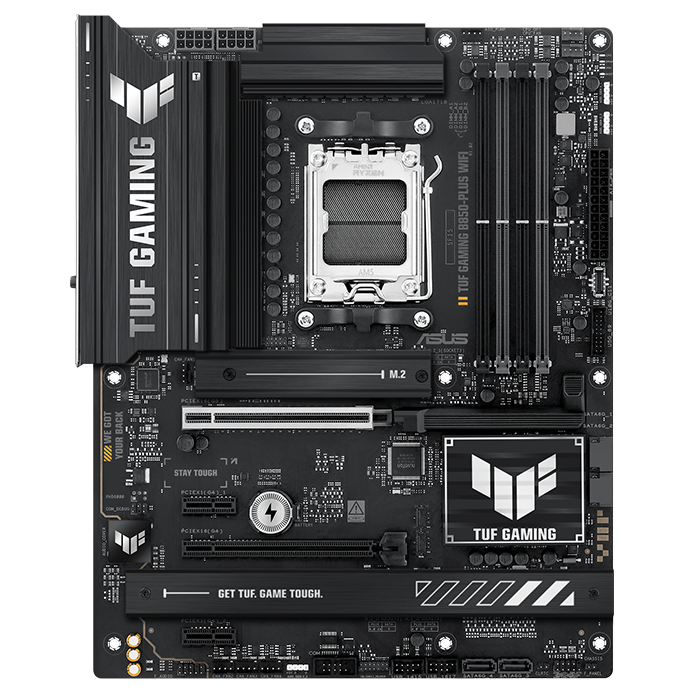
ASUS TUF Gaming B850-Plus WiFi
CHECK PRICE
PROS
CONS
| Specification | Detail |
|---|---|
| Chipset | AMD B850 |
| Socket | AM5 |
| Form Factor | ATX |
| VRM | 14+2+1 phases, 80A DrMOS |
| Memory | 4x DDR5 DIMM, up to 256GB, rated to 8000 MT/s (OC) |
| PCIe Slots | PCIe 5.0 x16 (primary), PCIe 4.0 x16 (shared with M.2_3) |
| M.2 Slots | 3 total, 1x PCIe 5.0 |
| Rear USB | USB 20Gbps Type-C, USB4 header (not a rear port) |
| Networking | Wi-Fi 7, Realtek 2.5GbE LAN |
| Audio | Realtek HD audio with DTS processing |
| Launch Price | $199.99 |
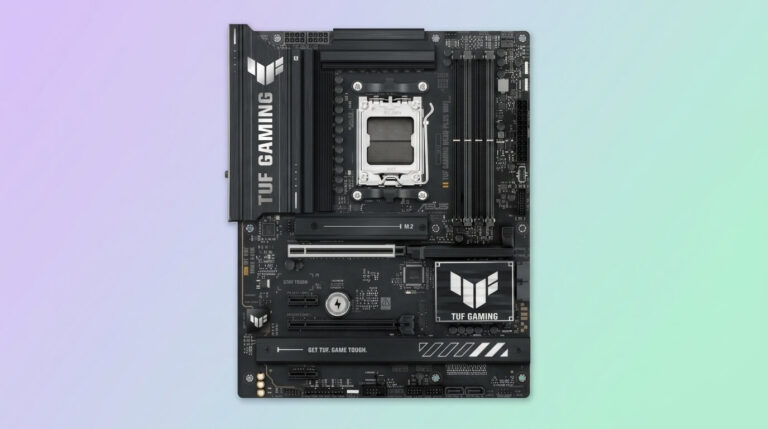
The ASUS TUF Gaming B850-Plus WiFi is an ATX motherboard built on the AMD B850 chipset for AM5 Ryzen 7000, 8000, and 9000 series processors. The board uses 14+2+1 phase, 80A DrMOS power stages, DDR5 memory, PCIe 5.0 readiness, three M.2 slots, Wi-Fi 7, Realtek 2.5Gb Ethernet, and rear USB 20Gbps Type-C plus front USB 10Gbps Type-C support. Power delivery uses an 8-layer PCB with 8+8-pin ProCool power connectors, alloy chokes, and durable capacitors for stable power delivery.
The board’s PCIe 5.0 x16 slot runs the RX 9070 XT at full bandwidth. Storage includes one onboard PCIe 5.0 M.2 slot and two PCIe 4.0 M.2 slots, each equipped with a heatsink. The third M.2 slot shares bandwidth with a secondary PCIe 4.0 x16 slot, and that slot is disabled whenever the third M.2 slot is populated.
The VRM score places the board’s power delivery in the upper mid-range class, with 14 CPU power phases and 80A power stages in a 14+2+1 layout, a configuration suited to performance processors at stock settings rather than sustained extreme overclocking. Rear connectivity includes a Thunderbolt (USB4) header rather than a native rear USB4 port, so USB4 functionality depends on an optional front-panel or add-in bracket.
Against the MSI MAG B850 Tomahawk WiFi II at the same chipset tier, the TUF Gaming B850-Plus WiFi drops from four M.2 slots to three and from 5GbE to 2.5GbE networking, while matching the same 14+2+1 VRM phase count. Against the X870-tier boards in this list, it lacks guaranteed USB4 ports, relying instead on a header for that functionality.
How to Choose a Motherboard For RX 9070 XT
Choosing a motherboard for the RX 9070 XT means matching a PCIe 5.0 x16 slot, a VRM sized for the paired CPU, and a chipset tier to the build’s budget and expansion needs. The GPU itself draws its 304W typical board power directly from the PSU, so the motherboard’s influence on RX 9070 XT performance comes from lane allocation and system-level stability rather than direct GPU power delivery.
The PCIe slot requirement is straightforward: any AM5 board with a PCIe 5.0 x16 primary slot, including all six boards reviewed above, runs the RX 9070 XT at full x16 bandwidth. Builders who want a second full-bandwidth PCIe 5.0 x16 slot for a high-speed expansion card need an X870E board such as the ASRock X870E Taichi, since most B850 and X870 boards limit the secondary slot to PCIe 4.0.
CPU VRM sizing depends on the processor rather than the GPU. A 14+2+1 phase, 80A design, found on the MSI MAG B850 Tomahawk WiFi II, MSI MAG X870 Tomahawk WiFi, and ASUS TUF Gaming B850-Plus WiFi, covers Ryzen 9000 CPUs at stock and moderate PBO settings. Builders planning sustained heavy overclocking on a flagship CPU benefit from the higher-phase designs on the ASUS ROG Strix X870E-E Gaming WiFi (18+2+2 phases) or the ASRock X870E Taichi (24+2+1 phases).
Chipset tier determines the connectivity baseline. B850 boards, such as the two ASUS and MSI boards in this list, omit guaranteed USB4 and typically cap wired networking at 2.5GbE. X870 boards add a standard USB 40Gbps port and, on some models, faster LAN. X870E boards add a second PCIe 5.0 x16 slot and dual USB4 ports as standard features. A builder pairing the RX 9070 XT with a mid-range CPU and no need for a second Gen5 expansion card can use a B850 or X870 board; a builder planning heavy multitasking, a fast NAS connection, or Thunderbolt peripherals benefits from stepping up to X870E.
PSU headroom is a related but separate consideration from motherboard choice. AMD recommends a 750W minimum PSU for the RX 9070 XT, and independent testing shows sustained draw around 340–360W against the 304W typical board power rating, so the total system PSU should account for the GPU, the CPU, and the motherboard’s own power draw with margin for transient spikes.