The Intel Core i9-14900K is a 24-core processor with 8 Performance-cores and 16 Efficient-cores, and it reaches boost clocks of up to 6.0 GHz under Intel’s Thermal Velocity Boost. The processor operates on the LGA 1700 socket and draws up to 253 W under PL2 turbo conditions. A motherboard paired with this processor must deliver stable power beyond that figure, since sustained multi-core workloads and manual overclocking push current draw higher than the rated specification.
Motherboard selection affects three areas of an i9-14900K build: power delivery, memory bandwidth, and I/O capacity. The VRM (voltage regulator module) determines how much current the board supplies to the CPU without thermal throttling. The memory controller and DIMM layout determine achievable DDR5 speeds. The chipset and PCB design determine how many PCIe 5.0 lanes, M.2 slots, and USB ports the system can use at once. Intel Z790 is the only mainstream chipset that unlocks full overclocking support for the i9-14900K, so every board in this guide uses that chipset.
This guide reviews six Z790 motherboards for the Intel Core i9-14900K: the MSI MAG Z790 Tomahawk MAX WiFi, the ASUS ROG Maximus Z790 Dark Hero, the Gigabyte Z790 AORUS Elite X, the Gigabyte Z790 AORUS Master X, the MSI MPG Z790 Carbon WiFi II, and the ASRock Z790 Taichi Lite. Each entry covers the board’s specifications, how those specifications interact with the i9-14900K, and how the board compares with the other five options.
Each section that follows includes a full specification table alongside separate pros and cons lists, so the comparison points are visible at a glance rather than buried in prose. The final section explains how to weigh VRM quality, memory support, storage layout, and connectivity when choosing among these boards for an i9-14900K build.
Best Motherboards for Intel i9-14900K CPU
MSI MAG Z790 Tomahawk MAX WiFi
CHECK PRICE
PROS
CONS
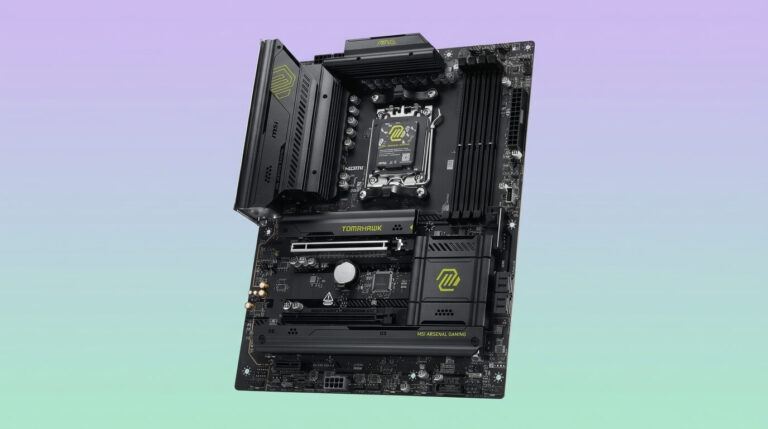
The MSI MAG Z790 Tomahawk MAX WiFi is an ATX motherboard built on the Intel Z790 chipset for the LGA 1700 socket. MSI positions it as a mainstream gaming board rather than an extreme-overclocking flagship, and its specification sheet reflects that positioning: solid core features with fewer premium extras than the higher-tier boards in this guide.
The board uses a 16+1+1 Duet Rail power design with dual 8-pin CPU power connectors and a Mirrored Power Arrangement layout. Four DDR5 DIMM slots support up to 192 GB of memory, with overclocked speeds rated up to 7800+ MT/s. Storage includes four M.2 slots protected by M.2 Shield Frozr heatsinks and eight SATA III ports. Expansion consists of one PCIe 5.0 x16 slot, one PCIe 4.0 x16 slot, and one PCIe 3.0 x1 slot. Networking runs through 2.5 GbE LAN and a Wi-Fi 7 module with Bluetooth 5.4. The rear I/O carries a mix of USB 3.2 Gen 2×2, Gen 2, and Gen 1 ports, and audio runs through a Realtek ALC4080 codec with 7.1-channel output.
With the i9-14900K, the 16+1+1 VRM handles the processor’s stock 253 W PL2 turbo load without issue, and the dual 8-pin EPS connectors supply enough current for daily use and moderate all-core overclocking. The board is not built for extreme or sub-ambient overclocking, since its phase count and current rating trail the 20+1+2 and 24+1+2 designs found on the ASUS ROG Maximus Z790 Dark Hero, the Gigabyte Z790 AORUS Master X, and the ASRock Z790 Taichi Lite. Against the Gigabyte Z790 AORUS Elite X, the Tomahawk MAX WiFi offers a comparable feature set at a similar price point, with the Elite X holding a slight edge in rear I/O variety and PCIe UD Slot X reinforcement.
| Specification | Detail |
|---|---|
| Chipset | Intel Z790 |
| Socket | LGA 1700 |
| Form Factor | ATX |
| CPU Support | Intel Core 12th/13th/14th Gen |
| Memory | 4x DDR5 DIMM, up to 192 GB, up to 7800+ MT/s (OC) |
| VRM | 16+1+1 Duet Rail, dual 8-pin CPU power |
| PCIe Slots | 1x PCIe 5.0 x16, 1x PCIe 4.0 x16, 1x PCIe 3.0 x1 |
| Storage | 4x M.2 (M.2 Shield Frozr), 8x SATA III |
| Networking | 2.5 GbE LAN, Wi-Fi 7, Bluetooth 5.4 |
| USB | USB 3.2 Gen 2×2 Type-C, USB 3.2 Gen 2, USB 3.2 Gen 1, USB 2.0 |
| Audio | Realtek ALC4080, 7.1-channel |
ASUS ROG Maximus Z790 Dark Hero
CHECK PRICE
PROS
CONS
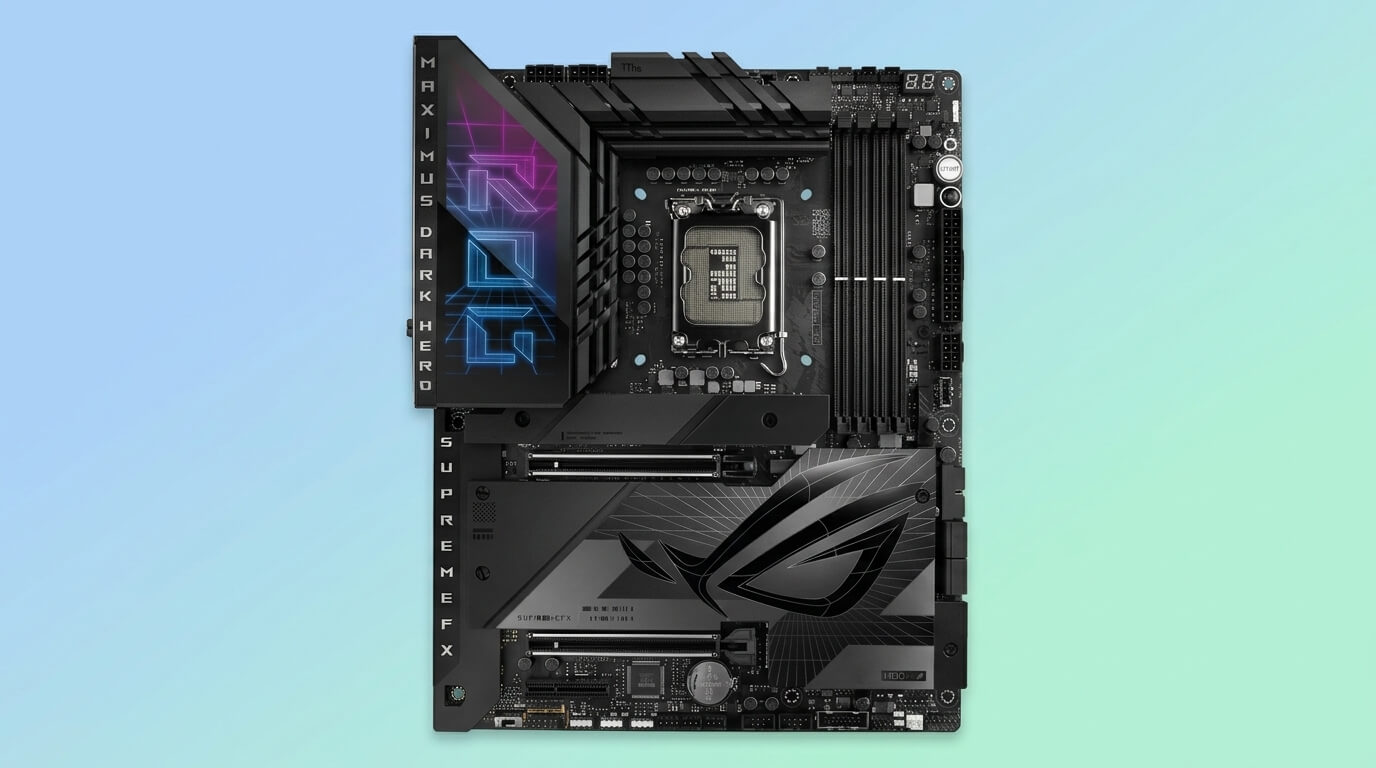
The ASUS ROG Maximus Z790 Dark Hero is an ATX motherboard from the ROG Maximus flagship line, built on the Intel Z790 chipset for LGA 1700 processors. ASUS designed it as a refresh of the ROG Maximus Z790 Hero, with Wi-Fi 7 support and expanded M.2 capacity as the primary changes.
Power delivery consists of a 20+1+2 phase configuration, broken down into 20 VCore phases and 1 integrated-graphics phase managed by a Renesas RAA229131 controller, plus 2 auxiliary phases. Each VCore phase uses a 90 A Intersil ISL99390 Smart Power Stage, giving the board a combined current capacity suited to sustained high-power workloads. Dual ProCool II 8-pin EPS connectors feed the VRM. Four DDR5 DIMM slots support up to 192 GB of memory with overclocking rated to 8000 MHz. The board includes five M.2 slots, one running at PCIe 5.0 x4 and four at PCIe 4.0 x4, which removes the need for expansion cards to reach high-speed storage capacity. Connectivity includes two Thunderbolt 4 ports and a Wi-Fi 7 module with a directional Q-Antenna.
The 20+1+2 VRM gives the i9-14900K sustained current under all-core AVX workloads without phase throttling, and Tom’s Hardware confirmed the board’s 20 90A Intersil ISL99390 SPS MOSFETs support the processor without concern, with cooling limits reached before power delivery becomes a bottleneck. Compared with the MSI MAG Z790 Tomahawk MAX WiFi and Gigabyte Z790 AORUS Elite X, the Dark Hero provides a materially stronger VRM and more M.2 slots, positioning it above those two boards for overclocking headroom. Against the Gigabyte Z790 AORUS Master X and ASRock Z790 Taichi Lite, the Dark Hero’s phase count is comparable to the Master X and lower than the Taichi Lite’s 24+1+2 design, though all three sit in the same premium tier and differ mainly in networking and expansion extras rather than raw power delivery.
| Specification | Detail |
|---|---|
| Chipset | Intel Z790 |
| Socket | LGA 1700 |
| Form Factor | ATX |
| CPU Support | Intel Core 12th/13th/14th Gen |
| Memory | 4x DDR5 DIMM, up to 192 GB, up to 8000 MHz (OC) |
| VRM | 20+1+2 phases, 90A Intersil ISL99390 SPS, dual ProCool II 8-pin |
| PCIe Slots | PCIe 5.0 x16 with Q-Release |
| Storage | 5x M.2 (1x PCIe 5.0 x4, 4x PCIe 4.0 x4) |
| Networking | Wi-Fi 7, 2x Thunderbolt 4 |
| USB | Front and rear USB-C, USB 3.2 Gen 2×2 |
| Audio | ROG SupremeFX audio solution |
Gigabyte Z790 AORUS Elite X
CHECK PRICE
PROS
CONS
The Gigabyte Z790 AORUS Elite X is an ATX motherboard in Gigabyte’s AORUS lineup, built on the Intel Z790 chipset for LGA 1700 processors. Gigabyte markets the “X” revision as its Z790 refresh optimized for Intel Core 14th Gen processors, with updated BIOS design and DDR5 tuning over the original Elite series.
The board runs a 16+1+2 Digital Twin VRM design, consisting of 8+8 parallel phases rated at 90 A for VCore and a single 60 A phase for the integrated GPU, plus two auxiliary phases. Four DDR5 DIMM slots support up to 192 GB of memory, with XMP overclocking rated up to 8266 MT/s. Storage includes four PCIe 4.0 x4 M.2 slots and six SATA 6 Gb/s ports. Expansion covers one PCIe 5.0 x16 slot reinforced with Gigabyte’s PCIe UD Slot X and two additional PCIe 4.0 x16 slots. Networking runs through 2.5 GbE LAN and Wi-Fi 7, and the rear panel includes a 20 Gb/s USB-C port alongside a 10 Gb/s front-panel USB-C header. Audio uses a Realtek ALC1220 codec with audiophile-grade capacitors.
The 16+1+2 VRM, rated at 90 A per VCore phase, supports the i9-14900K at stock settings and moderate overclocks without exceeding safe thermal limits, aided by Gigabyte’s VRM Thermal Armor Advanced heatsink. Compared with the MSI MAG Z790 Tomahawk MAX WiFi, the Elite X offers a similar phase count but adds PCIe UD Slot X reinforcement and a 20 Gb/s rear USB-C port that the Tomahawk MAX WiFi does not include. Against its own sibling, the Gigabyte Z790 AORUS Master X, the Elite X uses fewer phases (16+1+2 versus 20+1+2) and a lower current rating per phase (90 A versus 105 A), placing it a tier below the Master X for sustained overclocking. Compared with the ASUS ROG Maximus Z790 Dark Hero and ASRock Z790 Taichi Lite, the Elite X targets a lower price point and trades some VRM headroom and M.2 slot count for a lower cost of entry.
| Specification | Detail |
|---|---|
| Chipset | Intel Z790 |
| Socket | LGA 1700 |
| Form Factor | ATX |
| CPU Support | Intel Core 12th/13th/14th Gen |
| Memory | 4x DDR5 DIMM, up to 192 GB, up to 8266 MT/s (XMP) |
| VRM | 16+1+2 phases (8+8 parallel), 90A SPS VCore, 60A VCCGT |
| PCIe Slots | 1x PCIe 5.0 x16 (UD Slot X), 2x PCIe 4.0 x16 |
| Storage | 4x PCIe 4.0 x4 M.2, 6x SATA 6 Gb/s |
| Networking | 2.5 GbE LAN, Wi-Fi 7 |
| USB | Front USB-C 10 Gb/s, rear USB-C 20 Gb/s, USB 3.2 Gen 2/Gen 1, USB 2.0 |
| Audio | Realtek ALC1220, audiophile-grade capacitors |
Gigabyte Z790 AORUS Master X
CHECK PRICE
PROS
CONS
The Gigabyte Z790 AORUS Master X is an E-ATX motherboard positioned above the AORUS Elite X in Gigabyte’s Z790 lineup, built on the Intel Z790 chipset for LGA 1700 processors. Gigabyte built the “X” revision to add native Wi-Fi 7 support and refined DDR5 tuning over the standard Z790 AORUS Master.
Power delivery uses a 20+1+2 Digital Direct VRM design. The 20 VCore phases and 1 integrated-graphics phase route through a Renesas RAA229131 controller to 105 A Renesas RAA22010540 Smart Power Stage MOSFETs, with 2 additional auxiliary phases. Four DDR5 DIMM slots support up to 192 GB of memory with high-speed XMP profiles. Storage covers five M.2 slots: one PCIe 5.0 x4 and four PCIe 4.0 x4, all fitted with EZ-Latch tool-free retention. Networking includes Wi-Fi 7 alongside high-speed LAN, and the rear I/O includes up to three 20 Gb/s USB-C ports. Audio runs through a Realtek ALC1220-VB codec paired with an ESS ES9118 DAC for DTS:X Ultra support.
Tom’s Hardware measured the board’s power delivery directly, confirming that the 20 105A Renesas RAA22010540 SPS MOSFETs give the i9-14900K ample capacity, with cooling limits reached before power delivery restricts performance or overclocking. PC Gamer’s testing reported VRM temperatures staying under 45°C during sustained i9-14900K loads, even under LN2 cooling scenarios. Against the Gigabyte Z790 AORUS Elite X, the Master X steps up from 90 A to 105 A power stages and adds a fifth M.2 slot with native PCIe 5.0 support. Compared with the ASUS ROG Maximus Z790 Dark Hero, the Master X matches its 20+1+2 phase layout but uses higher-rated 105 A stages instead of 90 A stages, giving it a theoretical current advantage, while the Dark Hero counters with dual Thunderbolt 4 ports that the Master X does not include. Against the ASRock Z790 Taichi Lite, the Master X’s 20 phases trail the Taichi Lite’s 24 phases, though the Master X’s larger E-ATX PCB provides more room for its cooling and audio components.
| Specification | Detail |
|---|---|
| Chipset | Intel Z790 |
| Socket | LGA 1700 |
| Form Factor | E-ATX |
| CPU Support | Intel Core 12th/13th/14th Gen |
| Memory | 4x DDR5 DIMM, up to 192 GB, high-speed XMP support |
| VRM | 20+1+2 phases, 105A Renesas RAA22010540 SPS |
| PCIe Slots | 1x PCIe 5.0 x4/x16, additional PCIe 4.0 x16 slots |
| Storage | 5x M.2 (1x PCIe 5.0 x4, 4x PCIe 4.0 x4) |
| Networking | Wi-Fi 7, high-speed LAN |
| USB | Up to 3x USB-C 20 Gb/s |
| Audio | Realtek ALC1220-VB, ESS ES9118 DAC, DTS:X Ultra |
MSI MPG Z790 Carbon WiFi II
CHECK PRICE
PROS
CONS
The MSI MPG Z790 Carbon WiFi II is an ATX motherboard in MSI’s MPG series, built on the Intel Z790 chipset for LGA 1700 processors. It replaces the original MPG Z790 Carbon WiFi with updated networking and refined M.2 cooling while keeping the same carbon-black design language.
The board uses a Direct 19+1+1 phase power design, with a Renesas RAA229131 controller driving 105 A Renesas RAA22010540 Smart Power Stage MOSFETs and dual 8-pin CPU power connectors. Four DDR5 DIMM slots support up to 192 GB of memory, with overclocked speeds rated up to 7800+ MT/s. Storage includes five M.2 slots, with the primary slot running Lightning Gen5 x4 and supporting up to 128 GB/s of bandwidth, plus six SATA III ports. Networking includes a 5 GbE LAN port, a Wi-Fi 7 module, and Bluetooth support. The board’s specification lists include USB 3.2 Gen 2×2 support on the rear I/O panel.
MSI built the board with a P-Core Beyond 6GHz+ function that enables single-click 1-core and 2-core Turbo Boost tuning for Intel’s flagship processors, a feature directly relevant to an i9-14900K running near its peak boost frequency. Tech4Gamers measured the VRM/MOSFET temperature at 65.2°C under ambient conditions without active airflow directed at the board, indicating adequate thermal headroom for the i9-14900K under default settings. Compared with the ASUS ROG Maximus Z790 Dark Hero and Gigabyte Z790 AORUS Master X, the Carbon WiFi II’s 19+1+1 phase count is close to the Dark Hero’s 20+1+2 layout but one phase short of a direct match, while its 105 A stages equal the Master X’s current rating per phase. Against the MSI MAG Z790 Tomahawk MAX WiFi, the Carbon WiFi II adds a fifth M.2 slot, a faster 5 GbE LAN port, and a higher overall phase count, reflecting its position as MSI’s step-up board above the Tomahawk series.
| Specification | Detail |
|---|---|
| Chipset | Intel Z790 |
| Socket | LGA 1700 |
| Form Factor | ATX |
| CPU Support | Intel Core 12th/13th/14th Gen |
| Memory | 4x DDR5 DIMM, up to 192 GB, up to 7800+ MT/s (OC) |
| VRM | Direct 19+1+1 phases, 105A Renesas RAA22010540 SPS, dual 8-pin |
| PCIe Slots | PCIe 5.0 x16, additional PCIe 4.0 slots |
| Storage | 5x M.2 (1x Lightning Gen5 x4), 6x SATA III |
| Networking | 5 GbE LAN, Wi-Fi 7, Bluetooth |
| USB | USB 3.2 Gen 2×2, USB-C |
| Audio | Premium audio with ESS DAC support |
ASRock Z790 Taichi Lite
CHECK PRICE
PROS
CONS
The ASRock Z790 Taichi Lite is an E-ATX motherboard in ASRock’s Taichi line, built on the Intel Z790 chipset for LGA 1700 processors. ASRock designed it as a stripped-down variant of the standard Z790 Taichi, removing some cosmetic elements and the backplate heatsink while retaining the flagship VRM and connectivity.
The board runs a 24+1+2 phase power design, the highest phase count in this guide, with a Renesas RAA229131 controller driving 24 Renesas RAA22010540 105 A Smart Power Stage MOSFETs for a combined current capacity described by ASRock as 2,520 A available to the processor. Four DDR5 DIMM slots support up to 192 GB of memory. Storage includes five M.2 slots, split between a Blazing Gen5 x4 slot rated at 128 GB/s and four Hyper Gen4 slots rated at 64 GB/s, plus eight SATA III ports. Expansion includes two PCIe 5.0 x16 slots configurable as x16/x8+x8. Networking runs through Killer 2.5 GbE LAN and Killer Wi-Fi 6E, and connectivity includes two Thunderbolt 4 Type-C ports with USB Power Delivery 3.0 support. Audio uses a Realtek ALC4082 codec with an ESS SABRE9218 DAC.
Tom’s Hardware tested the board directly against Intel’s flagship and reported that the 24 105A Renesas RAA22010540 SPS MOSFETs handle the Core i9 at stock and overclocked settings, including sub-ambient cooling methods. XDA Developers separately confirmed the VRM remained stable under Prime95 small-FFTs testing with an i9-14900K, noting that even a single 8-pin EPS connector would be sufficient for the processor given the board’s phase count. Against every other board in this guide, the Taichi Lite carries the highest phase count and matches the 105 A per-phase rating of the Gigabyte Z790 AORUS Master X and MSI MPG Z790 Carbon WiFi II. Compared with the ASUS ROG Maximus Z790 Dark Hero, the Taichi Lite adds four more VCore phases and dual Thunderbolt 4 ports similar to the Dark Hero’s own Thunderbolt implementation, while trading ASUS’s smaller ATX footprint for a larger E-ATX board. PC Gamer’s review noted that comparable 24-phase VRM designs typically appear on motherboards priced well above the Taichi Lite, positioning it as a value option relative to its power delivery tier.
| Specification | Detail |
|---|---|
| Chipset | Intel Z790 |
| Socket | LGA 1700 |
| Form Factor | E-ATX |
| CPU Support | Intel Core 12th/13th/14th Gen |
| Memory | 4x DDR5 DIMM, up to 192 GB |
| VRM | 24+1+2 phases, 105A Renesas RAA22010540 SPS |
| PCIe Slots | 2x PCIe 5.0 x16 (x16/x8+x8) |
| Storage | 5x M.2 (1x Gen5 x4 Blazing, 4x Gen4 Hyper), 8x SATA III |
| Networking | Killer 2.5 GbE LAN, Killer Wi-Fi 6E |
| USB | 2x Thunderbolt 4 Type-C (PD 3.0) |
| Audio | Realtek ALC4082, ESS SABRE9218 DAC |
How to Choose a motherboard for i9 14900K
Choosing a motherboard for the i9-14900K starts with the VRM: select a board rated for at least 16 phases with power stages of 80 A or higher, since the processor’s 253 W PL2 turbo load requires sustained current beyond what lower-end boards supply. A board with a 20-phase or higher VRM, such as the ASUS ROG Maximus Z790 Dark Hero, the Gigabyte Z790 AORUS Master X, or the ASRock Z790 Taichi Lite, adds headroom for all-core overclocking and reduces VRM operating temperature under sustained load.
Memory support matters next. Every board in this guide uses four DDR5 DIMM slots and supports up to 192 GB of total memory, but overclocked speed ratings vary from roughly 7800 MT/s to 8266 MT/s depending on the board’s PCB layout and memory trace design. A higher-rated board reduces the risk of instability when running fast DDR5 kits at their rated XMP profile alongside an overclocked i9-14900K.
Storage and expansion requirements depend on the build’s intended use. A board with five M.2 slots, such as the ASUS ROG Maximus Z790 Dark Hero, the Gigabyte Z790 AORUS Master X, the MSI MPG Z790 Carbon WiFi II, or the ASRock Z790 Taichi Lite, accommodates multiple NVMe drives without relying on SATA storage. A board with a native PCIe 5.0 x4 M.2 slot supports the fastest available consumer SSDs without splitting lanes from the primary graphics card slot. Builds that prioritize SATA-based storage arrays should favor boards with higher SATA port counts, such as the ASRock Z790 Taichi Lite or MSI MAG Z790 Tomahawk MAX WiFi, both listing eight SATA III ports.
Form factor and case compatibility narrow the remaining choice. ATX boards such as the MSI MAG Z790 Tomahawk MAX WiFi, ASUS ROG Maximus Z790 Dark Hero, Gigabyte Z790 AORUS Elite X, and MSI MPG Z790 Carbon WiFi II fit standard mid-tower cases. E-ATX boards such as the Gigabyte Z790 AORUS Master X and ASRock Z790 Taichi Lite require a case with sufficient motherboard tray width and standoff support. Finally, connectivity needs, including Thunderbolt 4, Wi-Fi 7 versus Wi-Fi 6E, and LAN speed, should match the intended use case: content creators and users connecting high-bandwidth external displays or storage benefit from Thunderbolt 4 support on the Dark Hero, Master X, or Taichi Lite, while networking-focused builds gain more from the 5 GbE LAN on the MSI MPG Z790 Carbon WiFi II.