
Table of Contents
The Intel Core i7-14700K is a 20-core, 28-thread LGA 1700 processor with 8 Performance cores and 12 Efficiency cores, a 3.4 GHz P-core base clock, and a 5.6 GHz maximum turbo frequency. The processor carries a 125 W base power rating and a 253 W maximum turbo power rating, so the motherboard’s power delivery, cooling, and BIOS support directly affect how the CPU performs under sustained multi-core loads.
A compatible motherboard for the i7-14700K uses the Intel LGA 1700 socket and an Intel 600-series or 700-series chipset. The Z790 chipset supports full CPU overclocking, native DDR5 memory, PCIe 5.0 lanes, and expanded USB and storage connectivity, which makes it the primary chipset platform paired with this processor. Board selection changes the number of usable PCIe 5.0 lanes, the number of M.2 slots available for NVMe storage, and the VRM configuration that determines how the board sustains power under the CPU’s 253 W turbo power draw.
This article reviews six Z790 motherboards for the i7-14700K: the MSI MAG Z790 Tomahawk MAX WiFi, Gigabyte Z790 AORUS Elite AX, ASRock Z790 Steel Legend WiFi, ASUS ROG Strix Z790-E Gaming WiFi II, MSI MEG Z790 ACE MAX, and ASRock Z790 Taichi Lite. Each board is evaluated on VRM design, memory and storage support, PCIe configuration, and connectivity, with the specifications, advantages, and limitations relevant to running the i7-14700K.
The boards range from mainstream ATX designs with 16-phase VRMs to flagship E-ATX boards with 24-phase, 105 A power stages built for sustained overclocking. The following sections detail each board’s specifications and compatibility with the i7-14700K, followed by a buying guide for selecting a board based on budget, form factor, and overclocking requirements.
THE SHORTLIST
This guide, at a glance
Compare the products covered below, then explore the strengths, limitations, and specifications that matter to you.
- Check current priceView on Amazon: MSI MAG Z790 Tomahawk MAX WiFi (opens in a new tab)
- Check current priceView on Amazon: Gigabyte Z790 AORUS Elite AX (opens in a new tab)
- Check current priceView on Amazon: ASRock Z790 Steel Legend WiFi (opens in a new tab)
- Check current priceView on Amazon: ASUS ROG Strix Z790-E Gaming WiFi II (opens in a new tab)
- Check current priceView on Amazon: MSI MEG Z790 ACE MAX (opens in a new tab)
- Check current priceView on Amazon: ASRock Z790 Taichi Lite (opens in a new tab)
Purchase links open Amazon. Confirm the exact model, price, availability, and seller terms before ordering.
Best Motherboards for Intel i7-14700K CPU
MSI MAG Z790 Tomahawk MAX WiFi
Pricing and availability on Amazon
Pros & cons
Strengths
- The 16+1+1 phase VRM design with dual 8-pin EPS connectors can comfortably handle the Intel Core i7-14700K at stock settings and with moderate overclocking.
- Wi-Fi 7 and 2.5GbE LAN provide modern wireless and wired networking capabilities.
- The PCIe 5.0 x16 slot and Lightning Gen5 M.2 slot support next-generation graphics cards and high-speed SSDs.
- M.2 Shield Frozr heatsinks help keep up to four NVMe drives cool during sustained workloads.
Limitations
- The lower VRM phase count provides less extreme overclocking headroom than the E-ATX flagship motherboards in this comparison.
- Only one PCIe 3.0 x1 slot is available for additional expansion cards, limiting connectivity options for smaller expansion devices.
- The motherboard does not include Thunderbolt connectivity, limiting high-speed external device options.
Review notes
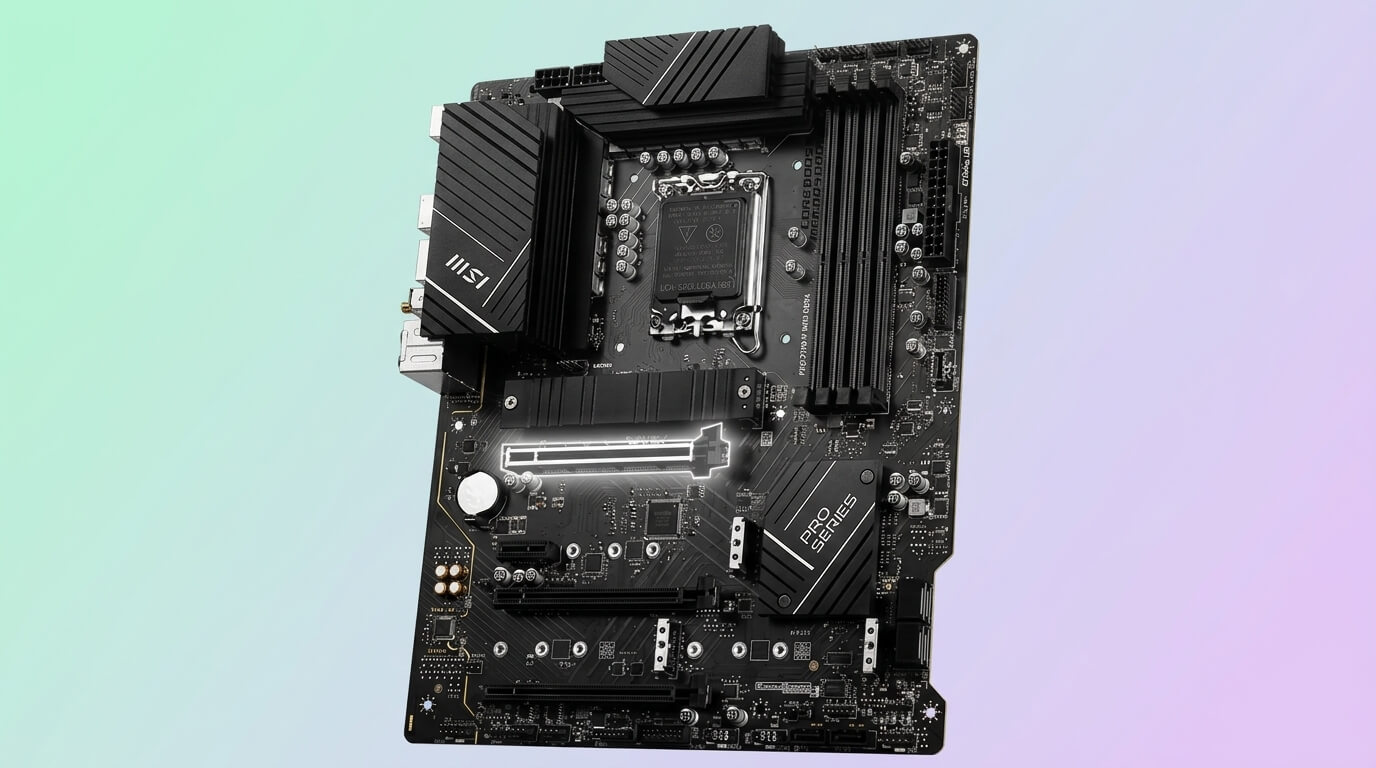
The MSI MAG Z790 Tomahawk MAX WiFi is an ATX motherboard built on the Intel Z790 chipset for the LGA 1700 socket. It supports Intel Core 12th, 13th, and 14th Gen processors, including the i7-14700K, and uses a 16+1+1 phase power design with dual 8-pin EPS CPU power connectors.
The 16+1+1 phase VRM delivers stable power to the i7-14700K’s 8 P-cores and 12 E-cores at stock settings and under moderate overclocking. MSI’s Core Boost technology and reinforced power connectors manage the CPU’s 253 W turbo power draw without requiring the 24-phase designs found on flagship boards. The PCIe 5.0 x16 slot and Lightning Gen5 M.2 slot allow the i7-14700K’s PCIe 5.0 lanes to reach a compatible graphics card or NVMe SSD at full bandwidth.
Compared with the Gigabyte Z790 AORUS Elite AX, the Tomahawk MAX WiFi offers built-in Wi-Fi 7 instead of Wi-Fi 6E and a faster Lightning Gen5 M.2 slot rated at 128 Gb/s. Compared with the flagship MSI MEG Z790 ACE MAX, the Tomahawk MAX WiFi has fewer VRM phases and lacks Thunderbolt connectivity, which limits it to mainstream overclocking rather than extreme sustained loads.
Specs & configuration
| Specification | Detail |
|---|---|
| Form Factor | ATX |
| Chipset | Intel Z790 |
| Socket | LGA 1700 |
| CPU Support | Intel Core 12th/13th/14th Gen, Pentium Gold, Celeron |
| Memory | 4x DDR5 DIMM, up to 192 GB, OC up to 7800+ MHz |
| VRM | 16+1+1 phase, dual 8-pin EPS |
| PCIe Slots | 1x PCIe 5.0 x16, 1x PCIe 4.0 x16, 1x PCIe 3.0 x1 |
| M.2 Slots | 4x M.2 (Lightning Gen5 M.2 up to 128 Gb/s), M.2 Shield Frozr |
| SATA Ports | 8x SATA III |
| Networking | Wi-Fi 7, Bluetooth 5.4, 2.5GbE LAN |
| Rear USB | 4x USB 3.2 Gen 1 Type-A, 4x USB 3.2 Gen 2 Type-A, 1x USB 3.2 Gen 2 Type-C, 1x USB 3.2 Gen 2×2 Type-C |
| Audio | Realtek ALC4080, 7.1-channel |
Gigabyte Z790 AORUS Elite AX
Pricing and availability on Amazon
Pros & cons
Strengths
- The twin 16+1+2 phase VRM design with a parallel power configuration provides stable power delivery for the Intel Core i7-14700K under sustained workloads.
- Q-Flash Plus allows the BIOS to be updated without an installed CPU, memory, or graphics card.
- EZ-Latch Plus enables tool-free M.2 SSD installation without requiring traditional screws.
- The PCIe EZ-Latch mechanism simplifies graphics card installation and removal.
Limitations
- The M.2 storage slots are limited to PCIe 4.0 x4 speeds, as the motherboard does not include a PCIe 5.0 M.2 slot.
- The six SATA ports provide less storage connectivity than the eight SATA ports available on several competing motherboards.
- The motherboard uses Wi-Fi 6E instead of the newer Wi-Fi 7 standard, providing less wireless bandwidth and future-proofing.
Review notes
The Gigabyte Z790 AORUS Elite AX is an ATX motherboard on the Intel Z790 chipset for LGA 1700 processors, including the i7-14700K. It uses a twin 16+1+2 phase digital VRM design with an 8+8 parallel power configuration.
The twin 16+1+2 VRM design delivers sufficient current to the i7-14700K’s 20 cores for stock operation and moderate all-core overclocking, with GIGABYTE’s DIRECT VRM design and Tantalum Polymer capacitors reducing ripple under load. The board’s four M.2 slots run at PCIe 4.0 x4 rather than PCIe 5.0, so the fastest available NVMe drives are capped below PCIe 5.0 SSD speeds even though the CPU supports PCIe 5.0.
Compared with the MSI MAG Z790 Tomahawk MAX WiFi, the AORUS Elite AX uses Wi-Fi 6E instead of Wi-Fi 7 and offers PCIe 4.0 M.2 storage rather than a PCIe 5.0 M.2 slot. Compared with the ASRock Z790 Steel Legend WiFi, the AORUS Elite AX has fewer SATA ports (6 versus 8) but a comparable VRM phase count.
Specs & configuration
| Specification | Detail |
|---|---|
| Form Factor | ATX |
| Chipset | Intel Z790 |
| Socket | LGA 1700 |
| CPU Support | Intel Core 12th/13th/14th Gen, Pentium Gold, Celeron |
| Memory | 4x DDR5 DIMM, XMP 3.0, OC beyond 7600 MHz |
| VRM | Twin 16+1+2 phase digital VRM, 8+8 parallel design |
| PCIe Slots | 1x PCIe 5.0 x16, 2x PCIe 4.0 x16 (x4 mode) |
| M.2 Slots | 4x PCIe 4.0 x4 M.2 connectors, M.2 Thermal Guard III |
| SATA Ports | 6x SATA 6Gb/s |
| Networking | Wi-Fi 6E, 2.5GbE LAN |
| Rear USB | Front USB-C 10Gb/s, rear USB-C 20Gb/s |
| RAID | RAID 0/1/5/10 for NVMe and SATA |
ASRock Z790 Steel Legend WiFi
Pricing and availability on Amazon
Pros & cons
Strengths
- The eight SATA ports and five M.2 slots provide extensive storage expansion options for large multi-drive builds.
- The Blazing M.2 slot supports PCIe 5.0 x4 speeds of up to 128 Gb/s, enabling high-performance next-generation NVMe storage.
- The 16+1+1 phase VRM with 60A SPS power stages can handle the Intel Core i7-14700K under normal workloads and moderate overclocking.
- The competitive pricing makes the motherboard an attractive option compared with similar Z790 ATX boards.
Limitations
- The rear I/O panel includes only two USB 2.0 ports, limiting the number of legacy USB connections available.
- The motherboard uses Wi-Fi 6E instead of the newer Wi-Fi 7 standard, providing less future wireless bandwidth.
- Certain M.2 and SATA slot combinations share bandwidth, which can reduce available storage connectivity when multiple drives are installed simultaneously.
Review notes
The ASRock Z790 Steel Legend WiFi is an ATX motherboard on the Intel Z790 chipset supporting LGA 1700 processors, including the i7-14700K. It uses a 16+1+1 phase power design with SPS power stages for VCore and GT.
The 16+1+1 phase VRM with 60 A SPS power stages sustains the i7-14700K’s 253 W turbo power draw for gaming and mixed workloads, though the board is not designed for extreme sub-ambient overclocking. The Blazing M.2 slot supports PCIe 5.0 x4 storage at up to 128 Gb/s, giving the board one of the fastest available NVMe interfaces in its price segment, while the three Hyper M.2 slots cover secondary PCIe 4.0 storage needs.
Compared with the Gigabyte Z790 AORUS Elite AX, the Steel Legend WiFi provides two additional SATA ports and one additional M.2 slot. Compared with the MSI MAG Z790 Tomahawk MAX WiFi, the Steel Legend WiFi uses Wi-Fi 6E rather than Wi-Fi 7 and includes only two USB 2.0 ports on the rear I/O panel, which is fewer legacy USB connections than the Tomahawk MAX WiFi provides.
Specs & configuration
| Specification | Detail |
|---|---|
| Form Factor | ATX |
| Chipset | Intel Z790 |
| Socket | LGA 1700 |
| CPU Support | Intel Core 12th/13th/14th Gen |
| Memory | 4x DDR5 DIMM, up to 192 GB, OC up to 7200+ MHz |
| VRM | 16+1+1 phase, 60 A SPS for VCore+GT |
| PCIe Slots | 1x PCIe 5.0 x16, 1x PCIe 4.0 x16, 1x PCIe 3.0 x16 |
| M.2 Slots | 5x M.2 (1x Blazing Gen5 x4 up to 128 Gb/s, 3x Hyper Gen4 x4 up to 64 Gb/s, 1x for Wi-Fi module) |
| SATA Ports | 8x SATA III |
| Networking | Wi-Fi 6E, 2.5GbE LAN, Bluetooth |
| Rear USB | USB 3.2 Gen 2 Type-C, multiple USB 3.2 Type-A ports, 2x USB 2.0 |
| Audio | Nichicon 12K Black Caps audio capacitors |
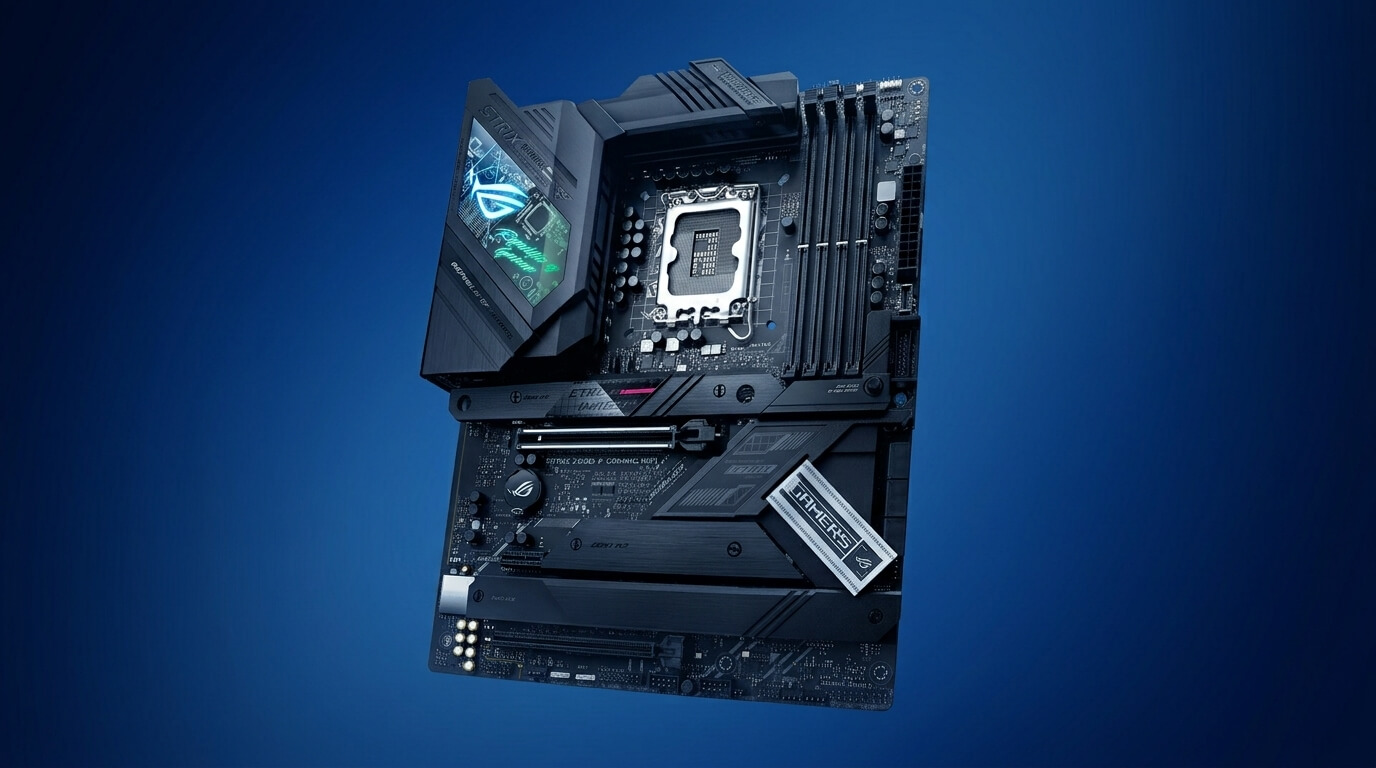
ASUS ROG Strix Z790-E Gaming WiFi II
Pricing and availability on Amazon
Pros & cons
Strengths
- The 18+1+2 power-stage VRM design with heat pipe-linked VRM heatsinks provides stable power delivery for the Intel Core i7-14700K under sustained turbo loads.
- The front-panel USB 20Gbps port with 30W Power Delivery supports fast data transfer and convenient charging for compatible devices.
- The five M.2 slots are all covered by heatsinks, and one of them supports PCIe 5.0 speeds for high-performance NVMe storage.
- ASUS Q-Design features simplify the installation of the GPU, RAM, and Wi-Fi antennas without requiring additional tools.
Limitations
- The four SATA ports provide less storage connectivity than several competing motherboards.
- The single PCIe 5.0 x16 slot limits expansion options for builds that require a second high-bandwidth PCIe slot.
- The motherboard costs more than mainstream ATX alternatives, making it less attractive for budget-conscious builders.
Review notes
The ASUS ROG Strix Z790-E Gaming WiFi II is an ATX motherboard on the Intel Z790 chipset for LGA 1700 processors, including the i7-14700K. It uses an 18+1+2 power stage design with extended VRM heatsinks connected by an L-shaped heat pipe.
The 18+1+2 power stage design with dedicated VRM heatsinks and an integrated heat pipe keeps the i7-14700K’s power delivery components within safe operating temperatures during extended gaming and rendering sessions. The M.2_1 slot runs at PCIe 5.0 x4, reaching up to 16 GB/s of sequential throughput, while the remaining four M.2 slots operate at PCIe 4.0 x4 with roughly 8 GB/s throughput each.
Compared with the ASRock Z790 Steel Legend WiFi, the Strix Z790-E Gaming WiFi II has fewer SATA ports (4 versus 8) but a higher VRM phase count. Compared with the MSI MEG Z790 ACE MAX, the Strix Z790-E Gaming WiFi II uses a single PCIe 5.0 x16 slot rather than dual PCIe 5.0 x16 slots, limiting multi-GPU or add-in-card configurations that require a second full-bandwidth PCIe 5.0 connection.
Specs & configuration
| Specification | Detail |
|---|---|
| Form Factor | ATX |
| Chipset | Intel Z790 |
| Socket | LGA 1700 |
| CPU Support | Intel Core 12th/13th/14th Gen |
| Memory | 4x DDR5 DIMM |
| VRM | 18+1+2 power stages, L-shaped heat pipe cooling |
| PCIe Slots | 1x PCIe 5.0 x16 (SafeSlot) |
| M.2 Slots | 5x M.2 (M.2_1 PCIe 5.0 x4, M.2_2 through M.2_4 PCIe 4.0 x4, M.2_5 PCIe 4.0 x4/SATA) |
| SATA Ports | 4x SATA 6Gb/s |
| Networking | Wi-Fi 7, Bluetooth 5.4, 2.5G LAN |
| Front/Rear USB | Front-panel USB 20Gbps with PD 3.0 up to 30W, 11 additional USB 10Gbps ports |
| Special Features | Q-Antenna, Q-Release, Q-Latch, Aura Sync RGB |
MSI MEG Z790 ACE MAX
Pricing and availability on Amazon
Pros & cons
Strengths
- The 24+1+2 phase VRM design with 105A SPS power stages and up to 2,520A of available current provides substantial power delivery for the Intel Core i7-14700K under sustained overclocking.
- The two Thunderbolt 4 ports provide 40 Gb/s connectivity and support 8K display output for compatible devices.
- The two PCIe 5.0 x16 slots and PCIe 5.0 M.2 slot maximize access to high-bandwidth PCIe 5.0 connectivity.
- The double-sided M.2 Shield Frozr cooling system helps keep SSDs mounted on both sides of the PCB at controlled temperatures.
Limitations
- The E-ATX form factor requires a PC case with sufficient motherboard clearance, limiting compatibility with smaller cases.
- Populating the PCIe 5.0 M.2 slot reduces the primary graphics slot to x8 mode, which can limit available GPU bandwidth in certain configurations.
- The premium price places the motherboard above mainstream Z790 boards, making it less suitable for budget-conscious builders.
- The six SATA ports provide relatively limited SATA connectivity for a flagship motherboard.
Review notes
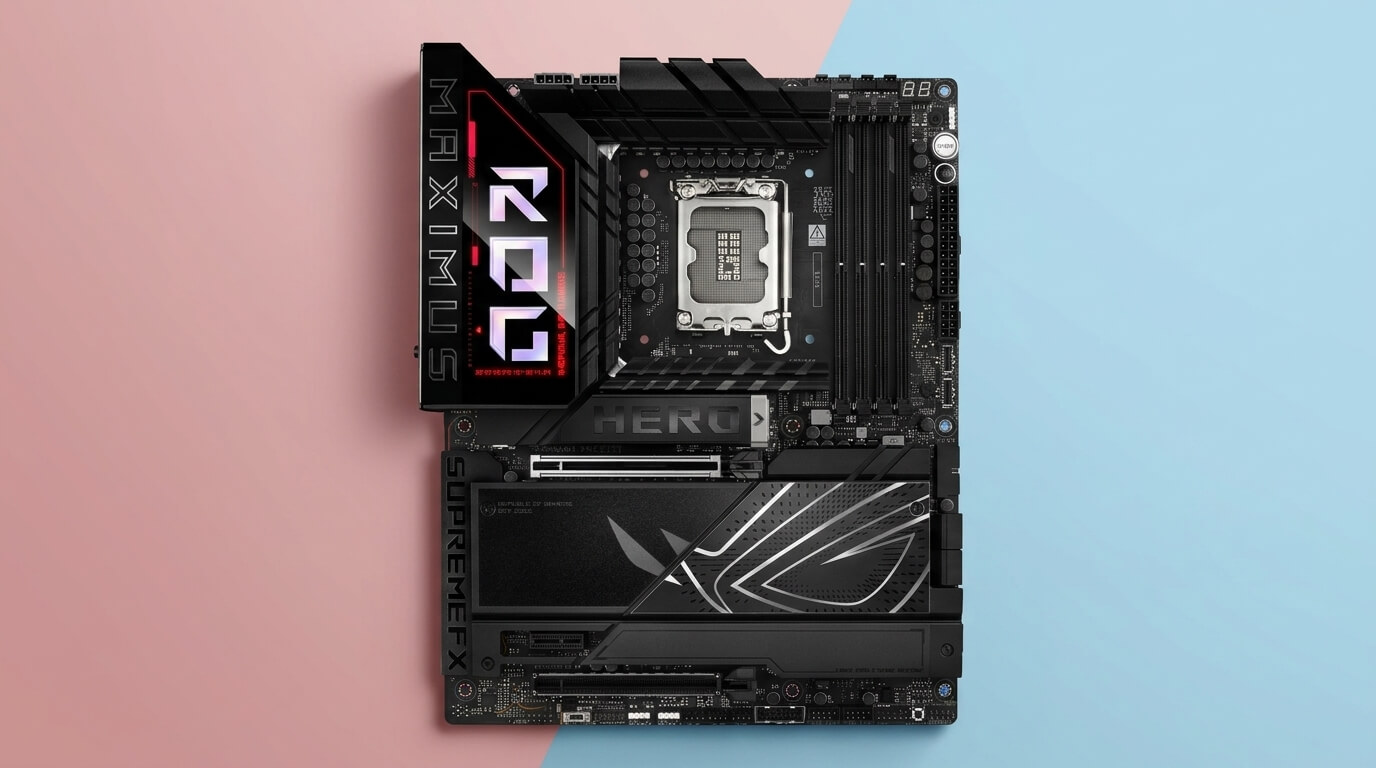
The MSI MEG Z790 ACE MAX is an E-ATX motherboard on the Intel Z790 chipset for LGA 1700 processors, including the i7-14700K. It uses a 24+1+2 phase Duet Rail Power System with 105 A SPS MOSFETs.
The 24+1+2 phase VRM with 105 A SPS MOSFETs and a Renesas RAA229131 PWM controller provides 2,520 A of available current, which independent testing confirms handles the i7-14700K and equivalent i9-class processors at stock settings and under sustained overclocking without power delivery throttling. The dual PCIe 5.0 x16 slots and PCIe 5.0 M.2 slot give the board more PCIe 5.0 bandwidth than any other board in this comparison, though installing a drive in the PCIe 5.0 M.2 slot drops the primary graphics slot to x8 mode.
Compared with the ASUS ROG Strix Z790-E Gaming WiFi II, the MEG Z790 ACE MAX adds a second PCIe 5.0 x16 slot and dual Thunderbolt 4 ports, at the cost of a larger E-ATX footprint. Compared with the ASRock Z790 Taichi Lite, the two boards share a similar 24-phase VRM class, but the ACE MAX adds Thunderbolt 4 connectivity that the Taichi Lite does not include.
Specs & configuration
| Specification | Detail |
|---|---|
| Form Factor | E-ATX |
| Chipset | Intel Z790 |
| Socket | LGA 1700 |
| CPU Support | Intel Core 12th/13th/14th Gen, Pentium Gold, Celeron |
| Memory | 4x DDR5 DIMM, up to 192 GB, OC up to 7800+ MHz |
| VRM | 24+1+2 phase Duet Rail Power System, 105 A SPS, dual 8-pin EPS |
| PCIe Slots | 2x PCIe 5.0 x16 (x16/x8), 1x PCIe 4.0 x16 (x4 mode) |
| M.2 Slots | 5x M.2 (PCIe 5.0 x4 and PCIe 4.0 x4), double-sided M.2 Shield Frozr |
| SATA Ports | 6x SATA III |
| Networking | Wi-Fi 7, dual 2.5GbE LAN, Bluetooth 5.4 |
| Thunderbolt | Dual Thunderbolt 4 ports, 40 Gb/s, 8K display support |
| PCB | 8-layer server-grade PCB, 2oz thickened copper |
ASRock Z790 Taichi Lite
Pricing and availability on Amazon
Pros & cons
Strengths
- The 24+1+2 phase VRM design with 105A SPS power stages provides flagship-class power delivery for the Intel Core i7-14700K.
- The dual USB4 (Thunderbolt 4) ports provide high-speed connectivity, while the 60W front-panel Power Delivery supports fast charging for compatible devices.
- The eight SATA ports combined with five M.2 slots provide extensive storage connectivity for large multi-drive configurations.
- The simplified design reduces the overall cost compared with the standard Z790 Taichi while retaining the same VRM power-delivery design.
Limitations
- The two M.2 slots located under the top heatsink cannot be populated simultaneously, limiting storage flexibility in certain configurations.
- The motherboard uses Wi-Fi 6E instead of the newer Wi-Fi 7 standard, providing less future wireless bandwidth.
- The E-ATX form factor requires users to confirm that their PC case provides sufficient motherboard compatibility and clearance.
- The VRM heatsinks can become warm under sustained heavy workloads if there is insufficient additional case airflow.
Review notes
The ASRock Z790 Taichi Lite is an E-ATX motherboard on the Intel Z790 chipset for LGA 1700 processors, including the i7-14700K. It uses a 24-phase VRM with 105 A Renesas SPS MOSFETs.
The 24-phase, 105 A SPS VRM provides the same 2,520 A of available current as the MSI MEG Z790 ACE MAX, and independent testing confirms it handles the i7-14700K and comparable flagship processors at stock and overclocked settings without thermal throttling of the power delivery. The board’s five M.2 slots include a PCIe 5.0 Blazing slot rated at 128 Gb/s, though two of the M.2 sockets under the top heatsink cannot be populated simultaneously, which limits usable NVMe storage to four drives at once despite five physical slots.
Compared with the MSI MEG Z790 ACE MAX, the Taichi Lite matches the VRM phase count and current capacity but uses Wi-Fi 6E instead of Wi-Fi 7 and provides 8 SATA ports rather than 6. Compared with the ASRock Z790 Steel Legend WiFi, the Taichi Lite adds a second PCIe 5.0 x16 slot and dual USB4 Thunderbolt ports, reflecting its higher-tier E-ATX positioning within ASRock’s lineup.
Specs & configuration
| Specification | Detail |
|---|---|
| Form Factor | E-ATX |
| Chipset | Intel Z790 |
| Socket | LGA 1700 |
| CPU Support | Intel Core 12th/13th/14th Gen |
| Memory | 4x DDR5 DIMM, up to 192 GB, OC up to 7200+ MHz |
| VRM | 24+1+2 phase, 105 A Renesas SPS, 2,520A available |
| PCIe Slots | 2x PCIe 5.0 x16 (x16 single / x8+x8 dual), 1x PCIe 4.0 x16 (x4 mode) |
| M.2 Slots | 5x M.2 (1x Blazing Gen5 x4 up to 128 Gb/s, 4x Hyper Gen4 x4 up to 64 Gb/s) |
| SATA Ports | 8x SATA3 6.0 Gb/s |
| Networking | Killer 2.5G LAN, Killer Wi-Fi 6E, Bluetooth |
| USB4/Thunderbolt | Dual USB4 (Thunderbolt 4) Type-C ports, 40 Gb/s, front-panel 60W PD fast charging |
| PCB | 8-layer E-ATX PCB |
How to Choose a motherboard for i7 14700K
Choose a motherboard for the i7-14700K based on the LGA 1700 socket, an Intel 600-series or 700-series chipset with BIOS support for 14th Gen processors, a VRM rated for at least 125 W of sustained power delivery, and the PCIe and M.2 configuration required for the intended graphics card and storage devices.
The socket and chipset determine baseline compatibility. The i7-14700K requires an LGA 1700 motherboard, and Z790 chipset boards support full CPU overclocking, native PCIe 5.0 lanes, and DDR5 memory without the compatibility limitations found on lower-tier B760 or H770 boards. Some Z690 and B660 boards support the i7-14700K after a BIOS update, but Z790 boards ship with 14th Gen support already validated, which removes the need to update the BIOS before installing the processor.
VRM quality determines how the board sustains the CPU’s power draw under load. The i7-14700K reaches up to 253 W under maximum turbo power, so a motherboard with at least a 16-phase VRM, such as the MSI MAG Z790 Tomahawk MAX WiFi or Gigabyte Z790 AORUS Elite AX, is sufficient for stock operation and moderate overclocking. Boards with 24-phase VRMs and 105 A power stages, such as the MSI MEG Z790 ACE MAX and ASRock Z790 Taichi Lite, provide additional headroom for sustained all-core overclocking and lower VRM operating temperatures under continuous load.
Memory, storage, and expansion requirements narrow the selection further. A board with a PCIe 5.0 M.2 slot supports the fastest available NVMe SSDs, while a board with multiple PCIe 4.0 M.2 slots and 8 SATA ports, such as the ASRock Z790 Steel Legend WiFi or ASRock Z790 Taichi Lite, better suits builds requiring several storage drives. Builds that need dual PCIe 5.0 x16 slots or Thunderbolt 4 connectivity require an E-ATX board such as the MSI MEG Z790 ACE MAX, while single-GPU builds are adequately served by an ATX board with one PCIe 5.0 x16 slot.
JOIN THE CONVERSATION
Leave a comment
Have a question or something to add? Share it with our editorial team. Comments are reviewed privately and are not published automatically.