
Table of Contents
The Intel Core i7-13700K is a 16-core, 24-thread Raptor Lake processor with 8 Performance-cores and 8 Efficiency-cores, a maximum boost frequency of 5.4 GHz, and a 30 MB L3 cache. The processor carries a 125 W base power (PL1) and a 253 W maximum turbo power (PL2), and it installs into the Intel LGA1700 socket. A motherboard for this processor must supply an LGA1700 socket, an Intel 600-series or 700-series chipset, and a voltage-regulator module (VRM) rated to sustain 253 W of turbo power without thermal throttling.
A Z790 chipset motherboard adds PCIe 5.0 lanes, native DDR5 memory support, and additional high-speed I/O compared with a B760 board, which makes Z790 the primary chipset for i7-13700K builds that use overclocking, PCIe 5.0 storage, or multiple high-speed peripherals. Buyers should evaluate four factors before selecting a board: VRM phase count and amperage, DDR5 memory speed and capacity, PCIe and M.2 storage configuration, and networking and USB connectivity. Each factor determines how much of the i7-13700K’s turbo performance the board can sustain and which peripherals the system can support.
This article reviews six Z790 motherboards for the Intel Core i7-13700K: the MSI MAG Z790 Tomahawk WiFi DDR5, the Gigabyte Z790 AORUS Elite AX, the ASUS TUF Gaming Z790-Plus WiFi, the MSI PRO Z790-A WiFi, the ASUS ROG Strix Z790-E Gaming WiFi, and the Gigabyte Z790 AORUS Master. Each board is compared using the same criteria: VRM design, memory support, PCIe and storage layout, networking, and price.
Every review section includes a specifications table, a list of advantages, and a separate list of limitations. Prices reflect manufacturer MSRP figures at launch; street prices vary by retailer, region, and current market availability.
THE SHORTLIST
This guide, at a glance
Compare the products covered below, then explore the strengths, limitations, and specifications that matter to you.
- Check current priceView on Amazon: MSI MAG Z790 Tomahawk WiFi DDR5 (opens in a new tab)
- Check current priceView on Amazon: Gigabyte Z790 AORUS Elite AX (opens in a new tab)
- Check current priceView on Amazon: ASUS TUF Gaming Z790-Plus WiFi (opens in a new tab)
- Check current priceView on Amazon: MSI PRO Z790-A WiFi (opens in a new tab)
- Check current priceView on Amazon: ASUS ROG Strix Z790-E Gaming WiFi (opens in a new tab)
- Check current priceView on Amazon: Gigabyte Z790 AORUS Master (opens in a new tab)
Purchase links open Amazon. Confirm the exact model, price, availability, and seller terms before ordering.
Best Motherboards for Intel i7-13700K CPU
MSI MAG Z790 Tomahawk WiFi DDR5
Pricing and availability on Amazon
Pros & cons
Strengths
- The 16+1+1 DRPS VRM design with dual 8-pin power connectors can sustain the Intel Core i7-13700K’s 253 W turbo power when adequate case airflow is provided.
- Four M.2 slots and seven SATA ports provide extensive storage connectivity, offering more total drive support than most boards in this comparison.
- Intel 2.5G LAN and Intel WiFi 6E provide faster wired and wireless networking performance than the 1 Gb LAN commonly found on entry-level motherboards.
- The Realtek ALC4080 audio codec delivers better audio quality than the older ALC897 codec used on many budget Z790 motherboards.
Limitations
- None of the four M.2 slots support PCIe 5.0 SSDs, which limits maximum sequential storage speeds compared with motherboards that offer Gen 5 M.2 support.
- MSI does not officially certify memory speeds beyond DDR5-7200, which is lower than the 7600–7800 MT/s limits offered by the AORUS Elite AX and ROG Strix Z790-E.
- Reaching higher-speed XMP profiles may require manual BIOS adjustments, according to reviewer reports.
Review notes
The board uses a 16+1+1 Duet Rail Power System (DRPS) with dual 8-pin CPU power connectors, an extended VRM heatsink, and 7 W/mK thermal pads. DDR5 memory installs across 4 DIMM slots, supports up to 128 GB, and reaches DDR5-7200 or higher with overclocking through MSI-tuned XMP profiles. Storage includes 4 M.2 slots and 7 SATA 6Gb/s ports, though none of the M.2 slots support PCIe 5.0 SSDs. A single PCIe 5.0 x16 slot handles the primary graphics card. Networking runs through Intel 2.5G LAN and Intel WiFi 6E, and audio uses a Realtek ALC4080 codec.
Compared with the Gigabyte Z790 AORUS Elite AX, the Tomahawk offers a similar VRM class but adds a second 8-pin CPU power connector, which gives it more headroom for sustained all-core loads. Compared with the ASUS ROG Strix Z790-E Gaming WiFi and the Gigabyte Z790 AORUS Master, the Tomahawk uses a lower phase count and lacks a PCIe 5.0 M.2 slot, reflecting its lower $319 MSRP against the $499 and $499–$550 MSRPs of those two boards.
Who it suits
The MSI MAG Z790 Tomahawk WiFi DDR5 is a full-ATX motherboard built on the Intel Z790 chipset for the LGA1700 socket. MSI positions the Tomahawk in its MAG (gaming) series as a mid-range board for builders who need PCIe 5.0 and DDR5 support without paying for a flagship feature set.
The Tomahawk’s dual 8-pin power connectors and 16+1+1 DRPS design sustain the i7-13700K’s 253 W maximum turbo power under standard airflow, provided the VRM heatsink receives case airflow during extended multi-core workloads. The board does not include a PCIe 5.0 M.2 slot, so builders who want a PCIe 5.0 SSD alongside the i7-13700K need a different board from this list.
Specs & configuration
| Specification | MSI MAG Z790 Tomahawk WiFi DDR5 |
|---|---|
| Socket | Intel LGA1700 |
| Chipset | Intel Z790 |
| Form Factor | ATX |
| CPU Support | Intel 12th, 13th, and 14th Gen Core processors |
| VRM | 16+1+1 DRPS, dual 8-pin CPU power |
| Memory | 4x DDR5, up to 128 GB, DDR5-7200+ (OC) |
| PCIe | 1x PCIe 5.0 x16 |
| Storage | 4x M.2 (PCIe 4.0), 7x SATA 6Gb/s |
| Networking | Intel 2.5G LAN, Intel WiFi 6E |
| Audio | Realtek ALC4080 |
| USB | 1x USB 3.2 Gen 2×2, 6x USB 3.2 Gen 2, 6x USB 3.1 Gen 1 |
| MSRP | $319 |
Gigabyte Z790 AORUS Elite AX
Pricing and availability on Amazon
Pros & cons
Strengths
- The motherboard supports DDR5-7600 overclocking and up to 192 GB of memory, exceeding the MSI Tomahawk’s DDR5-7200 support and 128 GB capacity.
- The motherboard offers a strong price-to-feature ratio by combining PCIe 5.0 support and four M.2 slots with one of the lowest prices in this comparison.
- The EZ-Latch design uses screwless PCIe and M.2 latches, making GPU and SSD installation easier than with traditional screw-mounted designs.
- Q-Flash Plus allows BIOS updates to be performed without an installed CPU, memory, or graphics card.
Limitations
- Some retail listings feature a single 8-pin CPU power connector, which provides less sustained power headroom than dual 8-pin designs under maximum PL2 loads.
- The Realtek HD Audio codec provides lower signal quality than the ALC4080 codec used on the MSI Tomahawk.
- Some versions have only six SATA ports, so builders who require extensive SATA storage should verify the exact motherboard revision before purchasing.
Review notes
The board uses a twin 16+1+2 phase digital VRM with 70 A power stages. DDR5 memory installs across 4 DIMM slots, supports up to 192 GB, and reaches DDR5-7600 with overclocking. Storage includes 4 M.2 slots running at PCIe 4.0 x4 and 6 SATA 6Gb/s ports. Expansion includes 1 PCIe 5.0 x16 slot and 2 PCIe 4.0 x16 slots wired at x4. Networking runs through 2.5GbE LAN and Intel WiFi 6E, and the board uses a Realtek HD audio codec.
The AORUS Elite AX’s 16+1+2 VRM at 70 A per stage handles the i7-13700K’s 253 W maximum turbo power in typical desktop cases, though it runs with less thermal margin than boards with higher-amperage stages or dual 8-pin power connectors. Sustained all-core workloads under an unlocked power limit benefit from a case with active VRM airflow.
Compared with the MSI MAG Z790 Tomahawk WiFi DDR5, the AORUS Elite AX supports a higher DDR5 overclocking ceiling (7600 versus 7200) and a higher memory capacity (192 GB versus 128 GB) at a lower published price. Compared with the ASUS TUF Gaming Z790-Plus WiFi, the two boards sit close in price and VRM class, though the TUF board adds Thunderbolt 4 support that the AORUS Elite AX lacks.
Who it suits
The Gigabyte Z790 AORUS Elite AX is a full-ATX motherboard built on the Intel Z790 chipset for the LGA1700 socket. Gigabyte positions the AORUS Elite AX as an entry point into its AORUS gaming lineup, targeting builders who want DDR5 and PCIe 5.0 support at a lower price than AORUS Master-tier boards.
Specs & configuration
| Specification | Gigabyte Z790 AORUS Elite AX |
|---|---|
| Socket | Intel LGA1700 |
| Chipset | Intel Z790 |
| Form Factor | ATX |
| CPU Support | Intel 12th, 13th, and 14th Gen Core processors |
| VRM | Twin 16+1+2 phases, 70 A power stage |
| Memory | 4x DDR5, up to 192 GB, DDR5-7600 (OC) |
| PCIe | 1x PCIe 5.0 x16, 2x PCIe 4.0 x16 (x4 mode) |
| Storage | 4x M.2 (PCIe 4.0 x4), 6x SATA 6Gb/s |
| Networking | 2.5GbE LAN, Intel WiFi 6E |
| Audio | Realtek HD Audio CODEC |
| USB | USB 3.2 Gen 2×2 Type-C, 5x USB 3.2 Gen 1 |
| MSRP | $189.99–$259.99 |
ASUS TUF Gaming Z790-Plus WiFi
Pricing and availability on Amazon
Pros & cons
Strengths
- The Thunderbolt 4 (USB4) header is unique to this board among the six reviewed and provides support for high-speed external storage and external GPU enclosures.
- ASUS TUF Protection includes ESD guards and overvoltage protection to improve component durability and system reliability.
- PCIe Slot Q-Release and M.2 Q-Latch simplify GPU and SSD installation by eliminating the need for traditional screws.
- TUF LANGuard hardware protection helps reduce the risk of LAN port damage caused by electrical power surges.
Limitations
- The four SATA 6 Gb/s ports provide less storage connectivity than the six to seven SATA ports available on the MSI Tomahawk and AORUS Elite AX.
- The motherboard uses the older WiFi 6 standard instead of WiFi 6E, which is available on the MSI Tomahawk, AORUS Elite AX, PRO Z790-A WiFi, and ROG Strix Z790-E.
- The 16+1 phase VRM configuration provides less power delivery capacity than the 16+1+1 and 16+1+2 designs used on the MSI Tomahawk and AORUS Elite AX.
Review notes
The ASUS TUF Gaming Z790-Plus WiFi is a full-ATX motherboard built on the Intel Z790 chipset for the LGA1700 socket. ASUS markets the board under its TUF Gaming line, which emphasizes military-grade components and durability testing over premium aesthetics.
The board uses a 16+1 DrMOS VRM rated at 60 A per stage, supported by ProCool power connectors and an enlarged VRM heatsink. DDR5 memory installs across 4 DIMM slots and supports overclocked speeds documented up to DDR5-7200 and above. Storage includes 4 M.2 slots at PCIe 4.0 and 4 SATA 6Gb/s ports. Expansion includes 1 PCIe 5.0 x16 slot, 1 PCIe 4.0 x16 slot running at x4, 1 additional PCIe 4.0 x4 slot, and 2 PCIe 3.0 x1 slots. Networking uses Intel WiFi 6 and an Intel I225-V 2.5Gb LAN controller, and the rear panel includes a Thunderbolt 4 (USB4) header.
The TUF Gaming Z790-Plus WiFi’s 16+1 DrMOS design at 60 A per stage supplies enough sustained current for the i7-13700K’s 253 W turbo power in a well-ventilated case, though its single-phase-fewer layout gives it less thermal margin than the AORUS Elite AX’s twin 16+1+2 design during extended full-load workloads.
Compared with the Gigabyte Z790 AORUS Elite AX, the TUF board trades one VRM phase and DDR5 overclocking headroom for Thunderbolt 4 connectivity, a feature absent from the AORUS Elite AX, the Tomahawk, and the PRO Z790-A WiFi. Compared with the MSI PRO Z790-A WiFi, the two boards land in a similar price bracket, but the TUF board adds Thunderbolt 4 while the PRO Z790-A WiFi adds a higher SATA port count.
Specs & configuration
| Specification | ASUS TUF Gaming Z790-Plus WiFi |
|---|---|
| Socket | Intel LGA1700 |
| Chipset | Intel Z790 |
| Form Factor | ATX |
| CPU Support | Intel 12th, 13th, and 14th Gen Core processors |
| VRM | 16+1 DrMOS, 60 A power stage |
| Memory | 4x DDR5, DDR5-7200+ (OC) |
| PCIe | 1x PCIe 5.0 x16, 1x PCIe 4.0 x16 (x4), 1x PCIe 4.0 x4, 2x PCIe 3.0 x1 |
| Storage | 4x M.2 (PCIe 4.0), 4x SATA 6Gb/s |
| Networking | Intel WiFi 6, Intel I225-V 2.5Gb LAN |
| Audio | Realtek codec with DTS audio processing |
| USB | USB 3.2 Gen 2×2 Type-C, Thunderbolt 4 (USB4) header |
| MSRP | $189.99–$229.99 |
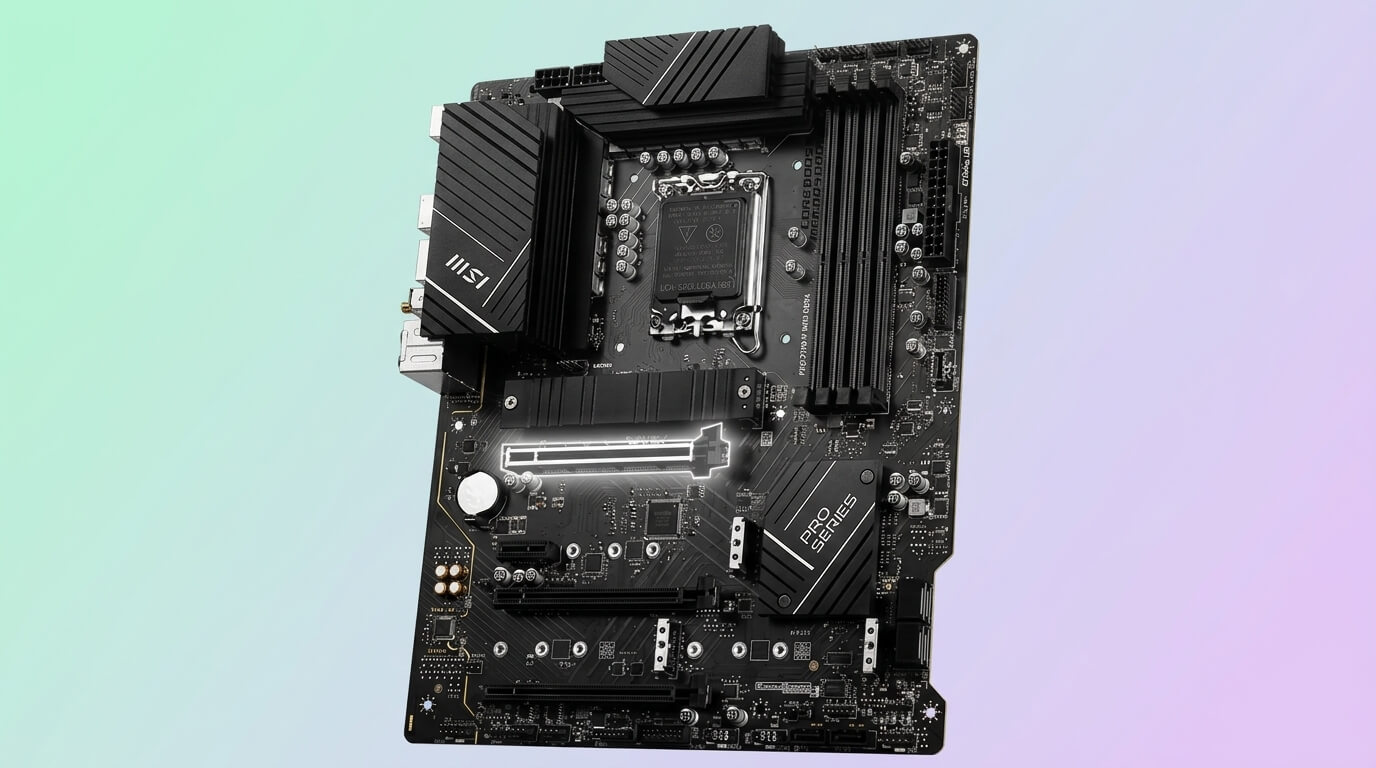
MSI PRO Z790-A WiFi
Pricing and availability on Amazon
Pros & cons
Strengths
- The 80A SPS power stages provide greater current capacity than the 70A and 60A stages used on the AORUS Elite AX and TUF Gaming Z790-Plus WiFi.
- The dual 8-pin CPU power connectors provide strong power delivery for sustained turbo loads and match the configuration used by the MSI Tomahawk.
- The six SATA ports and four M.2 slots provide flexible storage options for larger multi-drive configurations.
- The Realtek ALC4080 audio codec matches the audio quality of the MSI Tomahawk while typically being available at a lower price.
Limitations
- The motherboard has only three PCIe expansion slots, providing fewer expansion options than the configurations available on the MSI Tomahawk and AORUS Elite AX.
- The simpler Pro Series design lacks the RGB lighting and more elaborate heatsink styling found on the MAG, TUF, ROG Strix, and AORUS boards.
- MSI’s official CPU support list for this specific model does not include 14th Gen processors without a BIOS update, so users should verify the installed firmware before pairing the motherboard with a newer processor.
Review notes
The MSI PRO Z790-A WiFi is a full-ATX motherboard built on the Intel Z790 chipset for the LGA1700 socket. MSI positions the PRO Z790-A WiFi in its Pro Series, aimed at professionals and general desktop users rather than the gaming-focused MAG series.
The board uses a 16+1+1 DRPS VRM with 80 A SPS stages and dual 8-pin CPU power connectors, plus an extended heatsink with 7 W/mK MOSFET thermal pads. DDR5 memory installs across 4 DIMM slots and supports up to 192 GB. Storage includes 4 M.2 slots and 6 SATA 6Gb/s ports. Expansion includes 1 PCIe 5.0 x16 slot from the CPU, 1 PCIe 4.0 x4 slot, and 1 PCIe 3.0 x1 slot. Networking runs through 2.5Gbps LAN and Intel WiFi 6E, and audio uses a Realtek ALC4080 codec.
The PRO Z790-A WiFi’s 80 A SPS stages in a 16+1+1 layout with dual 8-pin power connectors give it comparable sustained-load capacity to the MSI MAG Z790 Tomahawk WiFi DDR5 for the i7-13700K’s 253 W turbo power, since both boards share MSI’s DRPS VRM architecture.
Compared with the MSI MAG Z790 Tomahawk WiFi DDR5, the PRO Z790-A WiFi uses a similar VRM design and the same Realtek ALC4080 audio codec, but drops the Tomahawk’s gaming-oriented styling and RGB headers in favor of a plainer Pro Series design at a comparable or lower price. Compared with the ASUS TUF Gaming Z790-Plus WiFi, the PRO Z790-A WiFi provides more SATA ports (6 versus 4) but lacks Thunderbolt 4 connectivity.
Specs & configuration
| Specification | MSI PRO Z790-A WiFi |
|---|---|
| Socket | Intel LGA1700 |
| Chipset | Intel Z790 |
| Form Factor | ATX |
| CPU Support | Intel 12th and 13th Gen Core processors |
| VRM | 16+1+1 DRPS, 80 A SPS, dual 8-pin CPU power |
| Memory | 4x DDR5, up to 192 GB |
| PCIe | 1x PCIe 5.0 x16, 1x PCIe 4.0 x4, 1x PCIe 3.0 x1 |
| Storage | 4x M.2, 6x SATA 6Gb/s |
| Networking | 2.5Gbps LAN, Intel WiFi 6E |
| Audio | Realtek ALC4080 |
| USB | USB 3.2 Gen 2×2 Type-C |
| MSRP | $179.99–$209.99 |
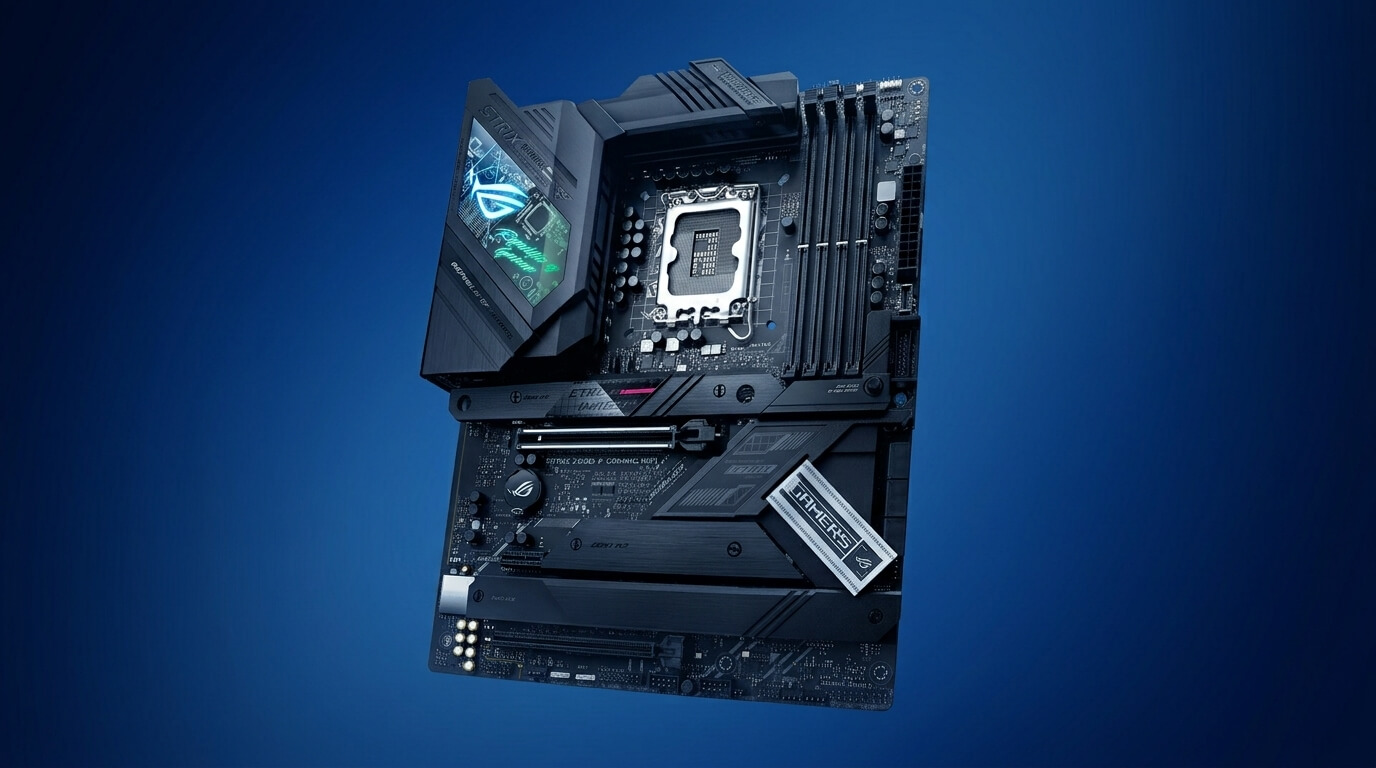
ASUS ROG Strix Z790-E Gaming WiFi
Pricing and availability on Amazon
Pros & cons
Strengths
- The 18+1 power-stage VRM design with 90A stages provides the Intel Core i7-13700K with excellent overclocking and sustained-load headroom compared with the other mid-range boards in this comparison.
- Support for DDR5-7800 provides the highest documented memory overclocking speed among the six reviewed motherboards.
- The five M.2 slots with dedicated heatsinks provide greater storage capacity than the four-slot layouts found on the Tomahawk, AORUS Elite AX, TUF board, and PRO Z790-A WiFi.
- ASUS AI Overclocking automatically adjusts voltage and frequency settings based on the installed cooling solution, simplifying CPU tuning.
Limitations
- The $499 MSRP makes the motherboard more than twice as expensive as the AORUS Elite AX and TUF Gaming Z790-Plus WiFi.
- The motherboard does not include integrated 10GbE networking, as wired connectivity remains below the 10GbE controller offered by the Gigabyte Z790 AORUS Master.
- The thick VRM heatsink and shroud assembly can create additional clearance challenges in compact PC cases.
Review notes
The board uses an 18+1 power-stage VRM rated at 90 A per stage, supported by AI Overclocking and an enlarged VRM cooling area. DDR5 memory installs across 4 DIMM slots, supports up to 192 GB, and reaches DDR5-7800 with overclocking. Storage includes 5 M.2 slots with heatsinks and 4 SATA 6Gb/s ports. Expansion includes 1 PCIe 5.0 x16 slot and 2 PCIe 4.0 x16 slots wired at x4. Networking uses Intel WiFi 6E, and the board carries a USB 3.2 Gen 2×2 rear connector.
The ROG Strix Z790-E’s 18+1 VRM at 90 A per stage gives the i7-13700K substantially more thermal and current headroom than the mid-range boards in this comparison, and reviewers measured peak VRM temperatures well within safe limits when paired with an unlocked Core i9-13900K, a processor with a higher 253 W PL2 ceiling matching the i7-13700K’s own maximum turbo power.
Compared with the Gigabyte Z790 AORUS Master, the ROG Strix Z790-E offers 5 M.2 slots against the AORUS Master’s 5 M.2 slots as well, but the AORUS Master adds a 10GbE LAN controller versus the ROG Strix Z790-E’s 2.5G-class networking, while both boards share a similar $499 price point. Compared with the mid-range boards in this article, the ROG Strix Z790-E’s 18+1 90 A VRM exceeds the VRM capacity of the Tomahawk, AORUS Elite AX, TUF Gaming Z790-Plus WiFi, and PRO Z790-A WiFi, at roughly double their price.
Who it suits
The ASUS ROG Strix Z790-E Gaming WiFi is a full-ATX motherboard built on the Intel Z790 chipset for the LGA1700 socket. ASUS positions the ROG Strix Z790-E in its Republic of Gamers line as a high-end board for builders who pair the i7-13700K with premium GPUs and want overclocking headroom beyond mid-range boards.
Specs & configuration
| Specification | ASUS ROG Strix Z790-E Gaming WiFi |
|---|---|
| Socket | Intel LGA1700 |
| Chipset | Intel Z790 |
| Form Factor | ATX |
| CPU Support | Intel 12th, 13th, and 14th Gen Core processors |
| VRM | 18+1 power stages, 90 A |
| Memory | 4x DDR5, up to 192 GB, DDR5-7800 (OC) |
| PCIe | 1x PCIe 5.0 x16, 2x PCIe 4.0 x16 (x4 mode) |
| Storage | 5x M.2 with heatsinks, 4x SATA 6Gb/s |
| Networking | Intel WiFi 6E |
| Audio | Integrated ROG audio solution |
| USB | USB 3.2 Gen 2×2 |
| MSRP | $499 |
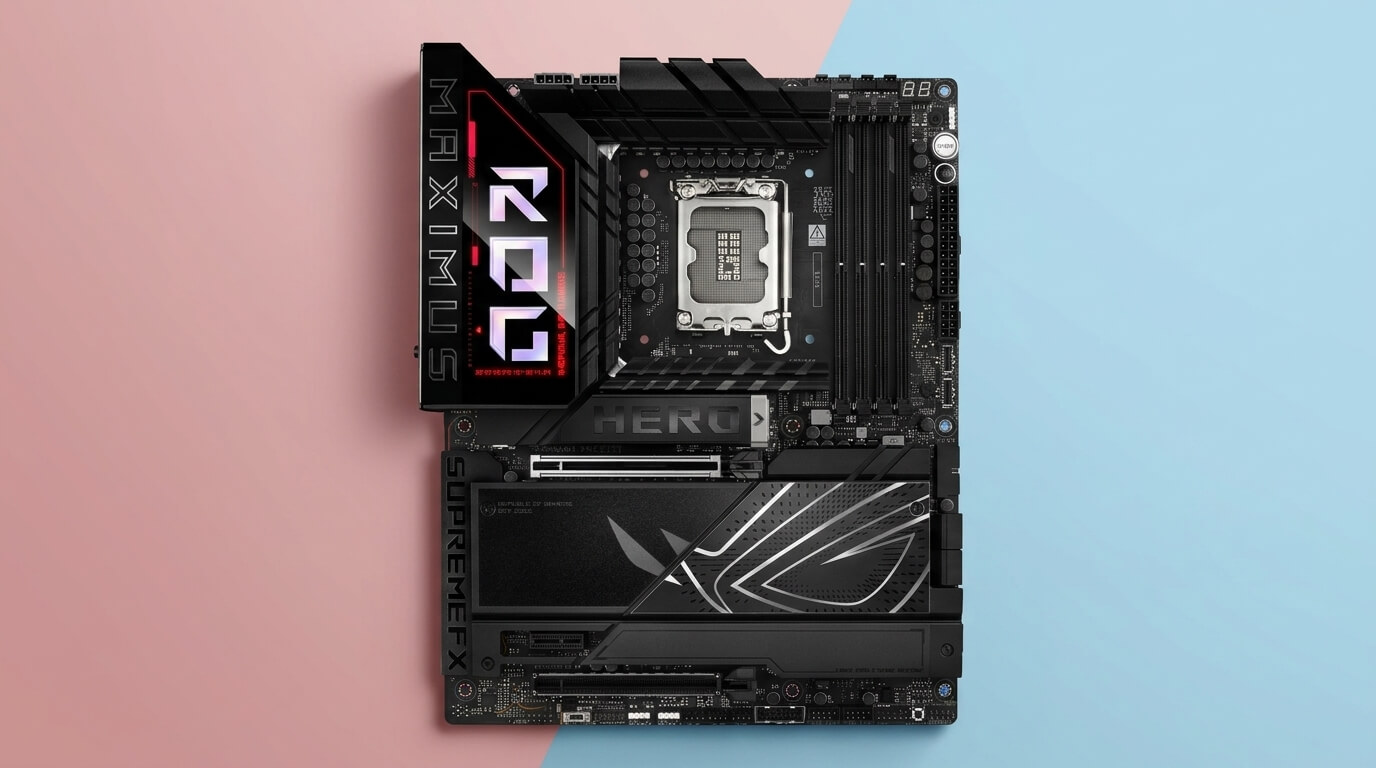
Gigabyte Z790 AORUS Master
Pricing and availability on Amazon
Pros & cons
Strengths
- The 20+1+2 phase VRM design with 105A power stages provides the highest power-delivery capacity among all the boards reviewed.
- The dedicated PCIe 5.0 x4 M.2 slot supports the fastest current NVMe SSDs, a feature not available on the other five boards.
- The Marvell AQtion 10GbE controller provides four times the wired bandwidth of the 2.5G LAN offered by the Tomahawk, AORUS Elite AX, and PRO Z790-A WiFi.
- The ESS SABRE DAC paired with the ALC1220-VB codec provides a premium audio solution that outperforms the Realtek-only audio implementations on the other five boards.
Limitations
- The E-ATX form factor requires a PC case with adequate E-ATX clearance, unlike the standard-ATX boards included in this comparison.
- With a price of $499.99–$549.99, the AORUS Master costs roughly three times as much as the AORUS Elite AX and TUF Gaming Z790-Plus WiFi.
- The ALC1220-VB is an older-generation audio codec compared with the ALC4080 used on the MSI Tomahawk and PRO Z790-A WiFi.
- The motherboard does not include USB4 or Thunderbolt connectivity, unlike the ASUS TUF Gaming Z790-Plus WiFi.
Review notes
The board uses a direct 20+1+2 phase digital VRM with 105 A power stages, powered through dual 8-pin EPS connectors and controlled by a 20-channel Renesas RAA229131 PWM controller. DDR5 memory installs across 4 DIMM slots, supports up to 192 GB, and reaches DDR5-7600 or higher with overclocking. Storage includes 1 PCIe 5.0 x4 M.2 slot plus 4 PCIe 4.0 x4 M.2 slots, for 5 M.2 slots total, and 4 SATA 6Gb/s ports. Expansion includes 1 PCIe 5.0 x16 slot, 1 PCIe 4.0 x4 slot, and 1 PCIe 3.0 x1 slot. Networking uses a Marvell AQtion 10GbE LAN controller and Intel WiFi 6E, and audio runs through an ESS SABRE Hi-Fi 9118 DAC paired with a Realtek ALC1220-VB codec. The rear I/O includes 14 USB ports.
The AORUS Master’s 20+1+2 VRM at 105 A per stage exceeds what the i7-13700K’s 253 W maximum turbo power requires, which gives the board substantial thermal margin during sustained all-core workloads and leaves headroom for manual overclocking beyond stock power limits. Tom’s Hardware measured this VRM design handling an Intel Core i9-13900K, a CPU with the same 253 W PL2 ceiling as the i7-13700K, without exceeding safe VRM temperatures.
Compared with the ASUS ROG Strix Z790-E Gaming WiFi, the AORUS Master uses more VRM phases and higher per-stage amperage (20+1+2 at 105 A versus 18+1 at 90 A) and adds a PCIe 5.0 M.2 slot plus a 10GbE LAN controller, features the ROG Strix Z790-E lacks. Compared with the four mid-range boards in this article, the AORUS Master offers the only PCIe 5.0 M.2 slot in the comparison, at a price close to double the ROG Strix Z790-E and roughly triple the AORUS Elite AX.
Who it suits
The Gigabyte Z790 AORUS Master is an E-ATX motherboard built on the Intel Z790 chipset for the LGA1700 socket. Gigabyte positions the AORUS Master as its flagship mid-tower option, aimed at builders who want maximum VRM capacity and storage bandwidth for the i7-13700K or higher-end Raptor Lake CPUs.
Specs & configuration
| Specification | Gigabyte Z790 AORUS Master |
|---|---|
| Socket | Intel LGA1700 |
| Chipset | Intel Z790 |
| Form Factor | E-ATX |
| CPU Support | Intel 12th, 13th, and 14th Gen Core processors |
| VRM | Direct 20+1+2 phases, 105 A power stage |
| Memory | 4x DDR5, up to 192 GB, DDR5-7600+ (OC) |
| PCIe | 1x PCIe 5.0 x16, 1x PCIe 4.0 x4, 1x PCIe 3.0 x1 |
| Storage | 1x PCIe 5.0 x4 M.2 + 4x PCIe 4.0 x4 M.2, 4x SATA 6Gb/s |
| Networking | Marvell AQtion 10GbE LAN, Intel WiFi 6E |
| Audio | ESS SABRE Hi-Fi 9118 DAC, Realtek ALC1220-VB |
| USB | 14 rear USB ports, 2x USB 3.2 Gen 2×2 Type-C |
| MSRP | $499.99–$549.99 |
What Is the Best Budget Motherboard for Intel Core i7-13700K?
The best budget motherboard for the Intel Core i7-13700K is the Gigabyte Z790 AORUS Elite AX. It combines a twin 16+1+2 phase VRM at 70 A per stage, DDR5-7600 memory overclocking support, a PCIe 5.0 x16 slot, and four PCIe 4.0 M.2 slots at a published price starting near $189.99, the lowest confirmed price among the six boards in this comparison.
The AORUS Elite AX’s 70 A power stages sustain the i7-13700K’s 253 W maximum turbo power in a case with adequate airflow, matching the power-delivery class of the ASUS TUF Gaming Z790-Plus WiFi and MSI PRO Z790-A WiFi at a comparable or lower price. Its DDR5-7600 overclocking ceiling and 192 GB memory capacity exceed the DDR5-7200 and 128 GB limits of the MSI MAG Z790 Tomahawk WiFi DDR5, despite the Tomahawk’s higher list price. Builders who need Thunderbolt 4 connectivity should consider the ASUS TUF Gaming Z790-Plus WiFi instead, since the AORUS Elite AX does not include a Thunderbolt or USB4 header. Builders who plan to run the i7-13700K with an unlocked power limit for extended periods should confirm case airflow directs air across the VRM heatsink, since the AORUS Elite AX’s 70 A stages carry less thermal margin than the 90 A and 105 A designs on the ASUS ROG Strix Z790-E Gaming WiFi and Gigabyte Z790 AORUS Master.
JOIN THE CONVERSATION
Leave a comment
Have a question or something to add? Share it with our editorial team. Comments are reviewed privately and are not published automatically.