The Intel Core i9-13900K is a 24-core, 32-thread desktop processor with a maximum turbo frequency of 5.8 GHz and a peak power draw (PL2) that can exceed 250 W under sustained multi-core load. A motherboard for this processor must supply stable VRM power under that load, support DDR5 memory at the CPU’s rated speeds, and provide PCIe 5.0 and multi-M.2 storage for modern builds.
The Intel Core i9-13900K uses the LGA 1700 socket and pairs with Intel Z790 chipset motherboards for full overclocking support and PCIe 5.0 connectivity. A Z790 board differs from a B760 board mainly in VRM strength, PCIe lane allocation, and memory overclocking headroom, all of which affect how the i9-13900K performs under full load.
Motherboard selection for the i9-13900K depends on four factors: VRM phase count and amperage, DDR5 memory speed support, storage and connectivity, and price relative to the target build. A board with fewer than 14 real power phases or power stages rated below 60 A can throttle the i9-13900K under an extended all-core workload, while a stronger VRM extends the safe range for overclocking and sustained rendering tasks.
This guide compares six Z790 motherboards for the Intel Core i9-13900K: the MSI MAG Z790 Tomahawk MAX WiFi, Gigabyte Z790 AORUS Elite AX, ASUS ROG Maximus Z790 Hero, Gigabyte Z790 AORUS Master, ASUS ROG Strix Z790-E Gaming WiFi, and MSI MPG Z790 Carbon WiFi. Each section examines the board’s specifications, its behavior with the i9-13900K, and how it compares with the other boards in this list.
Best Motherboards for Intel i9-13900K CPU
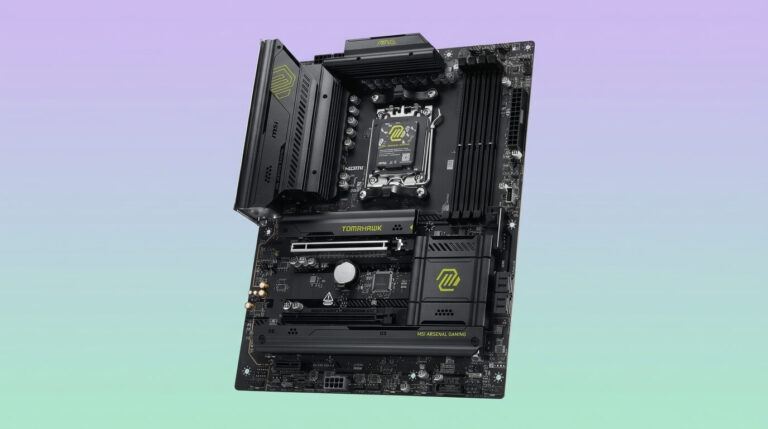
MSI MAG Z790 Tomahawk MAX WiFi
CHECK PRICE
PROS
CONS
The MSI MAG Z790 Tomahawk MAX WiFi is an ATX motherboard built on the Intel Z790 chipset for the LGA 1700 socket. It supports 12th, 13th, and 14th Gen Intel Core processors, including the Core i9-13900K, alongside Pentium Gold and Celeron models.
The board uses a 16+1+1 Mirrored Power Arrangement VRM with dual 8-pin CPU power connectors and MSI’s Core Boost and Memory Boost technologies. Four DDR5 DIMM slots support up to 256 GB of memory at speeds up to DDR5-7800+ (OC), with native JEDEC support down to DDR5-4800. Storage includes four M.2 slots, one running at PCIe 5.0 x4 through MSI’s Lightning Gen 5 interface, plus eight SATA III ports. Expansion includes one PCIe 5.0 x16 slot, one PCIe 4.0 x16 slot, and one PCIe 3.0 x1 slot. Networking runs through 2.5 GbE LAN and Wi-Fi 7 with Bluetooth 5.4, and audio uses a Realtek ALC4080 codec across 7.1 channels. Rear I/O includes a USB 3.2 Gen 2×2 Type-C port, a USB 3.2 Gen 2 Type-C port, and multiple USB 3.2 Type-A ports.
With the i9-13900K, the MAG Z790 Tomahawk MAX WiFi’s 16+1+1 VRM handles stock operation and light overclocking without exceeding safe thermal limits, though its power-stage count sits below the 18-to-20-phase designs used on higher-tier boards in this list. The board covers the connectivity most builders need — PCIe 5.0, Wi-Fi 7, and four M.2 slots — at a lower price than the ASUS ROG Strix Z790-E Gaming WiFi or the Gigabyte Z790 AORUS Master, which both add extra power-stage headroom and, in the AORUS Master’s case, 10 GbE networking. Compared with the Gigabyte Z790 AORUS Elite AX, the Tomahawk MAX WiFi adds Wi-Fi 7 and a PCIe 5.0 M.2 slot but costs more.
| Specification | Detail |
|---|---|
| Chipset | Intel Z790 |
| Socket | LGA 1700 |
| Form factor | ATX |
| VRM | 16+1+1 phases, Mirrored Power Arrangement, dual 8-pin CPU power |
| Memory | 4x DDR5 DIMM, up to 256 GB, up to DDR5-7800+ (OC) |
| Storage | 4x M.2 (1x PCIe 5.0 x4), 8x SATA III |
| PCIe slots | 1x PCIe 5.0 x16, 1x PCIe 4.0 x16, 1x PCIe 3.0 x1 |
| Networking | 2.5 GbE LAN, Wi-Fi 7, Bluetooth 5.4 |
| Audio | Realtek ALC4080, 7.1-channel |
| Typical price | Around $210–$255 |
Gigabyte Z790 AORUS Elite AX
CHECK PRICE
PROS
CONS
The Gigabyte Z790 AORUS Elite AX is an ATX motherboard for the LGA 1700 socket built on the Intel Z790 chipset. It supports Intel Core 12th, 13th, and 14th Gen processors, including the Core i9-13900K, and targets builders who want Z790 features at a lower price point than Gigabyte’s AORUS Master or Extreme tiers.
The board uses a Twin 16+2+1 Hybrid Digital VRM design rated at 70 A per power stage, delivered through an 8+8 phase parallel power configuration. Four DDR5 DIMM slots support up to 256 GB of memory at speeds up to DDR5-7600 (OC). Storage includes four PCIe 4.0 x4 M.2 slots with EZ-Latch Plus quick-release mounting and six SATA ports. The primary PCIe slot runs at PCIe 5.0 x16, backed by two PCIe 4.0 x4 slots. Networking uses 2.5 GbE LAN and Wi-Fi 6E with Bluetooth 5.3, and the rear I/O includes a 10 Gb/s USB-C port at the front panel and a 20 Gb/s USB-C port at the rear.
With the i9-13900K, the AORUS Elite AX’s 16-phase VCore design at 70 A per stage handles the processor at stock settings and moderate overclocking, though independent testing shows VRM temperatures stay controlled mainly under stock-to-mild-overclock conditions rather than sustained extreme overclocking. Compared with the MSI MAG Z790 Tomahawk MAX WiFi, the AORUS Elite AX costs less but drops Wi-Fi 7 for Wi-Fi 6E and lacks a PCIe 5.0 M.2 slot. Against the higher-tier Gigabyte Z790 AORUS Master, the Elite AX gives up 10 GbE LAN and the fifth M.2 slot in exchange for a substantially lower price.
| Specification | Detail |
|---|---|
| Chipset | Intel Z790 |
| Socket | LGA 1700 |
| Form factor | ATX |
| VRM | 16+1+2 phases (Twin 16+2+1 Hybrid Digital), 70 A power stages |
| Memory | 4x DDR5 DIMM, up to 256 GB, up to DDR5-7600 (OC) |
| Storage | 4x PCIe 4.0 x4 M.2, 6x SATA |
| PCIe slots | 1x PCIe 5.0 x16, 2x PCIe 4.0 x4 |
| Networking | 2.5 GbE LAN, Wi-Fi 6E, Bluetooth 5.3 |
| Audio | Realtek audio codec, High Definition Audio |
| Typical price | Around $190–$200 |
ASUS ROG Maximus Z790 Hero
CHECK PRICE
PROS
CONS
The ASUS ROG Maximus Z790 Hero is a flagship ATX motherboard for the LGA 1700 socket, built on the Intel Z790 chipset for Intel Core 12th, 13th, and 14th Gen processors. It sits at the entry point of ASUS’s Maximus series, positioned above the ROG Strix line for builders who prioritize VRM strength and premium I/O over price.
The board’s VRM uses a 20+1 Teamed Power Stage design rated at 90 A per stage, with dual ProCool connectors for the EPS 12V power lines and a differential-sensing circuit for more accurate voltage reporting during tuning. Four DDR5 DIMM slots support up to 192 GB of memory at speeds up to DDR5-7800 (OC). Storage spans five total M.2 slots, including a PCIe 5.0 M.2 socket, alongside SATA 6 Gb/s ports. Connectivity includes two Thunderbolt 4 Type-C ports, twelve total rear USB ports, and a ROG SupremeFX ALC4082 codec with an ESS SABRE DAC for audio. The board does not include 10 GbE networking.
With the i9-13900K, the Maximus Z790 Hero’s 20+1 VRM at 90 A per stage provides more sustained current capacity than any of the other five boards in this comparison, supporting extended all-core overclocking without approaching the VRM’s thermal ceiling. Against the ASUS ROG Strix Z790-E Gaming WiFi, the Maximus Z790 Hero adds two more effective phases, dual Thunderbolt 4 ports, and premium audio, at a higher price. Compared with the Gigabyte Z790 AORUS Master, both boards use comparably strong VRM designs, but the AORUS Master adds 10 GbE LAN while the Maximus Z790 Hero adds Thunderbolt 4 in its place.
| Specification | Detail |
|---|---|
| Chipset | Intel Z790 |
| Socket | LGA 1700 |
| Form factor | ATX |
| VRM | 20+1 power stages, 90 A, Teamed Power Stage design |
| Memory | 4x DDR5 DIMM, up to 192 GB, up to DDR5-7800 (OC) |
| Storage | 5x M.2 total (incl. 1x PCIe 5.0), SATA 6 Gb/s ports |
| Connectivity | 2x Thunderbolt 4, 12x rear USB ports |
| Audio | ROG SupremeFX ALC4082 with ESS SABRE DAC |
| Typical price | Around $549–$629 |
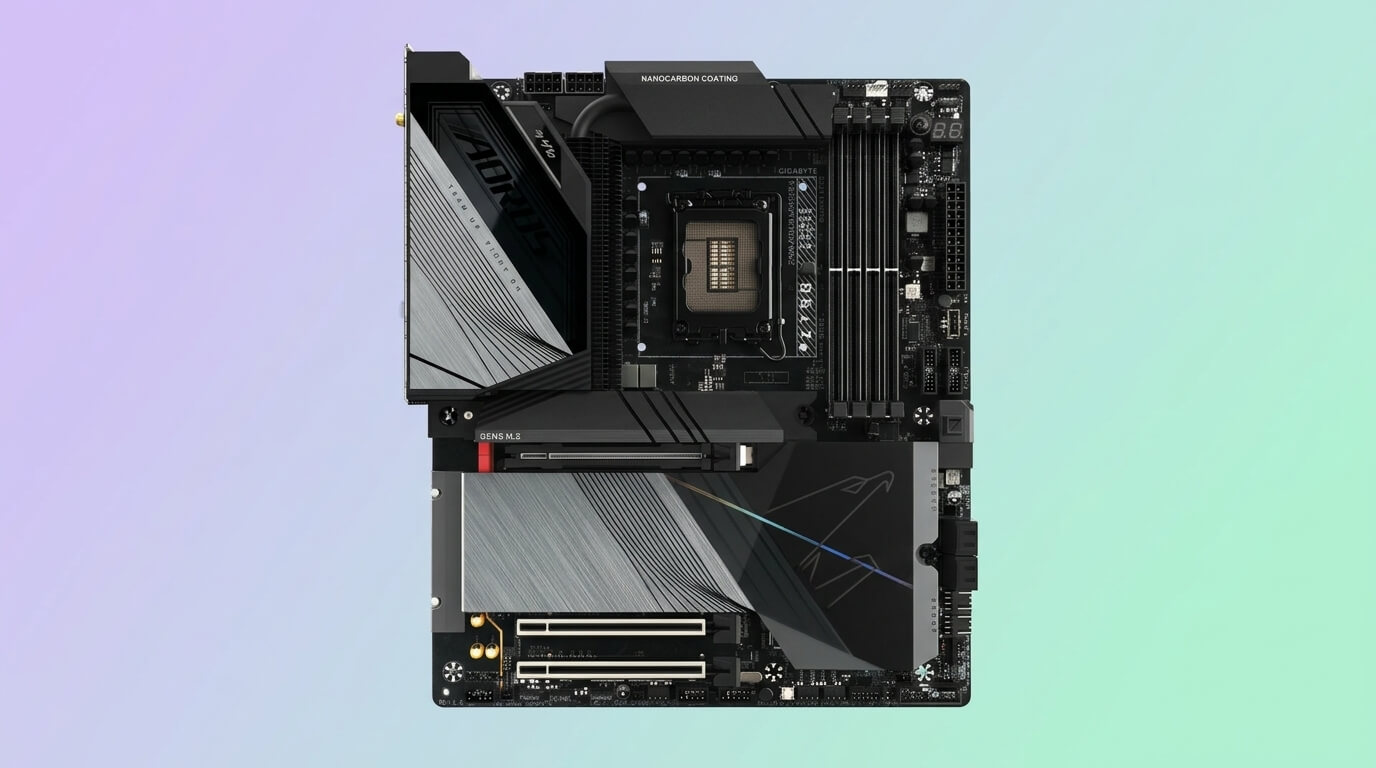
Gigabyte Z790 AORUS Master
CHECK PRICE
PROS
CONS
The Gigabyte Z790 AORUS Master is an E-ATX motherboard for the LGA 1700 socket, built on the Intel Z790 chipset for Intel Core 12th, 13th, and 14th Gen processors. It occupies the upper tier of Gigabyte’s Z790 lineup, below the AORUS Master X and Xtreme models.
The VRM uses a direct 20+1+2 phase design with 105 A Smart Power Stages, controlled by a Renesas RAA229131 PWM controller, and cooled with Gigabyte’s Fins-Array III heatsink and an 8 mm direct-touch heatpipe. Four DDR5 DIMM slots support memory speeds up to DDR5-7600 (OC) and beyond on select modules. Storage includes five M.2 slots, one running at PCIe 5.0 x4, alongside SATA ports for additional drives. Networking runs through a Marvell AQtion 10 GbE LAN controller and Wi-Fi 6E, and audio uses a Realtek ALC1220-VB codec with an ESS ES9118 DAC supporting DTS:X Ultra. The rear I/O includes ten USB Type-A ports and three USB Type-C ports.
With the i9-13900K, the AORUS Master’s direct 20+1+2 VRM at 105 A per stage delivers current headroom comparable to the ASUS ROG Maximus Z790 Hero, and its non-doubled phase design reduces the transient processing delay associated with phase-doubled VRMs. Compared with the Gigabyte Z790 AORUS Elite AX, the AORUS Master adds a fifth M.2 slot, 10 GbE networking, and a stronger VRM, at a higher price. Against the ASUS ROG Strix Z790-E Gaming WiFi, the AORUS Master offers higher-rated power stages and 10 GbE LAN, while the Strix counters with Thunderbolt 4 support that the AORUS Master lacks.
| Specification | Detail |
|---|---|
| Chipset | Intel Z790 |
| Socket | LGA 1700 |
| Form factor | E-ATX |
| VRM | Direct 20+1+2 phases, 105 A Smart Power Stages |
| Memory | 4x DDR5 DIMM, up to DDR5-7600 (OC) and above |
| Storage | 5x M.2 (1x PCIe 5.0 x4), SATA ports |
| Networking | Marvell AQtion 10 GbE LAN, Wi-Fi 6E |
| Audio | Realtek ALC1220-VB with ESS ES9118 DAC, DTS:X Ultra |
| Typical price | Around $300–$450 |
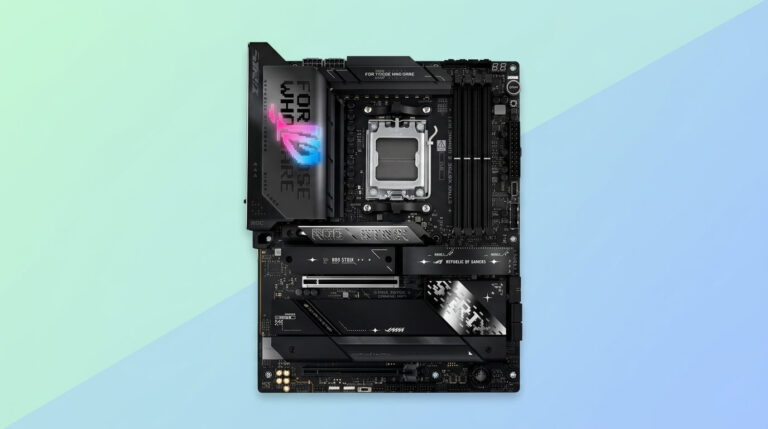
ASUS ROG Strix Z790-E Gaming WiFi
CHECK PRICE
PROS
CONS
The ASUS ROG Strix Z790-E Gaming WiFi is an ATX motherboard for the LGA 1700 socket, built on the Intel Z790 chipset for Intel Core 12th, 13th, and 14th Gen processors. It sits in the middle of ASUS’s Z790 stack, above the Strix Z790-A and below the Maximus series.
The VRM uses an 18+1 power-stage design rated at 90 A per stage. Four DDR5 DIMM slots support memory speeds up to DDR5-7800 (OC). Storage includes up to five M.2 slots, with one PCIe 5.0 NVMe socket paired with an M.2 Combo-Sink for cooling, and a PCIe 5.0 x16 SafeSlot with Q-Release for the primary expansion slot. Connectivity includes a Thunderbolt 4 port, a 20 Gbps USB-C port, 2.5 GbE LAN, and Wi-Fi 6E with Bluetooth 5.2. Audio runs through a ROG SupremeFX ALC4080 codec across 7.1 channels.
With the i9-13900K, the Strix Z790-E Gaming WiFi’s 18+1 VRM at 90 A per stage is rated by ASUS as sufficient for the i9-13900K at stock and moderate overclocked settings. Against the MSI MPG Z790 Carbon WiFi, the Strix Z790-E has one fewer effective VCore phase but adds Thunderbolt 4, which the MPG Carbon WiFi omits. Compared with the ASUS ROG Maximus Z790 Hero, the Strix Z790-E uses two fewer power stages and a single Thunderbolt 4 port instead of two, at a lower price.
| Specification | Detail |
|---|---|
| Chipset | Intel Z790 |
| Socket | LGA 1700 |
| Form factor | ATX |
| VRM | 18+1 power stages, 90 A |
| Memory | 4x DDR5 DIMM, up to DDR5-7800 (OC) |
| Storage | Up to 5x M.2 (1x PCIe 5.0), PCIe 5.0 x16 SafeSlot |
| Connectivity | Thunderbolt 4, 20 Gbps USB-C, 2.5 GbE LAN |
| Networking | Wi-Fi 6E, Bluetooth 5.2 |
| Typical price | Around $370–$500 |
MSI MPG Z790 Carbon WiFi
CHECK PRICE
PROS
CONS
The MSI MPG Z790 Carbon WiFi is an ATX motherboard for the LGA 1700 socket, built on the Intel Z790 chipset for Intel Core 12th and 13th Gen processors. It occupies the upper-middle tier of MSI’s Z790 lineup, above the MAG series and below the MEG Ace and Godlike boards.
The VRM uses a Direct 19+1+1 power-phase design with 105 A Smart Power Stages, controlled by a Renesas RAA229131 PWM controller and cooled with dual 8-pin CPU power connectors. Four DDR5 DIMM slots support memory speeds up to DDR5-7600+ (OC) for 1DPC 1R configurations. Storage includes five M.2 slots: one running at PCIe 5.0 x4 through MSI’s Lightning Gen 5 interface, and four at PCIe 4.0 x4. The primary expansion slot runs at PCIe 5.0 x16. Networking uses 2.5 Gbps LAN and Wi-Fi 6E with Bluetooth 5.3, and audio runs through a Realtek ALC4080 codec across 7.1 channels.
With the i9-13900K, the MPG Z790 Carbon WiFi’s 19-phase VRM at 105 A per stage delivers higher per-phase current capacity than the 16-to-18-phase boards from MSI and ASUS in this list, placing its VRM strength closer to the Gigabyte Z790 AORUS Master and ASUS ROG Maximus Z790 Hero at a lower price. Compared with the MSI MAG Z790 Tomahawk MAX WiFi, the MPG Carbon WiFi adds three more effective phases and higher per-stage amperage, for a moderate price increase. Against the ASUS ROG Strix Z790-E Gaming WiFi, the MPG Carbon WiFi offers a comparable VRM at a lower price but drops Thunderbolt 4 support.
| Specification | Detail |
|---|---|
| Chipset | Intel Z790 |
| Socket | LGA 1700 |
| Form factor | ATX |
| VRM | Direct 19+1+1 phases, 105 A Smart Power Stages |
| Memory | 4x DDR5 DIMM, up to DDR5-7600+ (OC) |
| Storage | 5x M.2 (1x PCIe 5.0 x4, 4x PCIe 4.0 x4) |
| PCIe slots | 1x PCIe 5.0 x16 |
| Networking | 2.5 Gbps LAN, Wi-Fi 6E, Bluetooth 5.3 |
| Typical price | Around $280–$330 |
What Is the Best Budget Motherboard for Intel Core i9-13900K?
The Gigabyte Z790 AORUS Elite AX is the best budget motherboard for the Intel Core i9-13900K, with a typical price of around $190, the lowest of the six boards in this comparison. It pairs a 16+1+2 VRM rated at 70 A per power stage with DDR5-7600 memory support, four PCIe 4.0 M.2 slots, and a PCIe 5.0 x16 primary expansion slot, covering the core requirements of a Z790 build for the i9-13900K without the added cost of Wi-Fi 7, 10 GbE LAN, or Thunderbolt connectivity found on higher-tier boards in this list.
For builders who run the i9-13900K at stock clocks or with a modest overclock, the AORUS Elite AX’s VRM delivers enough current to keep the processor stable without approaching its thermal limits. The MSI MAG Z790 Tomahawk MAX WiFi is the next-closest option on price, at roughly $210 to $255, and adds Wi-Fi 7 and a PCIe 5.0 M.2 slot for builders willing to spend slightly more. Builders planning extended all-core overclocking should weigh the AORUS Elite AX’s lower power-stage count against the 90-to-105 A designs on the Gigabyte Z790 AORUS Master or ASUS ROG Maximus Z790 Hero, both of which cost more but provide additional VRM headroom for sustained heavy loads.